ModelHub
The missing menu bar app for local LLMs on Mac.

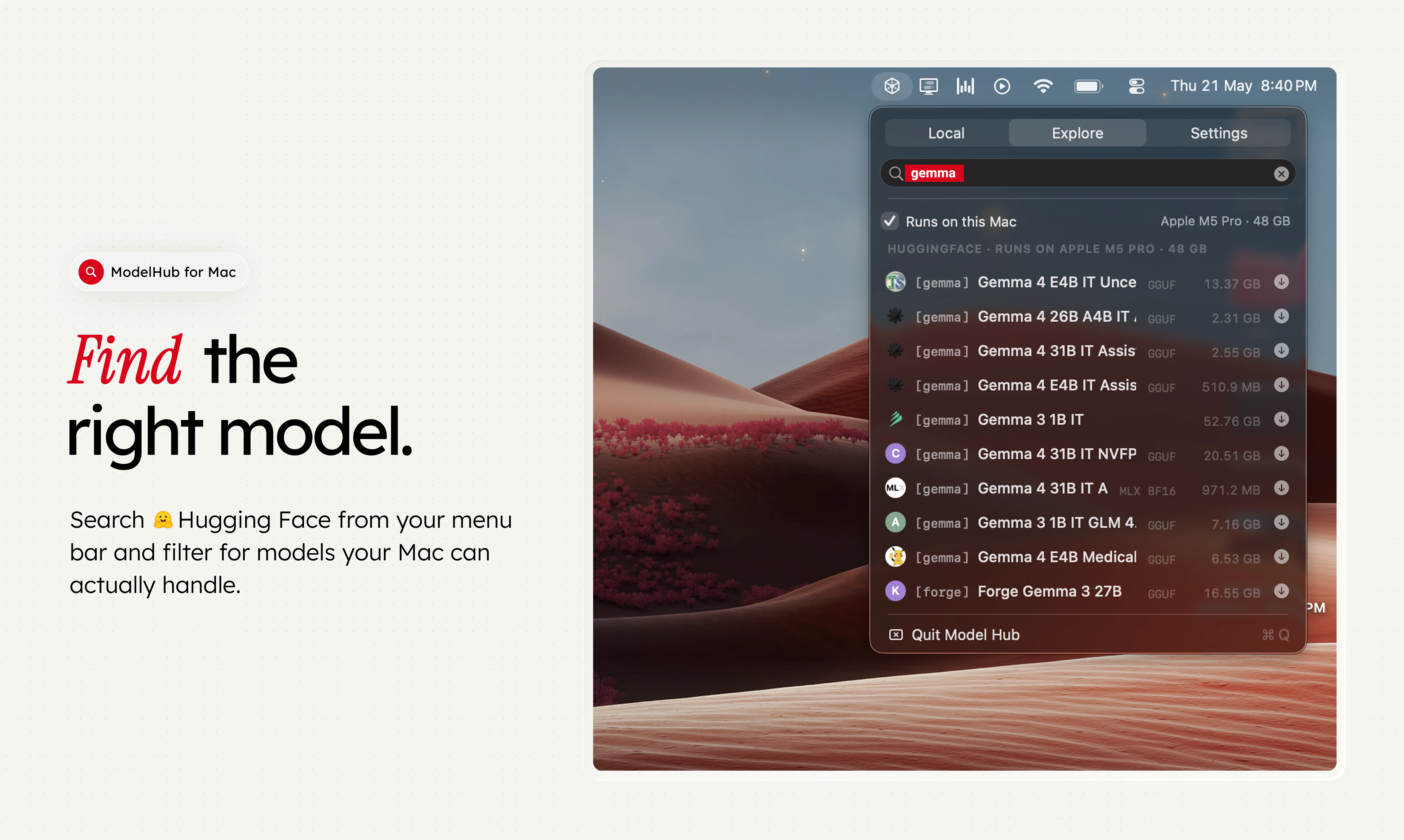
ModelHub is a native macOS menu bar app for developers working with local LLMs. It helps you discover models from Hugging Face, download the right local build, manage your model library, and use Hugging Face models with Ollama, MLX, LM Studio, llama.cpp, and the tools you already have without bouncing between browser tabs, terminal commands, model cards, and local folders. Ollama, MLX, and LM Studio are great tools. ModelHub is the missing discovery and management layer around them.
AI Analysis
ModelHub is a native macOS menu bar app for developers using local LLMs. Core features include discovering Hugging Face models, downloading optimized local builds, managing a personal model library, and integrating directly with Ollama, MLX, LM Studio, llama.cpp and existing tools. It eliminates the pain of switching between browser tabs, terminal commands, model cards, and local folders. The unique selling point is serving as the missing discovery and management layer that unifies workflows around these tools. The value proposition is streamlined, efficient local LLM development on Mac without disrupting existing setups.
The 2025-2026 period is highly favorable with surging demand for local LLMs driven by privacy concerns, rising cloud API costs, Apple Silicon optimizations (MLX), and mainstream adoption of tools like Ollama. Technology for efficient on-device inference is maturing rapidly, and user needs are shifting from cloud to local setups. Economic pressures favor cost-effective local solutions. This aligns perfectly with the product's focus on Mac-based local AI management. Excellent Timing.
High technical feasibility as a native macOS app with existing open-source integrations (Hugging Face, Ollama, MLX). Development costs are moderate for a small team focused on desktop software; open-source nature reduces some operational burdens. Low supply chain and compliance risks given focus on software and open models. Strong scalability as user base grows via GitHub. Potential challenges in maintaining multi-tool compatibility but overall highly feasible. Rating: High
Primary users: Mac-based AI/ML developers, software engineers, researchers, and indie hackers working with local LLMs. Demographics: tech professionals aged 25-40, concentrated in US, Europe, and Asia tech hubs. Industries: AI startups, software dev, academia. Estimated market: growing local AI tools segment within broader $20B+ dev tools TAM; SAM for LLM management tools hundreds of millions; SOM for Mac-specific niche tens of millions. Pain points: fragmented workflows and discovery friction. High willingness to pay for time-saving premium features despite open-source base.
Medium. Direct competitors: 1. LM Studio (lmstudio.ai), 2. Ollama with its official tools (ollama.com), 3. Hugging Face CLI and Spaces (huggingface.co), 4. GPT4All (gpt4all.io), 5. Faraday.dev. Advantages: native Mac menu bar for instant access, unified discovery/management across multiple backends (Ollama/MLX/llama.cpp), avoids full GUI bloat. Disadvantages: Mac-only (narrower reach), relies on open-source community for updates, less established brand than LM Studio or Ollama. Strong differentiation in seamless 'missing layer' integration but faces pressure from maturing all-in-one GUIs.
Upgrade Pro to unlock full AI analysis
Similar Products

Auriko
Trading desk for LLM calls
▲ 332 votes

React UI Kit V7
All the chat components you need. None of the complexity
▲ 115 votes

NanoKVM-Go
Give your AI agent physical control over any screen
▲ 110 votes

Blop
Describe your app and Blop tests it and repairs broken tests
▲ 80 votes

Mantel
Stop confusing your Claude Code sessions & terminal windows
▲ 72 votes

Stagent
Drive Claude Code through long tasks it would otherwise drop
▲ 58 votes