PicOne
macOS menu bar image uploader, multi-provider, sandbox-safe

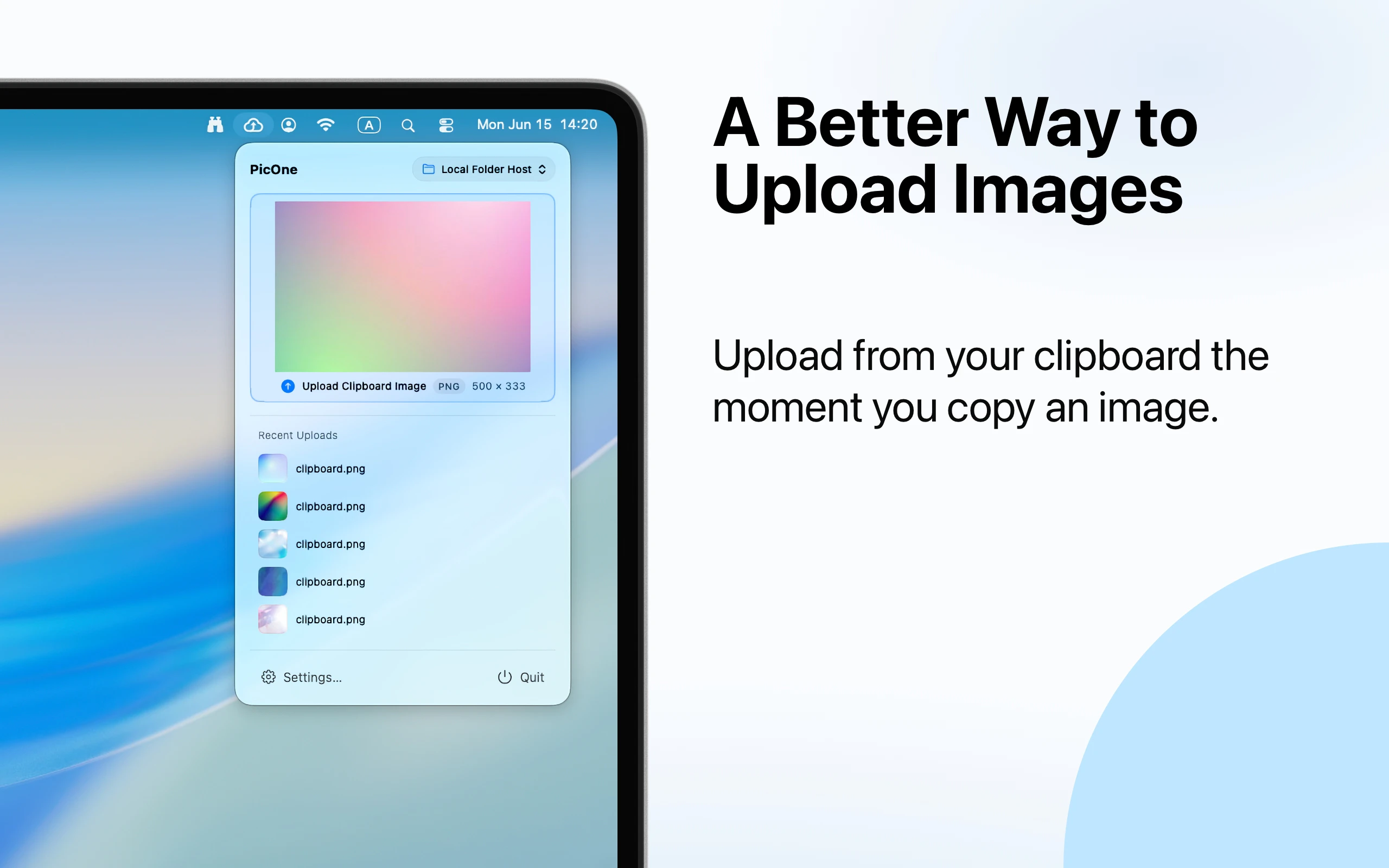
PicOne is a native macOS menu-bar image uploader with no Dock icon or main window. Upload via file picker, drag & drop, clipboard, or Finder right-click. Supports GitHub, S3-compatible (AWS/R2/COS/MinIO), Alibaba OSS, Qiniu, Upyun, Imgur, SM.MS, WebDAV, local folder & custom hosts. Built-in image processing (convert, compress, resize, watermark). MAS only, App Sandbox, zero third-party dependencies. Free trial available, then one-time purchase.
AI Analysis
PicOne is a native macOS menu-bar image uploader that operates without a Dock icon or main window for minimal intrusion. It enables uploads via file picker, drag & drop, clipboard, or Finder right-click, supporting diverse providers including GitHub, S3-compatible services (AWS/R2/MinIO), Alibaba OSS, Qiniu, Upyun, Imgur, SM.MS, WebDAV, local folders, and custom hosts. Built-in tools allow image conversion, compression, resizing, and watermarking. Fully sandboxed, Mac App Store exclusive, with zero third-party dependencies, it solves pain points around clunky upload workflows, privacy/security concerns, and fragmented toolchains. The value proposition is efficient, secure, one-time-purchase productivity for seamless image sharing.
In 2025-2026, demand for privacy-focused, native tools remains strong amid growing data protection regulations and user awareness. Content creation and cloud storage usage continue expanding, favoring multi-provider uploaders. macOS ecosystem thrives in creative and developer communities. However, AI automation in image workflows and cross-platform web alternatives are maturing, creating moderate pressure. It is a Moderate Timing as the niche is established but not explosive.
Technical difficulty is manageable for macOS-experienced developers using native APIs; no complex backend required. Development and operation costs are low as a solo/small-team digital product distributed via Mac App Store. Sandbox compliance reduces security risks but adds development constraints. No supply chain issues; high scalability via updates and potential feature expansions. Team fit is excellent for indie Mac devs. Overall rating: High.
Primary segments: macOS power users, software developers (e.g. using GitHub image hosting), bloggers, designers, and productivity-focused professionals. Demographics: tech-savvy individuals aged 25-45, higher disposable income. Geographic distribution: global, with notable adoption in US/Europe (Apple users) and China (support for Alibaba OSS, Qiniu). Core pain points: inefficient multi-service uploads, manual image optimization, and privacy in non-sandboxed apps. Estimated market is niche but dedicated; users show strong willingness to pay for one-time purchase utilities that integrate seamlessly.
Medium. Direct competitors: 1. PicGo (picgo.github.io) - popular cross-platform uploader with similar providers. 2. uPic (upic.app) - menu bar focused Mac uploader. 3. Dropshare (dropshare.app) - Mac sharing tool with cloud providers. 4. Monosnap (monosnap.com) - screenshot and upload app. 5. CloudApp (getcloudapp.com) - quick sharing utility. Advantages: fully sandboxed/MAS-native, no dependencies, extensive providers including local/custom, integrated processing, no main window. Disadvantages: macOS-only, potentially fewer collaboration features than subscription-based rivals, relies on one-time purchase.
Upgrade Pro to unlock full AI analysis
Similar Products

Adapt
The company brain that gets work done
▲ 124 votes

Tapfree for Chrome
Voice dictation that adapts to what’s on your screen
▲ 122 votes

FileFlan
Instant private universal file sharing
▲ 100 votes

Kosshi
Simple, fast outliner for Mac and iPhone.
▲ 90 votes

Mantel
Stop confusing your Claude Code sessions & terminal windows
▲ 72 votes

Stagent
Drive Claude Code through long tasks it would otherwise drop
▲ 58 votes