
Cyluma
Your Mac’s battery as a living, breathing landscape
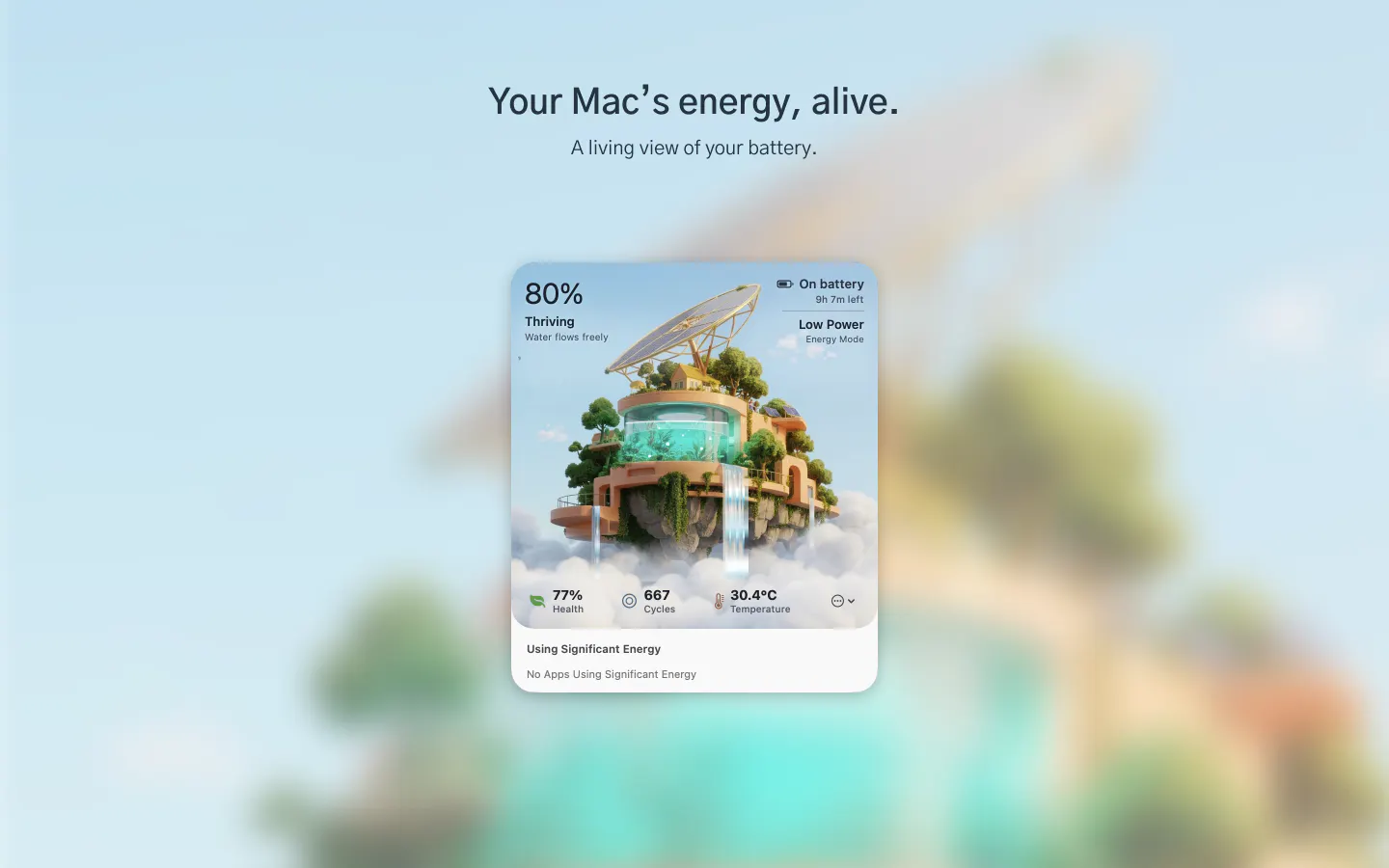
Cyluma turns your Mac’s battery into a responsive living landscape. Optimise your battery's health with best parctices. See charge, charging state, time remaining, battery health and energy use from a calm menu-bar companion.
AI Analysis
Cyluma is a macOS menu bar app that transforms the battery indicator into a responsive, living landscape visualization. Core features include monitoring charge level, charging state, estimated time remaining, battery health, and energy usage, while promoting best practices for battery optimization. Its unique selling point is the calm, artistic design that makes routine monitoring peaceful and engaging rather than intrusive. It solves key user pain points such as battery anxiety, fragmented information, and poor battery management habits. The overall value proposition is delivering essential battery insights through a serene, aesthetic interface for a better daily Mac experience.
In 2025-2026, rising focus on sustainability, device longevity, and digital wellness aligns with Cyluma's emphasis on battery health and calm monitoring. Battery technology is mature, user demand for intuitive Mac utilities is stable, and remote/hybrid work continues to heighten battery awareness. Economic pressures may favor affordable tools, but no major disruptive policy shifts. It is a reasonable time as the niche for aesthetic utilities grows modestly. Rating: Moderate Timing.
As a native or lightweight macOS menu bar app using standard battery APIs, technical difficulty is low. Development and operation costs are minimal for an indie product with no hardware or complex backend needs. Low supply chain or compliance risks; strong scalability via digital distribution. Potential challenges in UI polish for the landscape effect. Overall rating: High. Key reasons: leverages mature Apple frameworks, low ongoing costs, easy updates.
Main target segments: MacBook users, primarily tech professionals, creatives, and developers (ages 25-45) in North America and Europe. Estimated market: niche within the large Apple ecosystem (tens of millions of active Mac users); SAM for menu bar utilities is moderate, SOM small for premium battery tools. Core pain points: unreliable battery estimates and degradation concerns. Potential willingness to pay: moderate to high for delightful, useful utilities (likely one-time purchase model).
Competition level: Medium. Direct competitors: 1. iStat Menus (bjango.com/mac/istatmenus), 2. Stats (github.com/exelban/stats), 3. coconutBattery (coconut-flavour.com/coconutbattery), 4. Aldente (apphousekitchen.com). Advantages: highly differentiated calm landscape visualization and focused battery health best practices vs. technical dashboards. Disadvantages: likely narrower feature set than all-in-one monitors like iStat Menus; newer entrant with less brand recognition; may have higher pricing if positioned as premium aesthetic tool.
Upgrade Pro to unlock full AI analysis
Similar Products

TouchGrass
Context-aware break reminders without invasive permissions
▲ 299 votes

Tidy
Rename files automatically to tidy your mac
▲ 114 votes

Kosshi
Simple, fast outliner for Mac and iPhone.
▲ 90 votes

Thoughts for Mac
Capture notes from your menubar using text, images or voice
▲ 90 votes

Whiteout
Auto-redact sensitive info from Mac screenshots
▲ 83 votes

Mantel
Stop confusing your Claude Code sessions & terminal windows
▲ 72 votes