DeskMat 1.3
Now hide individual files + folders for more private desktop
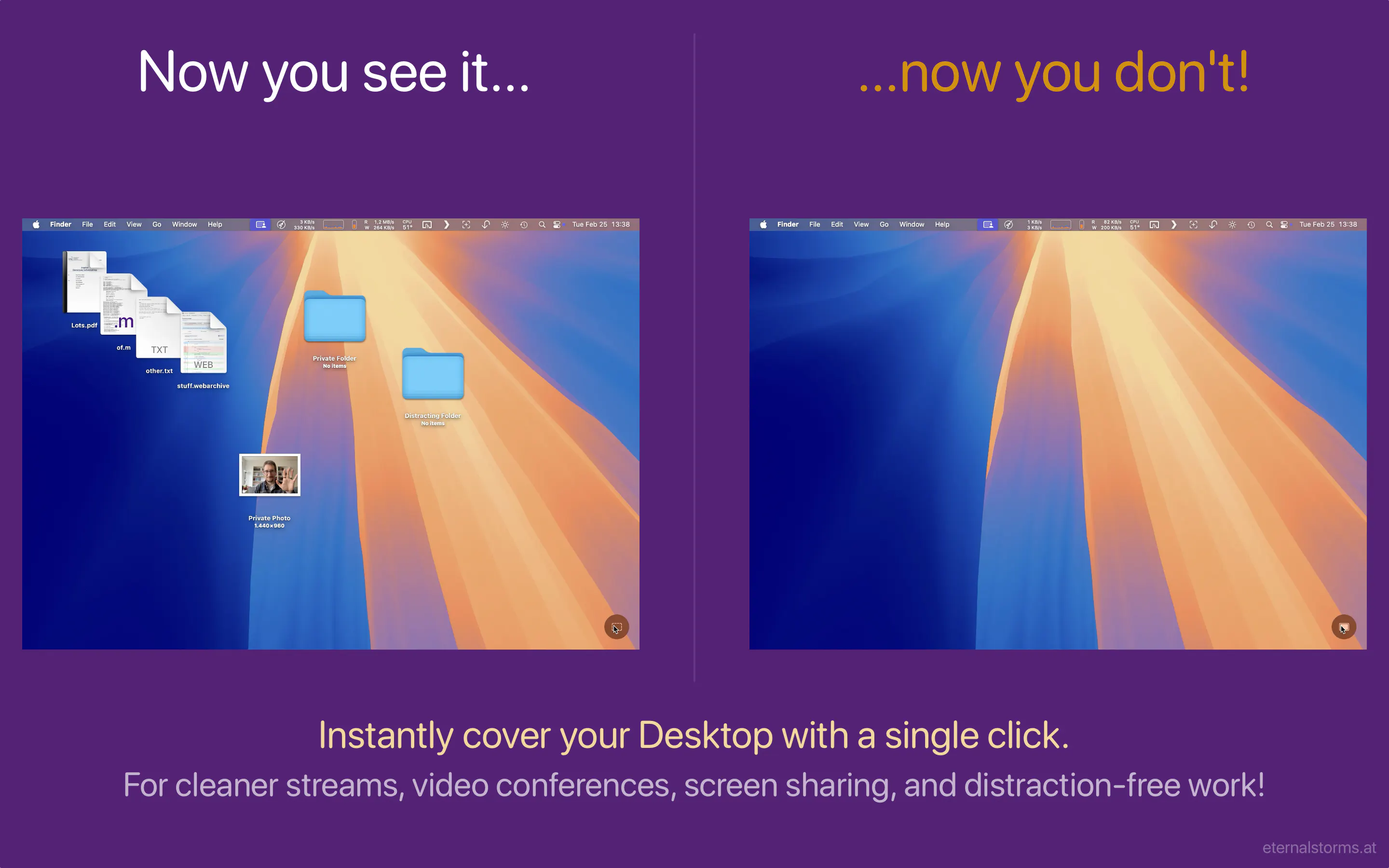
Sweep things under the rug – virtually. DeskMat is your virtual mat that covers your mess of files and folders on your Desktop with the click of a button. For cleaner streams, more privacy during video conferences, screen sharing, and distraction-free work!
AI Analysis
DeskMat is a Mac app acting as a virtual mat to hide messy files and folders on the desktop with one click. Version 1.3 adds the ability to hide individual files and folders for enhanced privacy. It solves pain points like unprofessional cluttered desktops during video calls, screen sharing, and distractions affecting focus. The value proposition is an effortless way to maintain a clean, private, and distraction-free workspace without moving or deleting items permanently.
For 2025-2026, market timing is favorable as hybrid/remote work remains dominant, driving demand for better screen sharing etiquette and digital privacy tools. macOS ecosystem is mature for such utilities, with rising user awareness of personal data exposure amid AI and collaboration trends. No major negative economic or policy barriers for consumer utilities. Excellent Timing.
High technical feasibility using standard macOS APIs for file management and overlays; low development costs for an experienced indie Mac developer. Minimal ongoing operational costs as a standalone desktop app, low compliance risks (standard App Store review), and strong scalability via digital distribution. Overall rating: High.
Primary segments: Mac users (professionals, designers, developers, educators, remote workers) aged 25-50 in North America, Europe, and urban Asia. Focus on those doing frequent video calls/screen shares. TAM for Mac utilities ~$2B+, SAM for desktop privacy tools ~$150M, SOM ~$10M. Pain points: sensitive file exposure and visual clutter reducing productivity/professionalism. Moderate-to-high willingness to pay for simple, effective privacy tools ($5-20).
Medium. Direct competitors: 1. OneSwitch (https://oneswitch.app), 2. Hidden (Mac App Store utilities), 3. Declutter apps (e.g. similar desktop tools on Product Hunt), 4. Custom macOS scripting solutions. Advantages: specialized virtual mat metaphor, individual file/folder hiding for privacy, simplicity for quick use. Disadvantages: narrower scope than full-featured desktop organizers; limited brand awareness compared to established utilities.
Upgrade Pro to unlock full AI analysis
Similar Products

FileFlan
Instant private universal file sharing
▲ 100 votes

Kosshi
Simple, fast outliner for Mac and iPhone.
▲ 90 votes

Mantel
Stop confusing your Claude Code sessions & terminal windows
▲ 72 votes

Einfall
Capture fugitive thoughts + route them to where they belong
▲ 72 votes

DevTerminal
A macOS terminal with a Run button that knows your project
▲ 71 votes

Refoid
Automate App Store refund responses and track every outcome
▲ 68 votes