Area Contrast Checker
Drag, Select, Know. A new way to check A11y contrast
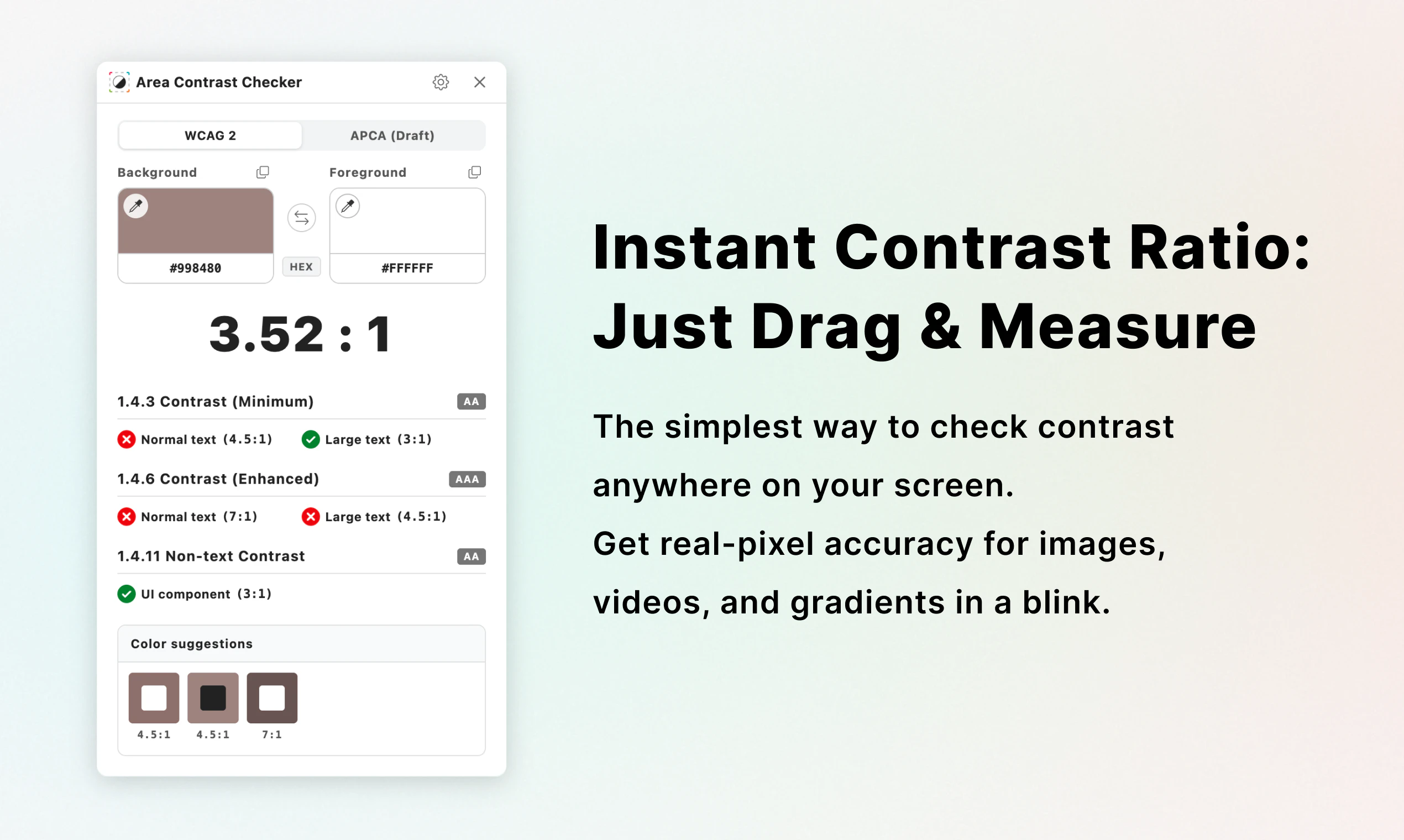
1.Auto scan, 2.Eyedropper, or 3.Element-based? Meet the 4th approach: Selection-based pixel analysis. This Chrome extension sees what users see, delivering reliable contrast ratios for complex visuals. No more relying solely on tedious manual picking. Just drag and know.
AI Analysis
Area Contrast Checker is a Chrome extension that introduces a selection-based pixel analysis for accessibility (A11y) contrast checking. Users drag to select any area on a webpage to receive reliable contrast ratios, addressing limitations of auto-scan, eyedropper, or element-based methods especially for complex visuals like gradients, images, and overlays. It solves key pain points of tedious manual sampling and inaccurate results that fail to reflect what users actually see. The value proposition is an intuitive, accurate tool to streamline inclusive web design and WCAG compliance for developers and designers.
In 2025-2026, timing is favorable due to tightening global digital accessibility regulations (e.g. EU Accessibility Act), rising corporate focus on DEI and inclusivity, maturing browser extension technologies, and increasing demand for efficient developer tools amid growing A11y lawsuits. This product's simple yet innovative approach aligns well with trends toward practical, visual-first compliance solutions. Excellent Timing.
Technical difficulty is medium, relying on established Chrome extension APIs for pixel data extraction and standard WCAG contrast calculations. Development and operation costs are low with no supply chain issues; minimal compliance risks if privacy is handled. Strong scalability via Chrome Web Store distribution and good fit for small dev teams. Overall rating: High, due to focused scope and proven underlying technologies.
Main target segments: frontend web developers, UI/UX designers, and accessibility specialists (ages 25-45), primarily in tech, digital agencies, and software industries, distributed globally with concentration in North America, Europe. The digital accessibility tools market is rapidly growing. Core pain points: time-consuming and unreliable contrast checks for modern complex web designs. Potential willingness to pay: moderate to high for time-saving, reliable tools integrated into workflows.
Competition level: Medium. Direct competitors: 1. Stark (getstark.co), 2. axe DevTools (deque.com/axe), 3. WAVE (wave.webaim.org), 4. WebAIM Contrast Checker (webaim.org/resources/contrastchecker), 5. Color Contrast Analyzer (by TPGi). Advantages: unique drag-to-select pixel analysis that accurately reflects user view for complex elements where others fall short. Disadvantages: narrower focus (contrast only) vs comprehensive suites, less brand recognition as newer tool, potentially fewer automated features.
Upgrade Pro to unlock full AI analysis
Similar Products

Opaline
PostHog for team Claude Code and Codex sessions.
▲ 141 votes

Tapfree for Chrome
Voice dictation that adapts to what’s on your screen
▲ 122 votes

React UI Kit V7
All the chat components you need. None of the complexity
▲ 115 votes

Replay QA Security Scan
Automated Penetration Testing for AI-Built Apps
▲ 102 votes

Audryo
Customer email your agent can operate.
▲ 68 votes

Refoid
Automate App Store refund responses and track every outcome
▲ 68 votes