
Aurora Notch
A private notch workspace for every Mac
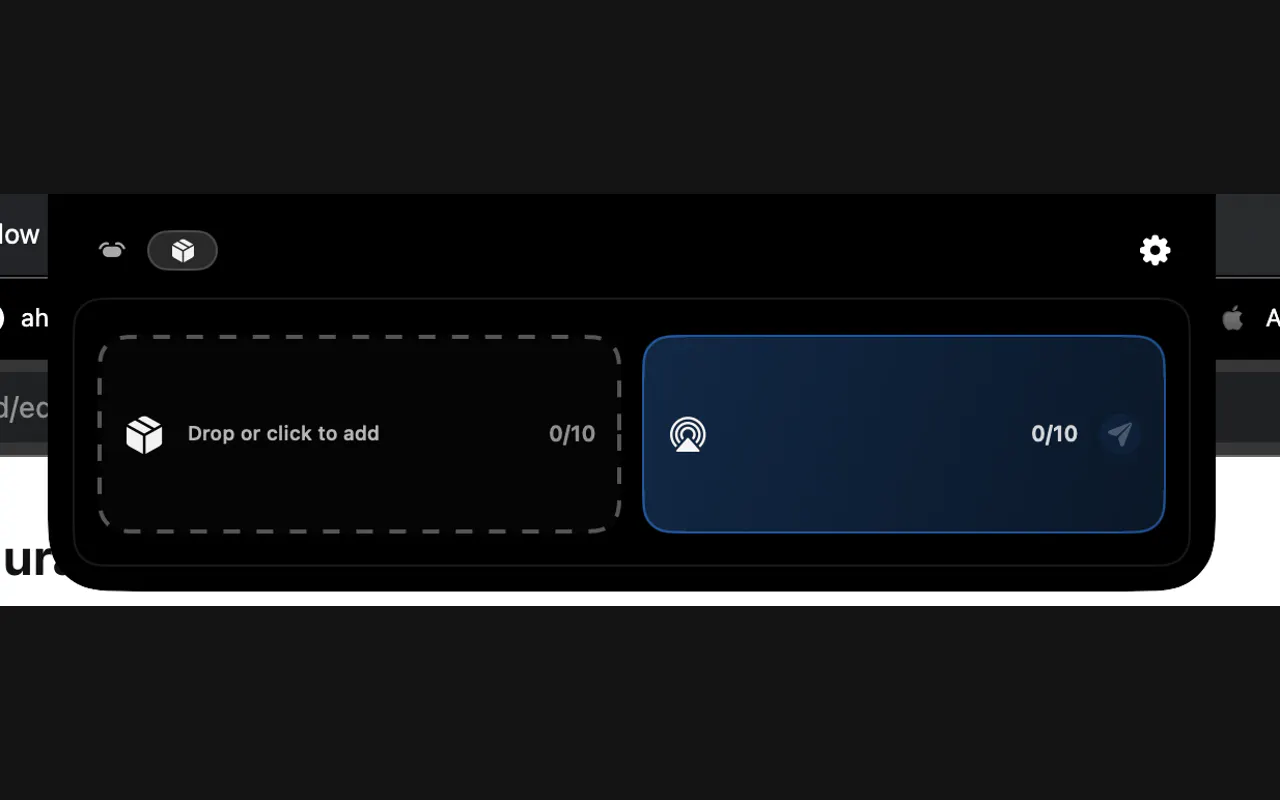
Aurora turns your Mac notch or top edge into a private productivity dock for quick actions: notes, clipboard, calendar, focus timers, media controls, widgets, and writing tools. Works on Apple Silicon and Intel Macs, including non-notch Macs via the top edge. Start with 72 hours of Pro, no account and no card. Private by design: your data stays on your Mac.
AI Analysis
Aurora turns your Mac's notch or top edge into a private productivity dock for quick access to notes, clipboard, calendar, focus timers, media controls, widgets, and writing tools. It works on all Macs including non-notch models. USP is its strict privacy focus with all data stored locally, no account required, and a 72-hour Pro trial without credit card. It solves pain points like cluttered desktops, lack of instant private tool access, app switching distractions, and cloud dependency. Value proposition: Boost productivity by repurposing unused screen space into a seamless, local-first workspace.
In 2025-2026, timing is favorable due to rising privacy awareness, maturity of on-device AI for tools like writing assistants, widespread adoption of Apple Silicon Macs, and increasing demand for hardware-integrated productivity solutions amid remote/hybrid work trends. Users seek local alternatives to cloud apps. Aligns with Apple's privacy emphasis and innovative Mac experiences. Rating: Excellent Timing.
High. Technical difficulty is manageable using macOS APIs for top-bar UI on both notched and non-notched Macs. Low development and operation costs as a software-only product with no supply chain or major compliance risks beyond standard app distribution. Strong scalability for feature updates and user growth. Team fit is good for Mac developers. Key reasons: Leverages mature ecosystem, privacy-by-design simplifies legal aspects.
Main segments: Tech-savvy Mac users (developers, designers, writers, professionals) aged 25-45 in creative and knowledge-work industries, primarily in North America, Europe, and urban Asia. Core pain points: inefficient quick access to tools, screen clutter, privacy risks from cloud apps, and maintaining focus. High willingness to pay for premium productivity features. Market size: Part of the large global Mac productivity software market (tens of millions of potential users).
Medium. Direct competitors: 1. Raycast (raycast.com), 2. Bartender (macbartender.com), 3. Hidden Bar (sindresorhus.com/hidden), 4. Maccy (maccy.app), 5. Fantastical (flexibits.com/fantastical). Advantages: Unique notch-based all-in-one private workspace, local-only data, broad compatibility, simple onboarding. Disadvantages: Newer entrant may lack depth in specialized features (e.g. advanced calendar in Fantastical), relies on users adopting the notch UI concept, potentially higher learning curve than traditional menu bar tools.
Upgrade Pro to unlock full AI analysis
Similar Products

Adapt
The company brain that gets work done
▲ 124 votes

Tapfree for Chrome
Voice dictation that adapts to what’s on your screen
▲ 122 votes

Buddy AI Note
Your daily memo that turns notes into a plan
▲ 94 votes

Kosshi
Simple, fast outliner for Mac and iPhone.
▲ 90 votes

Thoughts for Mac
Capture notes from your menubar using text, images or voice
▲ 90 votes

Refoid
Automate App Store refund responses and track every outcome
▲ 68 votes