
AutoShelf 2.0
Auto-organize files on your Mac now with MCP & CLI support
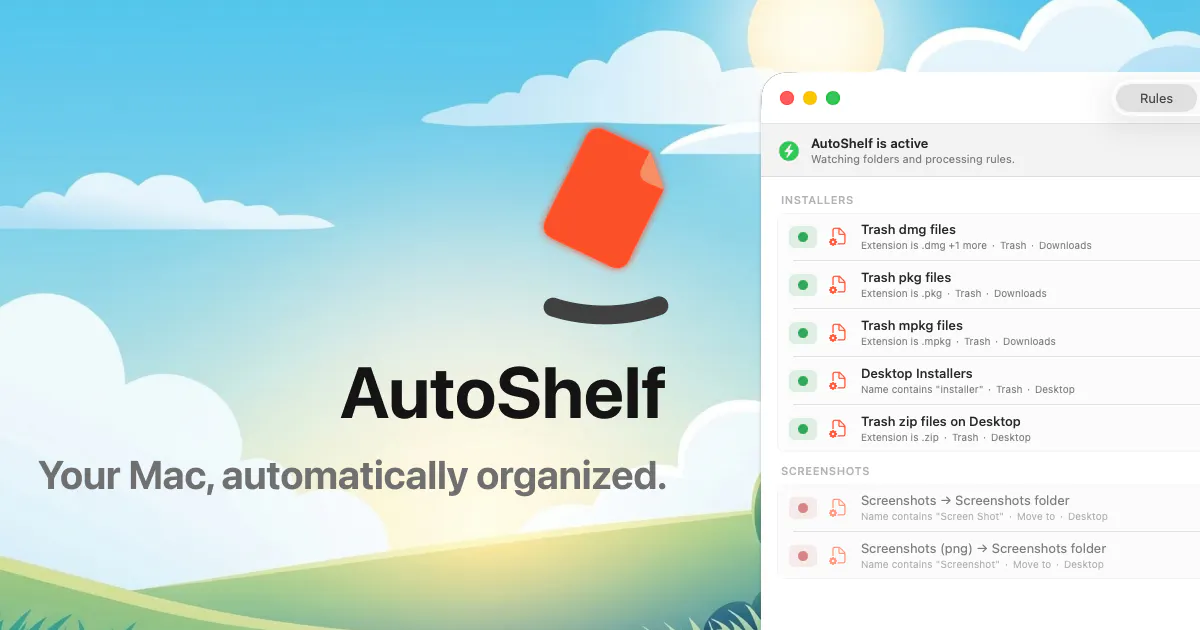
AutoShelf is a macOS app that watches your folders and auto-organizes files. Set a rule once and never think about it again. Free to try, unlock unlimited for $19.99.
AI Analysis
AutoShelf is a macOS menu bar app that watches specified folders and automatically organizes incoming files based on user-defined rules. Core features include one-time rule setup for hands-off operation, MCP and CLI support for advanced automation. It solves the pain of cluttered desktops, downloads, and scattered files that waste time and reduce productivity. The value proposition is a simple 'set it and forget it' utility that brings order to digital workspaces, offered via free trial with a $19.99 one-time unlock.
In 2025-2026, productivity tools remain in demand due to growing digital workloads, remote/hybrid work, and user fatigue from manual file management. Folder-watching tech is mature, and CLI/MCP support aligns with power-user trends and developer workflows. However, rising AI assistants in macOS may reduce need for standalone rule-based tools. Overall a reasonable but not explosive window. Rating: Moderate Timing.
Technical difficulty is medium: macOS folder monitoring and rule engines use well-documented APIs (e.g. FileSystem events). Development and operation costs are low for a small team or solo Mac developer; no servers or supply chain required. Minimal compliance risk for a local utility app. Excellent scalability via direct download or App Store. Rating: High. Key reasons: proven macOS tech stack, one-time purchase model, limited ongoing maintenance.
Primary segments: macOS power users, developers, designers, freelancers and knowledge workers aged 25-45 who handle high volumes of files. Geographic focus: North America and Europe with growing Asia adoption. Estimated market: Mac productivity software TAM large (hundreds of millions of users); SAM for file automation tools tens of millions USD; SOM for this niche app low millions. Core pain: chronic folder clutter and time lost searching/organizing. Willingness to pay: solid for a sub-$20 one-time utility.
Medium. Direct competitors: 1. Hazel (noodlesoft.com/hazel), 2. macOS built-in Shortcuts/Folder Actions (apple.com), 3. Alfred Powerpack (alfredapp.com), 4. LaunchBar (objective-development.com). Advantages: simple menu-bar focus, explicit CLI/MCP support, attractive one-time $19.99 pricing. Disadvantages: Hazel has deeper feature set and longer reputation; built-in Apple tools are free; limited AI/smart-rule differentiation versus newer competitors.
Upgrade Pro to unlock full AI analysis
Similar Products

Adapt
The company brain that gets work done
▲ 124 votes

Kosshi
Simple, fast outliner for Mac and iPhone.
▲ 90 votes

Thoughts for Mac
Capture notes from your menubar using text, images or voice
▲ 90 votes

WikiFix for Confluence
Find and fix issues in your knowledge base
▲ 86 votes

Refoid
Automate App Store refund responses and track every outcome
▲ 68 votes

Patchcord
Studio sound for your mic in every Mac meeting with EQ
▲ 64 votes