
BoxBox
File manager for Linux homelab and NAS-style servers
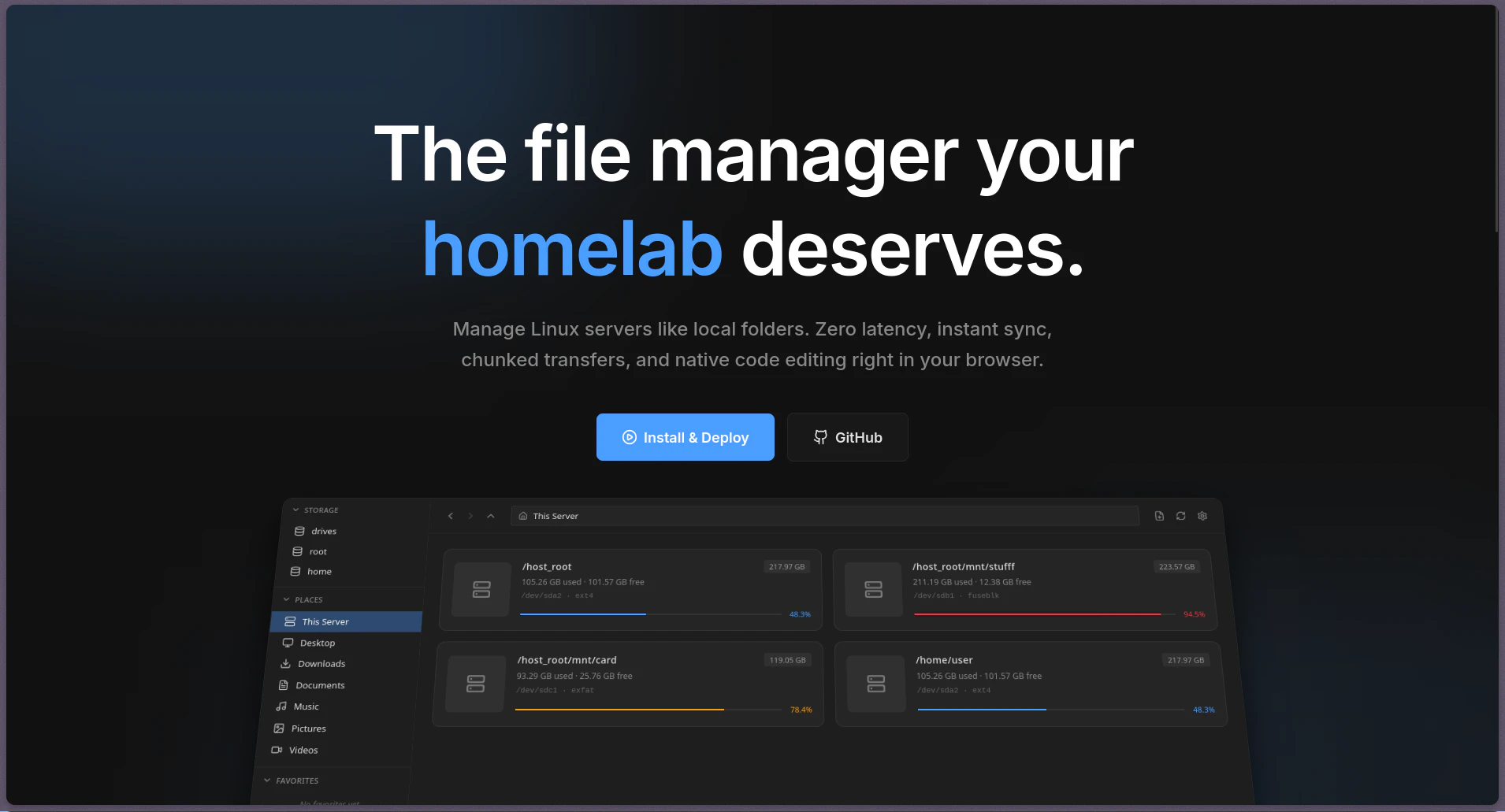
BoxBox is a modern, self-hosted file manager for Linux homelab and NAS-style servers. It gives you a clean browser UI over mounted Linux paths, with file uploads, previews for common file types, search, and background file operations like copy, move, and delete. It is built with Go and SvelteKit, ships with Docker/Compose, and is open source under MIT.
AI Analysis
BoxBox is a modern self-hosted file manager for Linux homelab and NAS-style servers. It provides a clean browser UI over mounted Linux paths with support for file uploads, previews for common types, search, and background operations like copy/move/delete. Built with Go and SvelteKit, it deploys easily via Docker and is open source under MIT. It solves pain points of cumbersome CLI-only management or overly complex alternatives on headless servers. USP includes simplicity, performance, and privacy-focused local control. Value proposition: intuitive web-based file management tailored for self-hosters without cloud dependency.
In 2025-2026, timing is favorable amid growing self-hosting trends, homelab popularity, rising cloud costs, and data privacy demands. Containerization (Docker) is mature, and users seek lightweight alternatives to bloated platforms. Economic push for local data control supports demand for simple NAS tools. Excellent Timing.
Uses mature Go and SvelteKit stack with Docker/Compose for easy deployment, resulting in low technical difficulty and costs. Self-hosted model minimizes ops overhead and supply chain risks. Open-source nature reduces compliance issues. Strong scalability for personal servers. High feasibility with proven technologies.
Main segments: homelab enthusiasts, Linux/NAS server admins, self-hosting hobbyists and small tech teams. Demographics: tech-savvy males 25-45 years old, global with concentration in North America, Europe. TAM for self-hosted tools ~several million users; SAM for web file managers ~800k; SOM ~80k. Core pains: poor UI/UX for server file ops and privacy concerns. Willingness to pay: low (OSS preference) but open to donations or premium add-ons.
Medium. Direct competitors: 1. FileBrowser (https://filebrowser.org), 2. Nextcloud (https://nextcloud.com), 3. Filestash (https://www.filestash.app), 4. Pydio (https://pydio.com). Advantages: lighter and simpler for pure homelab use, modern UI, native background ops. Disadvantages: smaller community/ecosystem, fewer collaboration features than Nextcloud, less established than FileBrowser.
Upgrade Pro to unlock full AI analysis
Similar Products

Adapt
The company brain that gets work done
▲ 124 votes

Replay QA Security Scan
Automated Penetration Testing for AI-Built Apps
▲ 102 votes

Kosshi
Simple, fast outliner for Mac and iPhone.
▲ 90 votes

WikiFix for Confluence
Find and fix issues in your knowledge base
▲ 86 votes

Audryo
Customer email your agent can operate.
▲ 68 votes

Refoid
Automate App Store refund responses and track every outcome
▲ 68 votes