
choclift
Use iPhone to open apps, Apple Shortcuts and websites on Mac
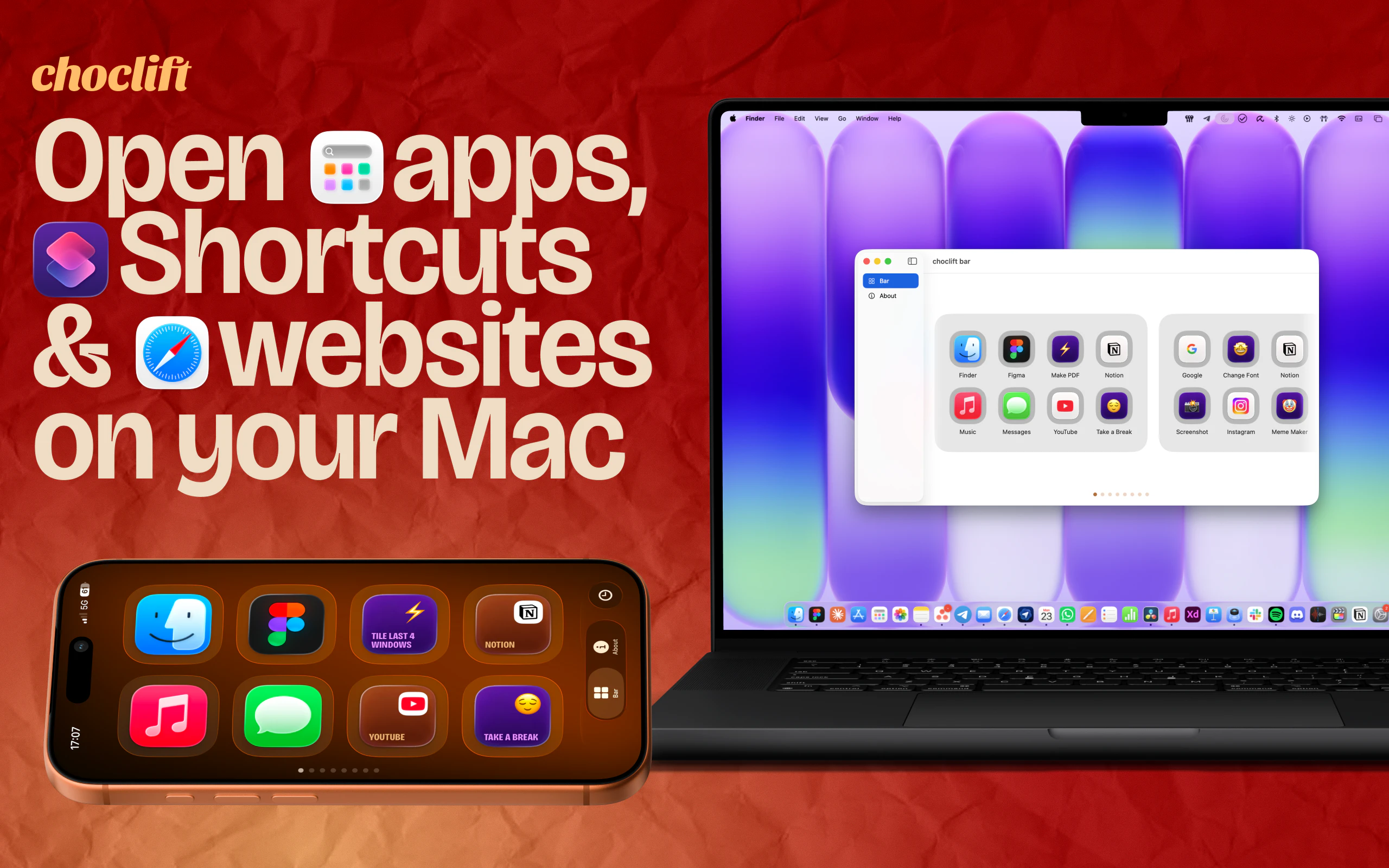
Think beyond the keyboard, trackpad, and mouse: choclift is the third interface for interacting with your Mac. It turns your iPhone into a customizable chocolate bar that lets you instantly switch between favorite and recent Mac apps, trigger Apple Shortcuts without any detours, and use website bookmarks like never before. With a strong focus on product design and user experience, we're just getting started on building the quickest and sweetest way to work with your Mac.
AI Analysis
Choclift turns your iPhone into a customizable 'chocolate bar' interface as a third input method for Mac, beyond keyboard, trackpad, or mouse. Core features include instant switching between favorite and recent apps, one-tap triggering of Apple Shortcuts, and seamless website bookmark access. It solves pain points like inefficient app navigation, detours to trigger shortcuts, and cumbersome bookmark management. With strong focus on product design and UX, the value proposition is the quickest, most intuitive way to boost productivity and workflow speed within the Apple ecosystem.
In 2025-2026, Apple continues advancing ecosystem continuity features (iOS/macOS integration, Shortcuts maturity), with rising demand for cross-device productivity tools amid hybrid work and multi-device ownership trends. Technology for local device communication is mature, and users seek novel interfaces beyond traditional inputs. Economic tailwinds favor productivity SaaS/tools. This aligns perfectly with growing Apple user base seeking efficiency gains. Excellent Timing.
High. Technical difficulty is moderate, leveraging existing Apple APIs for iOS-macOS communication, Shortcuts, and app launching. Development/operation costs are manageable for a focused software product without hardware. Minimal supply chain risks; App Store compliance is a consideration but feasible given UX focus. Strong scalability potential via updates and possible premium features. Team fit appears good based on design-centric description.
Main segments: Productivity-focused Mac users who own iPhones, including designers, developers, and power users (ages 25-45, tech professionals). Primarily in North America, Europe, and other Apple-strong regions. Core pain points are slow context switching and inefficient shortcut/bookmark access. Estimated market: Niche within Apple's large installed base; users show strong willingness to pay for well-designed time-saving tools.
Medium. Direct competitors: 1. Remote Mouse (remotemouse.net), 2. Unified Remote (unifiedremote.com), 3. Jump Desktop, 4. Apple's native Continuity/Camera features, 5. Raycast (raycast.com) for Mac launching. Advantages: Superior customization as 'chocolate bar', native Shortcuts and bookmarks focus, emphasized design/UX differentiation. Disadvantages: New entrant may have fewer features initially and requires carrying iPhone. Strong position due to unique 'third interface' angle.
Upgrade Pro to unlock full AI analysis
Similar Products

Adapt
The company brain that gets work done
▲ 124 votes

Tapfree for Chrome
Voice dictation that adapts to what’s on your screen
▲ 122 votes

Kosshi
Simple, fast outliner for Mac and iPhone.
▲ 90 votes

Thoughts for Mac
Capture notes from your menubar using text, images or voice
▲ 90 votes

WikiFix for Confluence
Find and fix issues in your knowledge base
▲ 86 votes

Refoid
Automate App Store refund responses and track every outcome
▲ 68 votes