
ClipFlow
Small video jobs, without a timeline
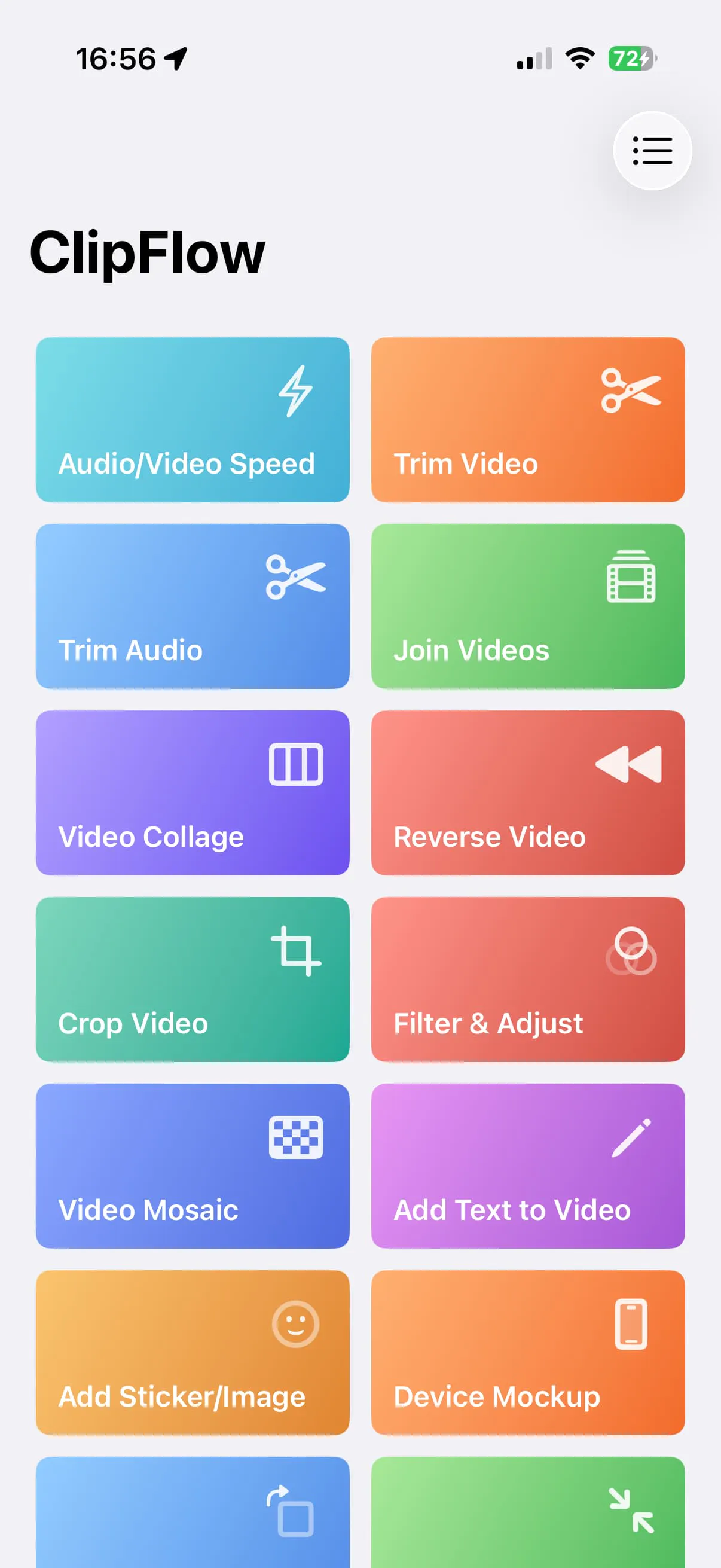
ClipFlow handles the small video jobs that do not need a timeline. Trim, join, compress, reverse, filter, caption, mute, blur, or convert a clip, then continue with the result. Version 1.9 adds partial reverse and 13 filter styles. Most processing runs on device.
AI Analysis
ClipFlow is an iOS app for quick video tasks that don't require a complex timeline. Core features: trim, join, compress, reverse (incl. partial), 13 filter styles, caption, mute, blur, and convert clips. Most processing runs on-device for speed and privacy. It solves the pain of using heavy editors like iMovie or CapCut for simple edits, saving time for everyday users. USP is its focused simplicity for 'small video jobs' with an intuitive interface. Overall value: fast, private, mobile-first video manipulation without steep learning curves.
Favorable in 2025-2026 due to booming short-form video on social platforms (Reels, TikTok, Shorts), rising demand for quick mobile tools, and emphasis on on-device processing for privacy amid stricter data regulations. Apple's ecosystem advancements in on-device ML further support such apps. Not saturated in the 'no-timeline' niche. Rating: Excellent Timing.
High feasibility. Technical difficulty is manageable using mature iOS AVFoundation frameworks for on-device video processing. Low development/operation costs as no cloud backend is heavily needed. Minimal supply chain or compliance risks for a pure software iOS app. Strong scalability to add features like more filters. Rating: High. Key reasons: already at v1.9, on-device focus reduces costs and risks.
Main targets: iOS users aged 18-35, amateur content creators, social media posters, small business marketers (US, Europe, East Asia). Not professional editors. TAM for mobile video editing apps ~$10B+, SAM for simple iOS tools ~$500M, SOM for this niche ~$50M. Core pains: complex UIs and time waste on simple tasks. Willingness to pay: moderate-high for premium features (likely one-time purchase or freemium).
Medium. Direct competitors: CapCut (capcut.com), VN Video Editor (vn.app), InShot (inshot.com), iMovie (apple.com/imovie), Adobe Express (adobe.com/express). Advantages: simpler no-timeline workflow, on-device processing, specialized quick jobs with partial reverse and unique filters. Disadvantages: iOS-only, fewer advanced features, smaller brand recognition vs. CapCut. Strong differentiation in simplicity reduces direct pressure.
Upgrade Pro to unlock full AI analysis
Similar Products

Adapt
The company brain that gets work done
▲ 124 votes

Tapfree for Chrome
Voice dictation that adapts to what’s on your screen
▲ 122 votes

Kosshi
Simple, fast outliner for Mac and iPhone.
▲ 90 votes

Thoughts for Mac
Capture notes from your menubar using text, images or voice
▲ 90 votes

WikiFix for Confluence
Find and fix issues in your knowledge base
▲ 86 votes

Refoid
Automate App Store refund responses and track every outcome
▲ 68 votes