
Cliptop
Clipboard history for Mac, right under the notch.
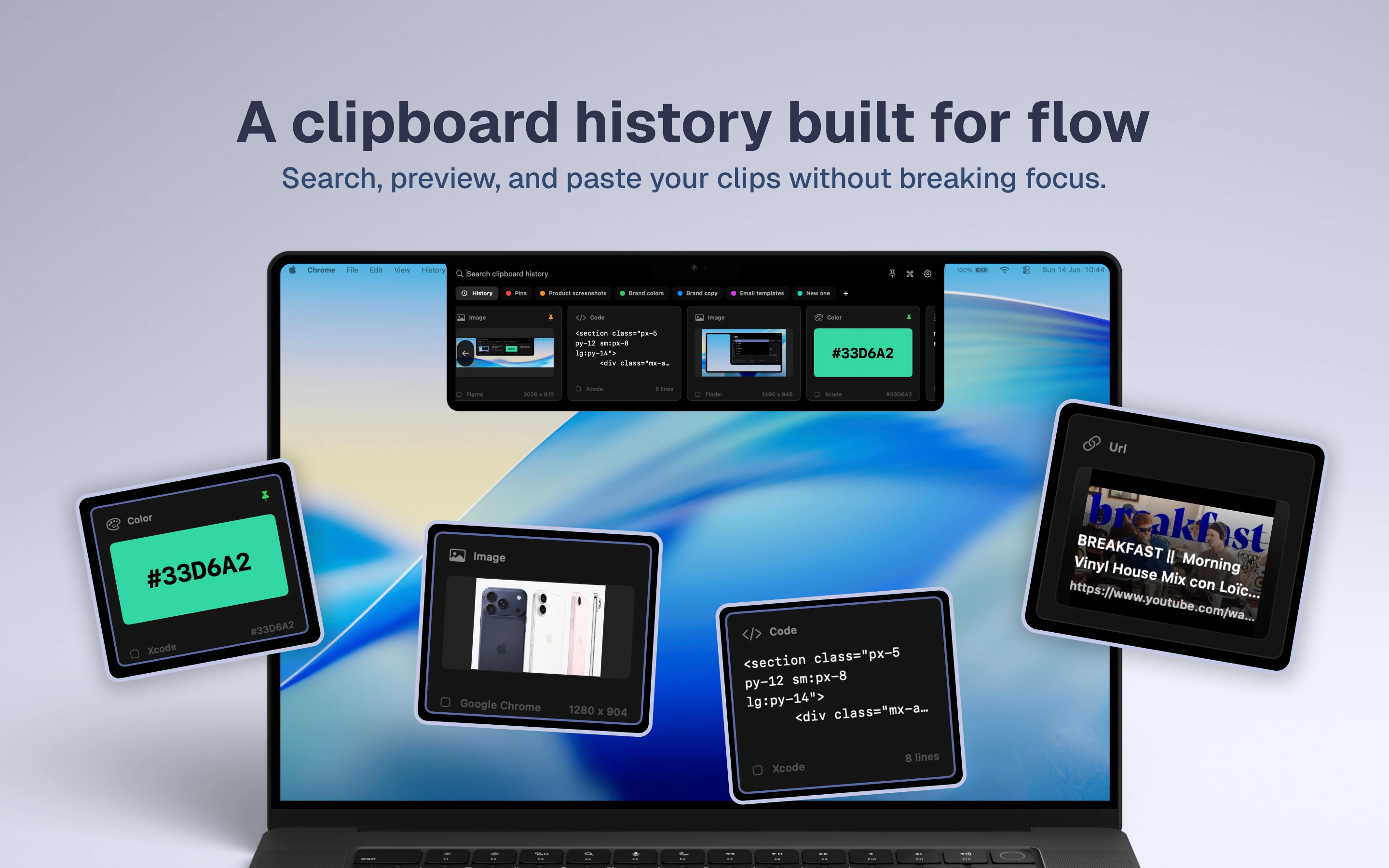
Cliptop is a fast, local-first clipboard manager for Mac. Open it from the notch or menu bar, search recent copies, preview text, links, code, images, files, and colors, save key items to Pinboards, and paste back without losing focus.
AI Analysis
Cliptop is a fast, local-first clipboard manager for Mac that opens from the notch or menu bar. Core features include searching history, previewing text/links/code/images/files/colors, saving items to Pinboards, and pasting without losing app focus. It addresses key pain points like losing track of copied content in busy workflows, inefficient management of multiple clips, and disruptive context switching. Unique selling points are its privacy-focused local storage, seamless notch integration on modern Macs, and organized Pinboards for frequently used items. The value proposition is boosting productivity for Mac users through quick, non-intrusive access to clipboard history.
In 2025-2026, timing is favorable with rising privacy concerns boosting demand for local-first apps, mature macOS ecosystems supporting notch UI, and increasing productivity needs in AI-augmented workflows. Users prefer native, fast tools over cloud-dependent ones amid data security focus. Economic environment supports paid productivity software. No significant policy barriers. Rating: Excellent Timing
High feasibility overall. Technical difficulty is moderate using standard macOS APIs for clipboard access, menu bar, and local storage. Low development and operation costs as a local-first desktop app with no servers required. Minimal supply chain or compliance risks (mainly App Store guidelines). Strong scalability for future features like AI enhancements. Best fit for teams experienced in Mac development. Rating: High
Main segments: Mac power users (developers, designers, writers, marketers) aged 25-45 in tech, creative, and professional services industries, concentrated in North America, Europe, and urban Asia. TAM for Mac productivity software exceeds $10B, SAM for clipboard/tools ~$500M, SOM for premium local managers ~$20-50M. Core pain points: lost clipboard items, time wasted searching history, workflow interruptions. High willingness to pay ($10-40 one-time or subscription) for reliable productivity gains.
Medium. Direct competitors: 1. Paste (pasteapp.com), 2. Maccy (maccy.app), 3. Raycast (raycast.com) clipboard history, 4. Alfred (alfredapp.com) clipboard, 5. CopyClip (freeclipboardmanager.com). Advantages vs competitors: unique notch integration, strong local-first privacy (no cloud), dedicated Pinboards for organization, comprehensive previews without focus loss. Disadvantages: newer brand with less established user base than Paste; some competitors offer free tiers or broader integrations. Strong differentiation in UI and privacy focus helps stand out.
Upgrade Pro to unlock full AI analysis
Similar Products

Load Nova
Dispatchers AI Co-Pilot and Dashboard that care about speed
▲ 131 votes

Adapt
The company brain that gets work done
▲ 124 votes

Tapfree for Chrome
Voice dictation that adapts to what’s on your screen
▲ 122 votes

Buddy AI Note
Your daily memo that turns notes into a plan
▲ 94 votes

Kosshi
Simple, fast outliner for Mac and iPhone.
▲ 90 votes

Thoughts for Mac
Capture notes from your menubar using text, images or voice
▲ 90 votes