
Compass Calendar
The keyboard-first calendar to get organized quickly
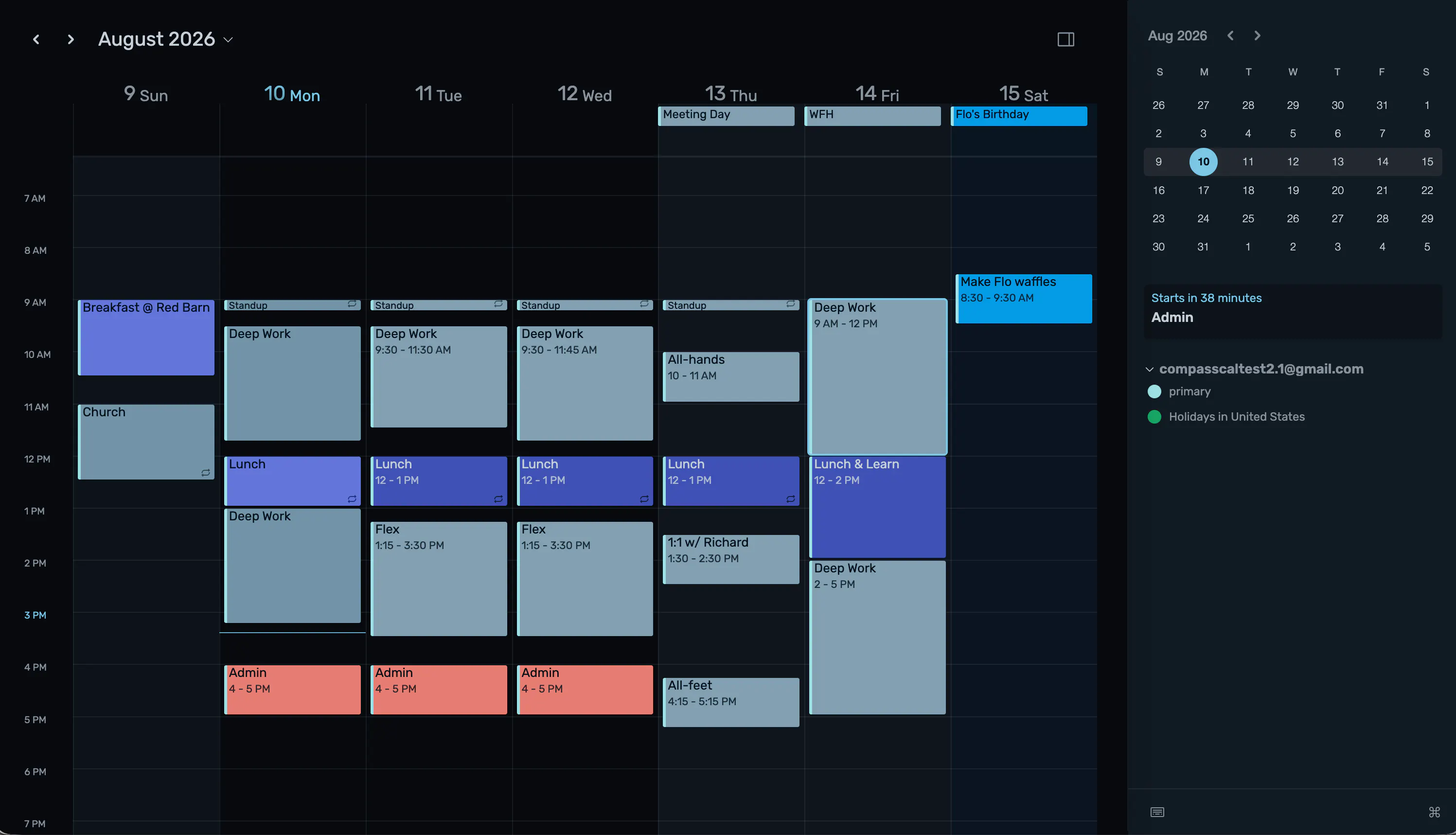
Compass is a simple, keyboard-first calendar that helps you manage your time. It's built around vim-style shortcuts that make scheduling feel like a fun game of Tetris. If you live at the keyboard and in your calendar, Compass will make your life easier. Although Compass is built around speed, sometimes the most productive thing to do is nothing. That's why we also have a "life" view, which shows your life as a grid of dots. This visual will help you filter out non-essentials.
AI Analysis
Compass Calendar is a keyboard-first calendar app that enables quick organization using vim-style shortcuts, turning scheduling into an engaging Tetris-like experience. Core features include rapid time management via keyboard commands and a unique 'life' view - a grid of dots visualizing one's life to help filter non-essentials and promote balance. It primarily solves pain points for keyboard-centric users who find traditional mouse-based calendars slow and inefficient. The value proposition is streamlined productivity for those embedded in terminals and calendars, blending speed with mindful reflection for better focus and organization.
For 2025-2026, market timing is moderately favorable. Productivity tools remain in high demand amid remote/hybrid work trends and focus on efficiency. Technology for keyboard-driven interfaces is mature, and developer-centric tools are growing with rising coding population. However, AI-powered auto-scheduling features in competing tools may reduce appeal for manual vim-style apps. Economic pressures favor tools that boost output without high costs. Overall: Moderate Timing.
High feasibility. Technical difficulty is low as it builds on standard calendar UI with added keyboard event handling (achievable via web/desktop frameworks). Development and operation costs are moderate for a SaaS product with no hardware or complex AI needs. No significant supply chain or compliance risks beyond basic data privacy. Strong scalability potential via cloud infrastructure. Fits well for small teams experienced in productivity software. Key risk is user acquisition in a niche.
Main target users: Developers, programmers, and tech professionals (ages 25-45) proficient in Vim or keyboard shortcuts, heavily using calendars for task management. Industries: Software engineering, open-source communities (given GitHub topic). Geographic: Primarily North America and Europe. TAM for productivity software is large (~$60B+), but SAM for niche keyboard calendars is smaller (~$500M), SOM likely under $50M. Core pain points: Slow scheduling interfaces disrupting flow. Potential willingness to pay: Medium-high for time-saving tools, likely via subscriptions.
Medium. Direct competitors: 1. Google Calendar (calendar.google.com), 2. Fantastical (flexibits.com), 3. Amie (amie.so), 4. Notion Calendar (notion.so/calendar), 5. Outlook Calendar (outlook.live.com). Advantages: Unique vim/Tetris-style keyboard speed and innovative life grid view for balance, strong differentiation for power users. Disadvantages: Narrower feature set (no mentioned AI, natural language, or broad integrations), higher learning curve, likely less polished than established players. Competes in productivity space but carves a distinct keyboard-first niche.
Upgrade Pro to unlock full AI analysis
Similar Products

Adapt
The company brain that gets work done
▲ 124 votes

Tapfree for Chrome
Voice dictation that adapts to what’s on your screen
▲ 122 votes

Town
The assistant that learns how you work, then gets to work.
▲ 115 votes

Kosshi
Simple, fast outliner for Mac and iPhone.
▲ 90 votes

Thoughts for Mac
Capture notes from your menubar using text, images or voice
▲ 90 votes

Refoid
Automate App Store refund responses and track every outcome
▲ 68 votes