
Control My Mac
A shortcut deck for every Mac app, on your iPhone or iPad
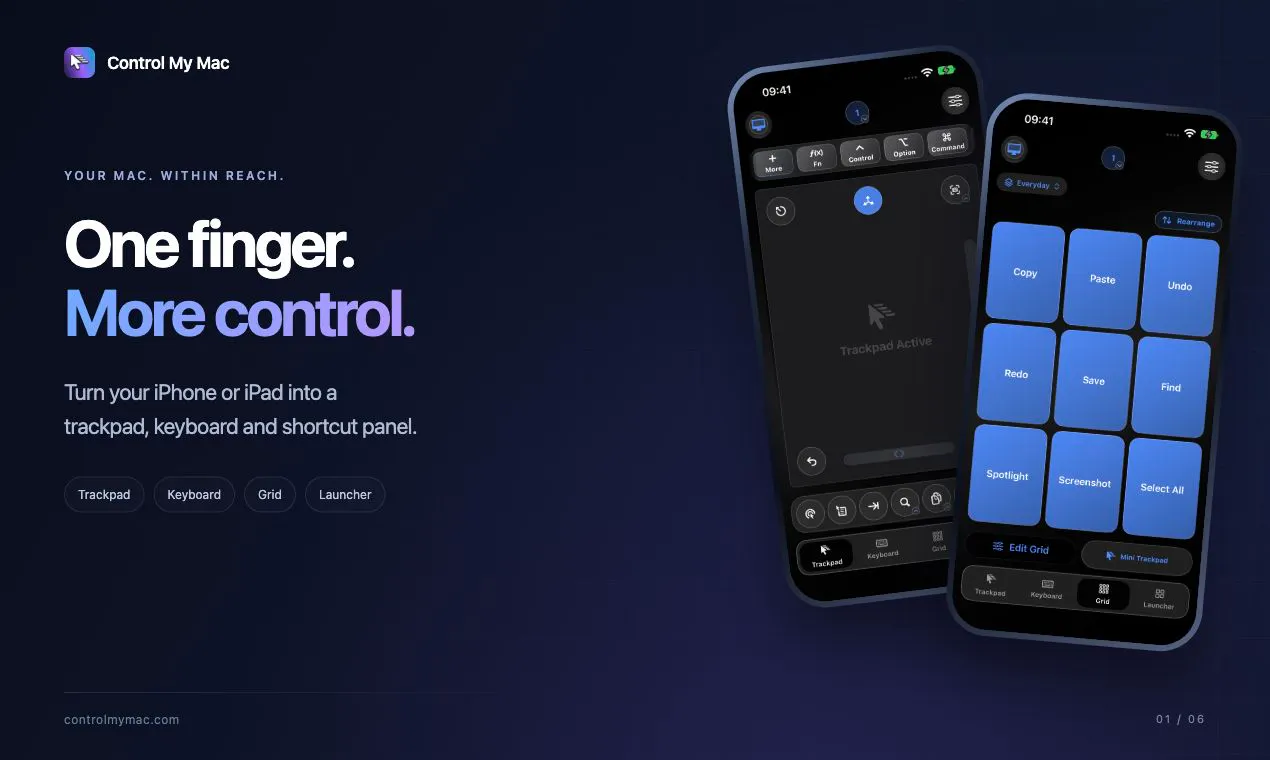
Control My Mac turns your iPhone or iPad into a trackpad, keyboard and shortcut deck for your Mac, built so the whole Mac works with one finger. Its Grid of shortcut buttons switches automatically to match the Mac app in front. Write long messages on your phone and send them in one go. Launch apps and switch windows. Pair with one QR scan: no account, no servers, no ads, and an encrypted direct connection. The Mac app is free.
AI Analysis
Control My Mac turns your iPhone or iPad into a trackpad, keyboard, and adaptive shortcut deck for Mac. The core feature is an auto-switching Grid of shortcuts tailored to the active Mac app, enabling one-finger operation. It solves key pain points like recalling complex shortcuts, inefficient long-text entry on desktop, and cumbersome Mac navigation. USPs include instant QR-code pairing for an encrypted, direct local connection with no accounts, servers, or ads. The Mac app is free, delivering strong productivity value for seamless multi-device control.
For 2025-2026, Apple ecosystem growth, hybrid work, and demand for intuitive touch controls align well with mature local networking tech. User needs for efficient Mac shortcuts persist despite built-in features like Universal Control. Economic focus on productivity tools supports it, though AI distractions may dilute attention. Moderate Timing.
Software-only solution using standard iOS/macOS APIs for input control and local networking involves moderate technical difficulty. Low ongoing operational costs, no supply chain or major compliance risks beyond App Store rules. High scalability via updates. Strong team fit for indie developers. Overall rating: High.
Main segments: Professional Mac users (designers, developers, writers) aged 25-45 in tech/creative industries, primarily North America and Europe, with iPhone/iPad. Estimated market size: TAM ~$500M+ for Mac productivity accessories (global), SAM ~$50M for remote control apps, SOM ~$5M for this niche. Core pain points: shortcut overload and device switching friction. High willingness to pay for time-saving, ad-free tools.
Medium. Direct competitors: 1. Unified Remote (unifiedremote.com), 2. Remote Mouse (remotemouse.net), 3. Jump Desktop (jumpdesktop.com), 4. Mobile Mouse (mobilemouse.com). Advantages: automatic app-specific shortcut grids, one-finger focus, simple QR encrypted local pairing with zero servers/ads. Disadvantages: narrower scope than full remote desktop solutions, potential compatibility maintenance, less brand recognition than established apps.
Upgrade Pro to unlock full AI analysis
Similar Products

Adapt
The company brain that gets work done
▲ 124 votes

Tapfree for Chrome
Voice dictation that adapts to what’s on your screen
▲ 122 votes

Kosshi
Simple, fast outliner for Mac and iPhone.
▲ 90 votes

Thoughts for Mac
Capture notes from your menubar using text, images or voice
▲ 90 votes

WikiFix for Confluence
Find and fix issues in your knowledge base
▲ 83 votes

Refoid
Automate App Store refund responses and track every outcome
▲ 68 votes