Cubby Clipboard
Windows clipboard history that searches inside screenshots
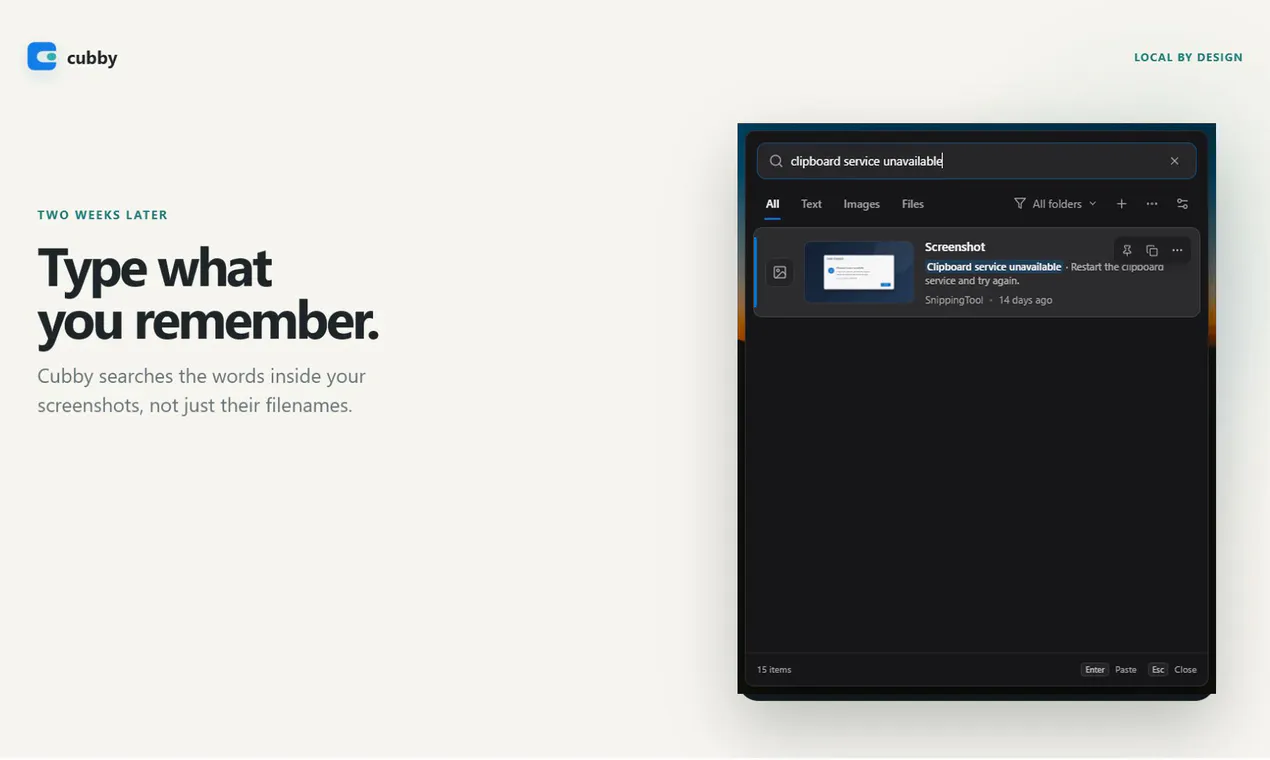
Cubby is the clipboard history Windows should have shipped. It keeps copied text, images, files, and screenshots searchable after restarts, while offline OCR lets you find a screenshot by the words inside it. Everything stays encrypted on your PC: no account, no cloud, no clipboard telemetry. Open it with a shortcut, search, and paste.
AI Analysis
Cubby Clipboard is an open-source Windows clipboard manager that stores history of text, images, files, and screenshots locally with encryption. It persists across restarts and features offline OCR to search text inside screenshots. Activated via shortcut, it enables quick search and paste with no cloud, account, or telemetry. It solves pain points like losing copied content, inability to query image text, and privacy risks from cloud tools. USP is private, searchable local clipboard history that enhances productivity without compromising security.
In 2025-2026, rising data privacy regulations, user fatigue with cloud services, and maturing offline OCR/AI tech create strong demand for local productivity tools. Remote work and Windows ecosystem growth further favor it. Excellent Timing.
Technical difficulty is moderate using established Windows APIs and open-source OCR libraries like Tesseract. Low dev/operation costs as a fully local desktop app with no servers required. Minimal compliance risks due to offline nature. High scalability for desktop distribution. Overall rating: High.
Primary users: Tech-savvy Windows power users, developers, designers, and researchers (ages 25-45) in North America and Europe. Industries include software, content creation, and analysis. TAM for productivity tools is large (~$50B+), SAM for clipboard managers ~$200M, SOM for local OCR variants ~$10-20M. Core pains: inefficient history retrieval and privacy. Moderate-to-high willingness to pay for enhanced features despite open-source model.
Competition level: Medium. Direct competitors: 1. Ditto (ditto-cp.sourceforge.io), 2. CopyQ (hluk.github.io/CopyQ), 3. ClipClip (clipclip.com), 4. 1Clipboard (1clipboard.com). Advantages: Unique offline OCR for screenshots, full local encryption, no telemetry, open-source. Disadvantages: Windows-only (vs some cross-platform rivals), lacks cloud sync by design. Strong privacy differentiation reduces pressure.
Upgrade Pro to unlock full AI analysis
Similar Products

Adapt
The company brain that gets work done
▲ 124 votes

Tapfree for Chrome
Voice dictation that adapts to what’s on your screen
▲ 122 votes

Kosshi
Simple, fast outliner for Mac and iPhone.
▲ 90 votes

Thoughts for Mac
Capture notes from your menubar using text, images or voice
▲ 90 votes

WikiFix for Confluence
Find and fix issues in your knowledge base
▲ 86 votes

Refoid
Automate App Store refund responses and track every outcome
▲ 68 votes