
DevCleaner
Free the gigabytes your dev tools and AI apps hoard
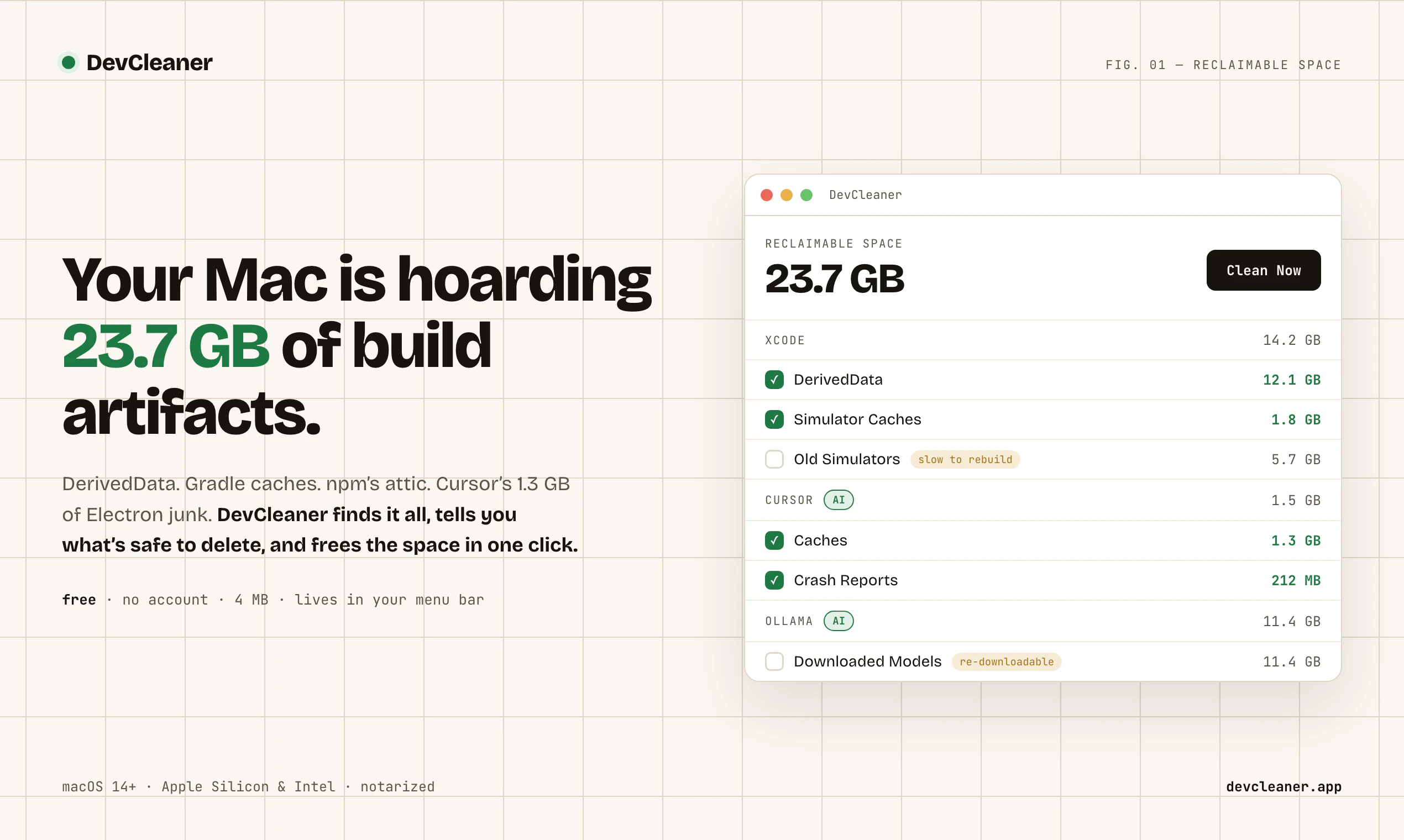
DevCleaner lives in your Mac's menu bar and frees the gigabytes that 22 dev ecosystems quietly hoard — Xcode, Gradle, npm, plus AI apps like Cursor, Claude & Ollama. Every item is risk-rated, so you always know what's safe to delete. Free, no account, 4 MB.
AI Analysis
DevCleaner is a free, lightweight (4MB) Mac menu bar app that scans and cleans gigabytes of cached/temporary files hoarded by 22 dev ecosystems and AI tools including Xcode, Gradle, npm, Cursor, Claude, and Ollama. It solves the key pain point of hidden storage bloat from development and AI applications that silently consume disk space. The unique risk-rating system for each deletable item helps users safely decide what to remove without damaging projects or installations. Its value proposition is simplicity, zero cost, no account required, and targeted utility for developers seeking to reclaim storage quickly.
In 2025-2026, AI application adoption (local LLMs via Ollama, AI IDEs like Cursor) is exploding alongside traditional dev tools, causing substantial cache buildup on Macs with limited SSD space. User demand for simple, safe cleanup utilities is rising with remote/individual developer workflows. No major policy barriers; economic focus on efficiency favors free tools. Excellent Timing.
High. Technical implementation involves directory scanning and safe file deletion on macOS, which is well-documented with low complexity for a menu bar app. Development and operation costs are minimal (small binary, no servers). No supply chain or significant compliance risks. Excellent scalability as a digital download. Risk ratings require accurate research but are manageable.
Primary users: Professional software developers, full-stack engineers, AI/ML practitioners and students using Mac computers (macOS). Demographics: 25-45 years old, tech professionals. Geographic focus: North America, Europe, East Asia (high Mac dev adoption). TAM for developer productivity tools exceeds $10B; SAM for Mac utility apps ~$500M; SOM for specialized cleaners ~$50M. Core pain: mysterious disk space consumption by tool caches. High willingness to pay for premium features, though currently free.
Medium. Direct competitors: 1. CleanMyMac X (macpaw.com), 2. DaisyDisk (daisydiskapp.com), 3. AppCleaner by Nektony (nektony.com), 4. Onyx (titanium-software.biz), 5. Xcode-specific cleaners (various GitHub tools). Advantages: Hyper-focused on 22 dev/AI tools with risk ratings, completely free and ultra-lightweight vs bloated paid general cleaners. Disadvantages: Narrower scope than full-system cleaners, Mac-only, lacks advanced analytics some competitors offer.
Upgrade Pro to unlock full AI analysis
Similar Products

Adapt
The company brain that gets work done
▲ 124 votes

Tapfree for Chrome
Voice dictation that adapts to what’s on your screen
▲ 122 votes

React UI Kit V7
All the chat components you need. None of the complexity
▲ 115 votes

Replay QA Security Scan
Automated Penetration Testing for AI-Built Apps
▲ 102 votes

Kosshi
Simple, fast outliner for Mac and iPhone.
▲ 90 votes

Thoughts for Mac
Capture notes from your menubar using text, images or voice
▲ 90 votes