
FloatPic
Ultra-minimalist, borderless macOS native image viewer.
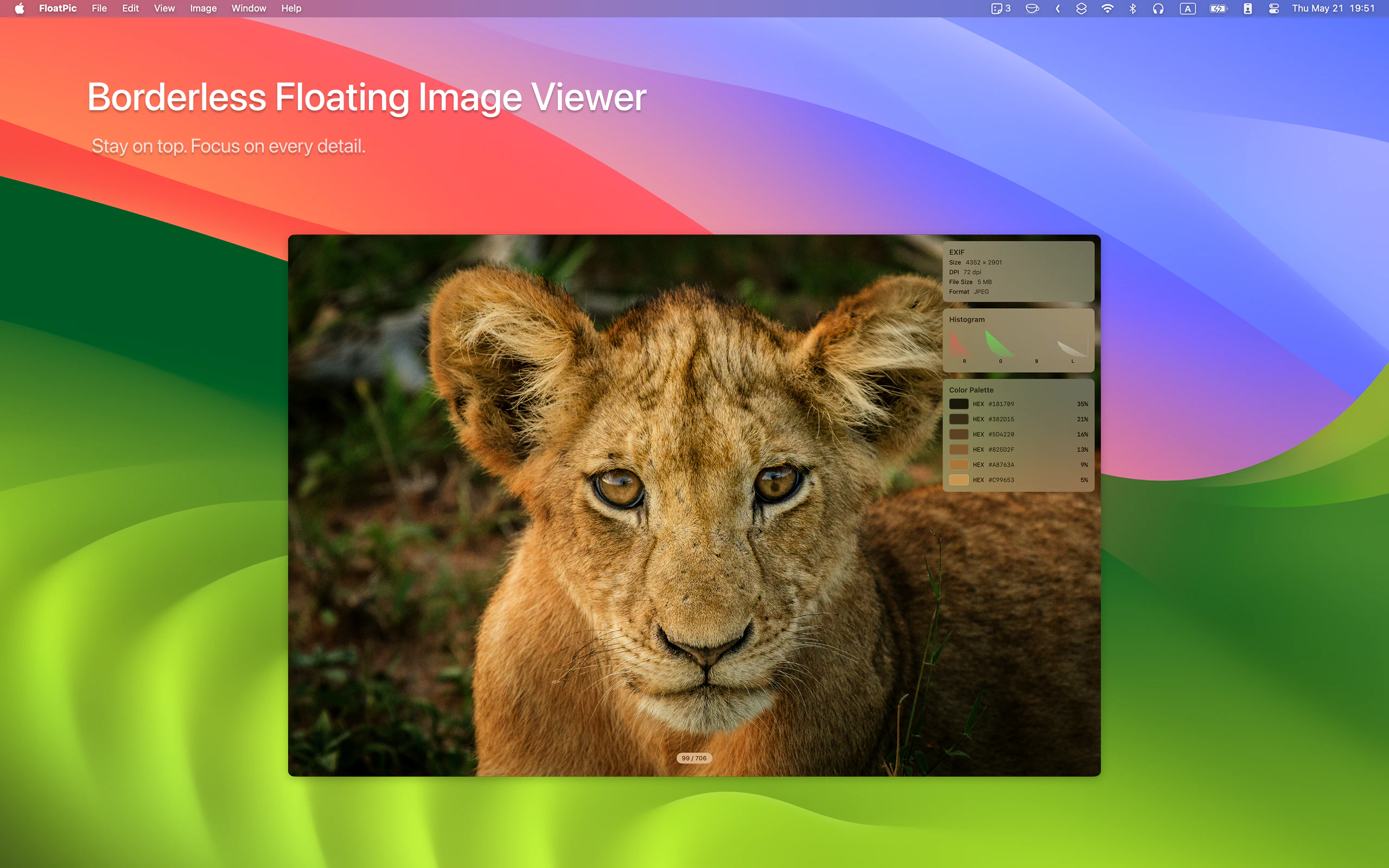
FloatPic is the ultra-minimalist macOS native image viewer. Borderless floating window, native gestures, blazing-fast loading, supports 30+ image formats. Make the software disappear, let images float.
AI Analysis
FloatPic is an ultra-minimalist macOS native image viewer with a borderless floating window that makes the app interface disappear so images can float freely. Core features include native gestures, blazing-fast loading speeds, and support for over 30 image formats. It solves key user pain points like cluttered UIs, obstructive borders/toolbars in traditional viewers, and slow performance. The value proposition is a clean, distraction-free, immersive viewing experience focused purely on content for Mac users seeking simplicity and efficiency.
In 2025-2026, rising AI-generated imagery and digital content creation increase demand for efficient, lightweight viewers. Minimalist design and productivity tools remain popular in the Apple ecosystem, aligning with user demands for distraction-free experiences amid growing screen time. macOS user base is stable and tech-mature. However, image viewing is a long-established category without major disruptive shifts. Overall a reasonable but not groundbreaking window. Rating: Moderate Timing.
Low technical difficulty using mature macOS frameworks for image rendering, gestures, and floating windows. Low development and operation costs for a single-platform desktop app with no backend servers required. Minimal supply chain or compliance risks. Strong scalability for feature updates or broader distribution. Team fit is high for indie Mac developers. Overall rating: High. Key reasons: straightforward implementation, low overhead, proven technology.
Primary segments: macOS-using creative professionals (designers, photographers, illustrators) and productivity enthusiasts, ages 25-45, concentrated in North America, Europe, and East Asia. Core pain points include distracting interfaces during reference/inspiration viewing and inefficient workflows. Estimated market size: Niche within the large Mac utility market (TAM for design/productivity software in billions, SAM for Mac image tools in hundreds of millions, SOM limited to tens of millions). Willingness to pay is moderate to high for convenient, high-quality native tools.
Competition level: Medium. Direct competitors: 1. Lyn (https://www.lynapp.com), 2. Apple's Preview (https://www.apple.com/macos), 3. GraphicConverter (https://www.lemkesoft.de), 4. Xee (http://xee.c3.cx). Advantages: superior ultra-minimalism, true borderless floating focus, native speed and gestures. Disadvantages: narrower feature set (limited editing/organization compared to fuller viewers), Mac-only, newer with less established user base.
Upgrade Pro to unlock full AI analysis
Similar Products

Adapt
The company brain that gets work done
▲ 124 votes

Tapfree for Chrome
Voice dictation that adapts to what’s on your screen
▲ 122 votes

Kosshi
Simple, fast outliner for Mac and iPhone.
▲ 90 votes

Thoughts for Mac
Capture notes from your menubar using text, images or voice
▲ 90 votes

WikiFix for Confluence
Find and fix issues in your knowledge base
▲ 86 votes

Refoid
Automate App Store refund responses and track every outcome
▲ 68 votes