
FolderPlus
Peek inside any folder without opening it
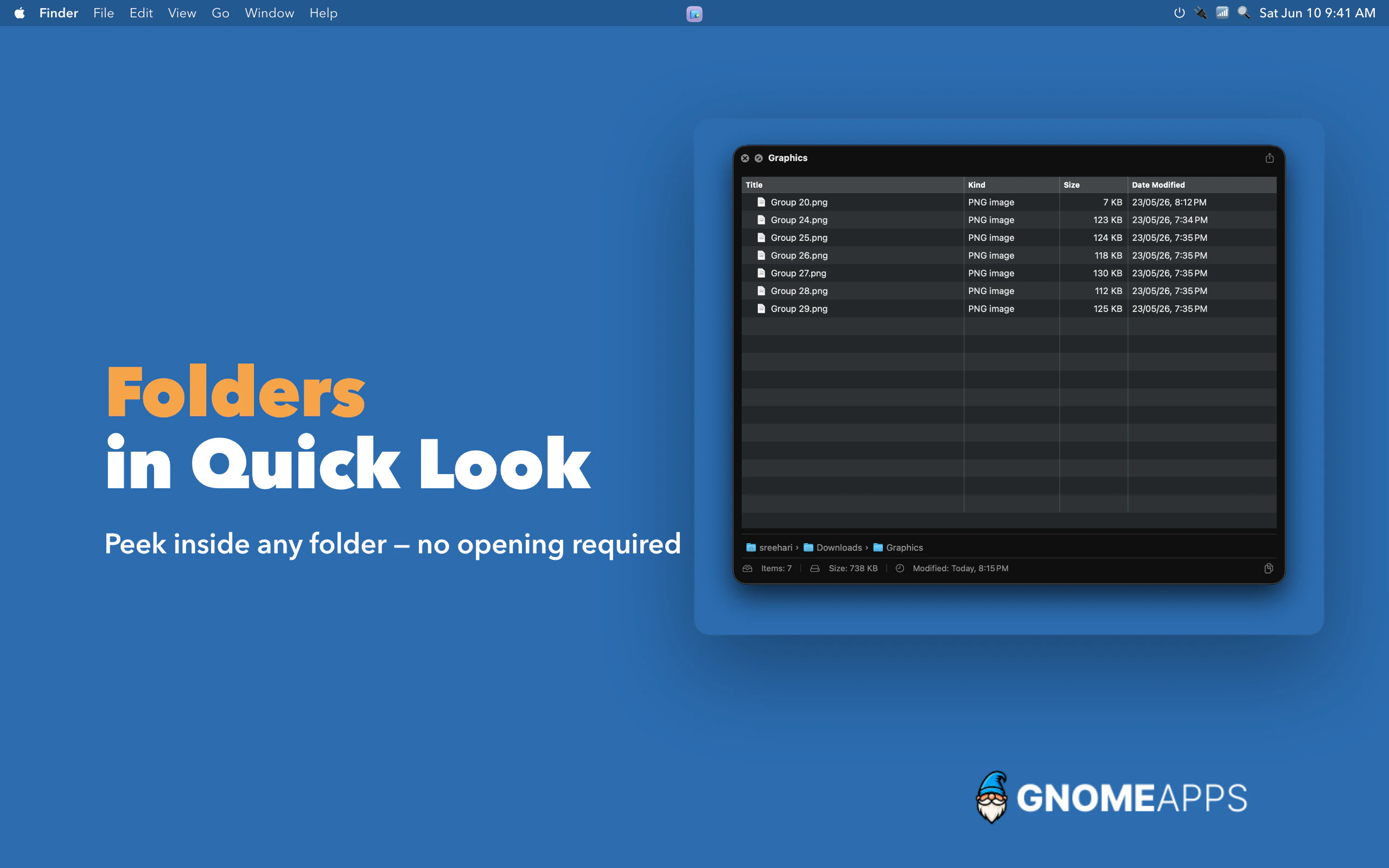
Preview folders and archives the way Quick Look was meant to work. FolderPlus supercharges your Mac's Quick Look with rich, instant previews for folders and compressed archives. Just press Space on any folder or ZIP file to see exactly what's inside—no clicking, no waiting, no extracting. It's the missing feature Quick Look always should have had, built natively for macOS and designed to disappear into your everyday workflow.
AI Analysis
FolderPlus is a macOS productivity app that supercharges the built-in Quick Look feature. It allows users to instantly preview the contents of any folder or compressed archive (ZIP, etc.) by pressing the Space bar, without opening, clicking through, or extracting files. Core features include rich, native previews that integrate seamlessly into the existing macOS workflow. It solves major user pain points of inefficient file browsing, wasted time navigating directories, and the frustration of not seeing inside folders or archives at a glance. The USP is delivering the 'missing' Quick Look functionality in a lightweight, disappearing tool. Overall value proposition: faster, frictionless file management boosting daily productivity for Mac users.
In 2025-2026, market timing is favorable due to continued growth in remote/hybrid work, exploding digital file volumes from AI/content creation, and macOS's ongoing emphasis on refined native productivity tools. User demand for seamless, low-friction utilities is rising as attention spans shrink and efficiency matters more. The underlying Quick Look technology is fully mature. While not AI-centric, it addresses evergreen file organization needs amid economic pressures for better tools without steep learning curves. Rating: Moderate Timing.
Overall feasibility is High. Technical difficulty is manageable by leveraging mature macOS Quick Look extension APIs and native Swift development; no groundbreaking tech required. Development and operation costs are low for an indie utility (one-time purchase model likely, minimal servers). No supply chain issues; compliance risks limited to App Store guidelines and privacy standards. Strong scalability as a pure software product with easy updates and global digital distribution. Best fit for small teams experienced in macOS apps. Potential challenges in thorough testing across macOS versions are surmountable.
Main target segments: Tech-savvy macOS power users including software developers, graphic designers, content creators, researchers, and knowledge workers. Demographics: Primarily 25-45 years old, higher education/income levels. Geographic distribution: Concentrated in North America (US/Canada), Western Europe, with adoption in tech hubs of Asia and Australia. Estimated market size: Broad TAM within the multi-billion USD global Mac/desktop productivity software market; SAM for file management utilities in the hundreds of millions; SOM for this niche preview tool in tens of thousands of paying users. Core pain points: Time lost opening folders/archives repeatedly. Potential willingness to pay: Medium-high for convenient, native utilities (typical pricing $10-30).
Competition level: Medium. Direct competitors: 1. BetterZip (macitbetter.com) - archive preview/extraction tool. 2. Path Finder (cocoatech.com/path-finder) - full-featured file browser with advanced previews. 3. ForkLift (forkliftapp.com) - dual-pane file manager with Quick Look integration. 4. Various open-source QuickLook plugins (e.g., on GitHub). Advantages: Superior seamless native integration for both folders and archives directly in standard Quick Look; simpler, lighter than full file managers. Disadvantages: Narrower scope (preview-only vs. comprehensive file ops in competitors); potentially higher price sensitivity as a single-feature tool. Strong differentiation as the 'missing macOS feature' with minimal workflow disruption.
Upgrade Pro to unlock full AI analysis
Similar Products

Adapt
The company brain that gets work done
▲ 124 votes

Tapfree for Chrome
Voice dictation that adapts to what’s on your screen
▲ 122 votes

Kosshi
Simple, fast outliner for Mac and iPhone.
▲ 90 votes

Thoughts for Mac
Capture notes from your menubar using text, images or voice
▲ 90 votes

WikiFix for Confluence
Find and fix issues in your knowledge base
▲ 86 votes

Refoid
Automate App Store refund responses and track every outcome
▲ 68 votes