
Fonty Menu Bar
Install Google Fonts right from your Mac menu bar.
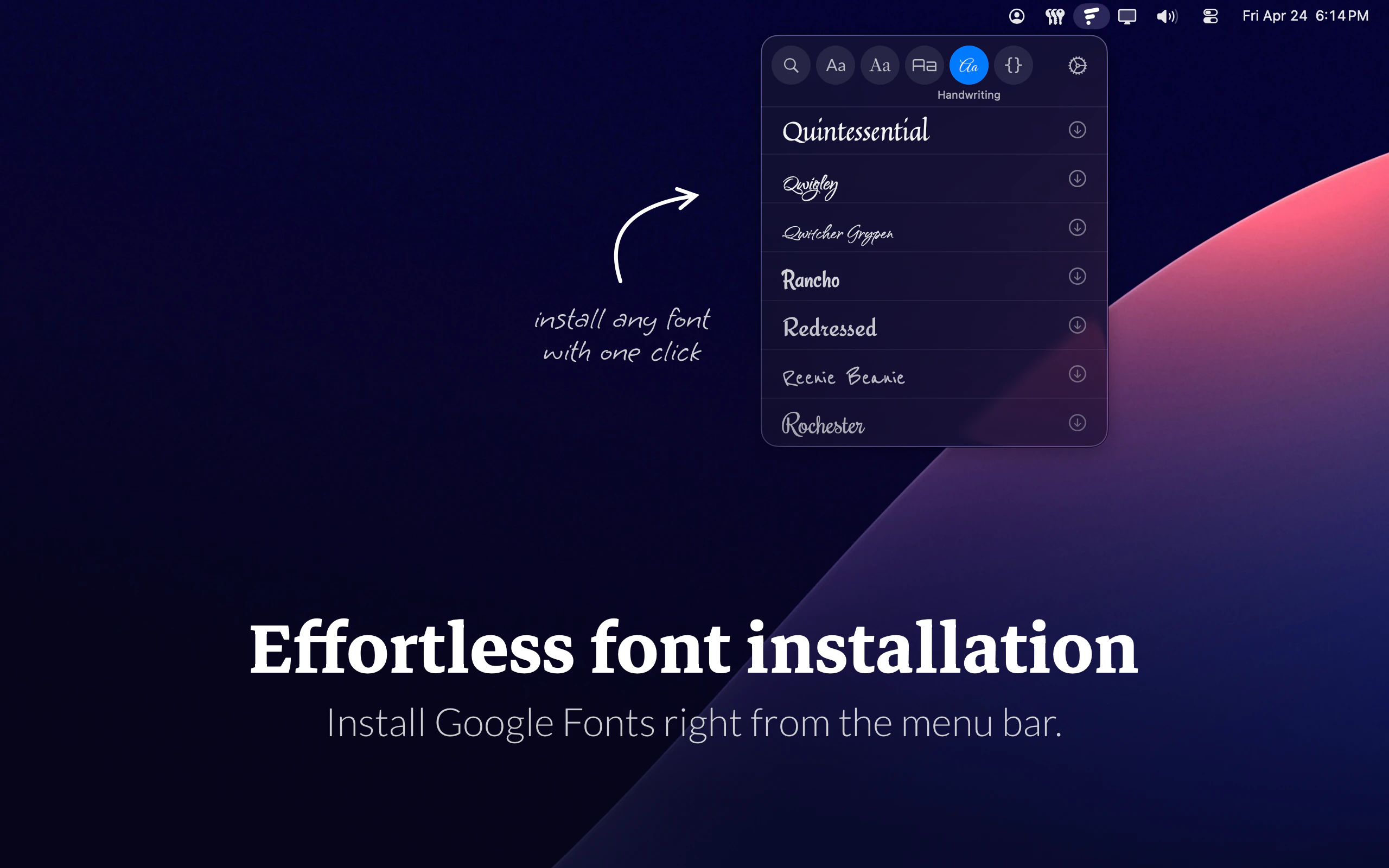
Fonty Menu Bar is a Mac app that makes finding and installing Google Fonts faster. Instead of opening a browser, downloading ZIP files, unzipping folders, and managing font files manually, designers and creatives can browse, preview, and install fonts directly from the menu bar. It is lightweight, fast, and built to stay out of the way.
AI Analysis
Fonty Menu Bar is a lightweight Mac app that enables browsing, previewing, and installing Google Fonts directly from the menu bar. It solves major user pain points including opening browsers, downloading and unzipping font files, and manual font management. Key USPs are its speed, simplicity, non-intrusive menu bar integration, and focus on staying out of the user's way. The overall value proposition is significantly faster typography workflows for designers and creatives on Mac.
In 2025-2026, timing is favorable due to maturing design tool ecosystems, rising demand for workflow efficiency among creatives, and continued popularity of Google Fonts amid remote/hybrid work trends. Menu bar utility apps align well with macOS user preferences for lightweight tools. No major policy or economic barriers in this niche. Rating: Excellent Timing.
High. Technical difficulty is low-medium using Google Fonts API and standard Mac menu bar development (e.g. Swift). Low development/operation costs for a focused utility app. Minimal supply chain or compliance risks. Strong scalability as a digital download with potential for updates. Team fit is good for indie Mac developers.
Main segments: Mac-using graphic/UI/UX designers, freelancers, and creatives in design agencies (primarily North America/Europe, some global). Estimated market size: TAM (creative software market) multi-billion USD; SAM (font tools/Mac utilities) tens of millions; SOM (niche Google Fonts installer) low millions. Core pain points: time wasted on manual font handling. High willingness to pay for productivity gains.
Medium. Direct competitors: 1. SkyFonts (skyfonts.com), 2. FontBase (fontba.se), 3. RightFont (rightfontapp.com), 4. Adobe Fonts (fonts.adobe.com). Advantages: faster menu bar access, Google Fonts focus, lightweight and unobtrusive. Disadvantages: Mac-only, limited to Google Fonts (vs broader libraries in competitors), lacks advanced management features of full font managers.
Upgrade Pro to unlock full AI analysis
Similar Products

Paradigm
Turn any goal into a personalized, adaptive learning path.
▲ 464 votes

TouchGrass
Context-aware break reminders without invasive permissions
▲ 299 votes

Loot
Collect your favorite things in real life
▲ 115 votes

Thoughts for Mac
Capture notes from your menubar using text, images or voice
▲ 90 votes

LayerProof Kraft
Co-write insightful long form content
▲ 84 votes

Polygram
AI-native design and coding app to build mobile & web apps
▲ 81 votes