
Framed
Turn screenshots, videos, and code into polished visuals
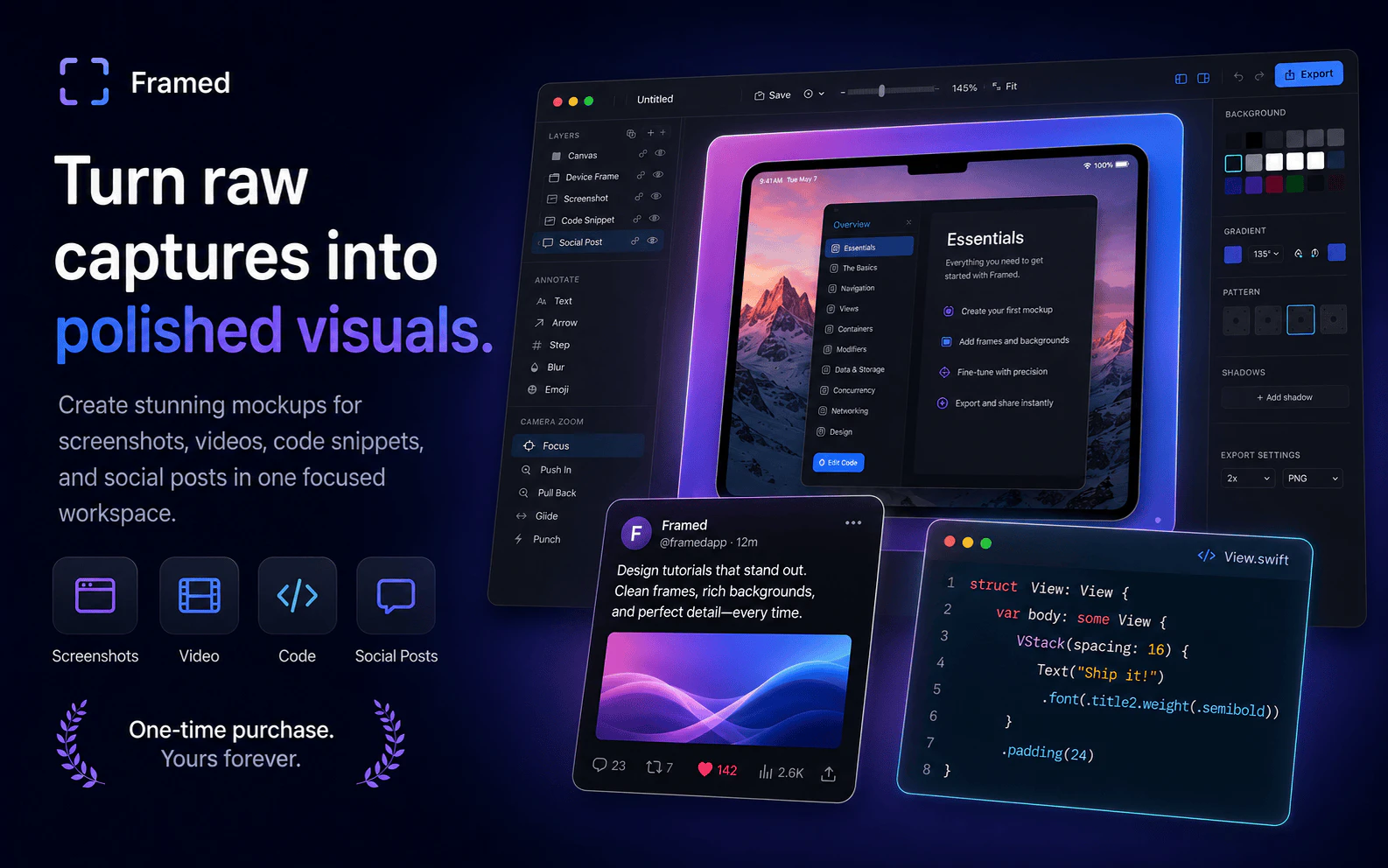
Framed is a MacOS app that helps makers turn raw product content into polished visuals for launches, App Store pages, landing pages, social posts, changelogs, code shares, and demo clips. You start with a screenshot, video, code snippet, or social post, then add frames, backgrounds, annotations, layers, motion, audio, and export-ready polish. Built for Mac, with a focused workflow that avoids the overhead of a full design app. One-time purchase, yours forever. No subscriptions ever.
AI Analysis
Framed is a MacOS app that transforms raw screenshots, videos, code snippets, and social posts into polished, professional visuals for product launches, App Store pages, landing pages, social media, changelogs, and demos. Core features include adding frames, backgrounds, annotations, layers, motion, audio, and export polish in a streamlined workflow. USP: Purpose-built focused tool avoiding the complexity of full design apps like Photoshop; one-time purchase with lifetime access and no subscriptions. It solves key pain points of time-consuming design processes and subscription fatigue for makers and marketers. Overall value: Enables quick creation of high-quality visuals to boost engagement and presentation quality.
Favorable in 2025-2026 due to booming demand for visual content in social media, app marketing, and indie launches. Technology for Mac image/video editing is mature. User shift toward specialized, simple tools and one-time purchases (anti-subscription sentiment) aligns perfectly with Framed's model. Economic environment favors efficient, affordable tools for creators. Excellent Timing.
High feasibility. Technical difficulty is manageable with existing Mac frameworks for image/video processing and UI. Moderate dev/operation costs for a focused app. No significant supply chain or compliance risks as pure software. Strong scalability as a digital product with one-time sales. Assumes team experienced in Apple ecosystem. Key risks are marketing reach in a crowded tools space.
Primary users: Indie makers, SaaS founders, product marketers, and developers in tech industry (ages 25-45, tech-savvy Mac users). Geographic focus: Global, especially US and Europe. Core pain points: Time wasted on complex design software for marketing visuals and subscription costs. Estimated market: Design software TAM ~$15B+, SAM for visual marketing tools ~$1B, SOM for Mac niche apps ~$100M. High willingness to pay for time-saving one-time purchase tools ($30-100 range).
Medium. Direct competitors: 1. CleanShot X (cleanshot.com), 2. Screen Studio (screen.studio), 3. Cap (cap.so), 4. Figma (figma.com), 5. Canva (canva.com). Advantages: Highly focused Mac-native workflow for screenshots/videos/code, one-time purchase (vs most competitors' subscriptions), all-in-one polish features tailored to product launches. Disadvantages: Mac-only limits audience, less collaborative features than Figma/Canva, newer entrant with potentially lower brand awareness.
Upgrade Pro to unlock full AI analysis
Similar Products

Deliveryman.ai
Cold email infrastructure on autopilot without Gsuite
▲ 155 votes

Cercle
The bat signal for your closest friends.
▲ 121 votes

Loot
Collect your favorite things in real life
▲ 115 votes

LayerProof Kraft
Co-write insightful long form content
▲ 84 votes

Polygram
AI-native design and coding app to build mobile & web apps
▲ 81 votes

Bevell
CAD automation where it counts.
▲ 78 votes