
getcta.store
an ai teleprompter that lives under your MacBook notch
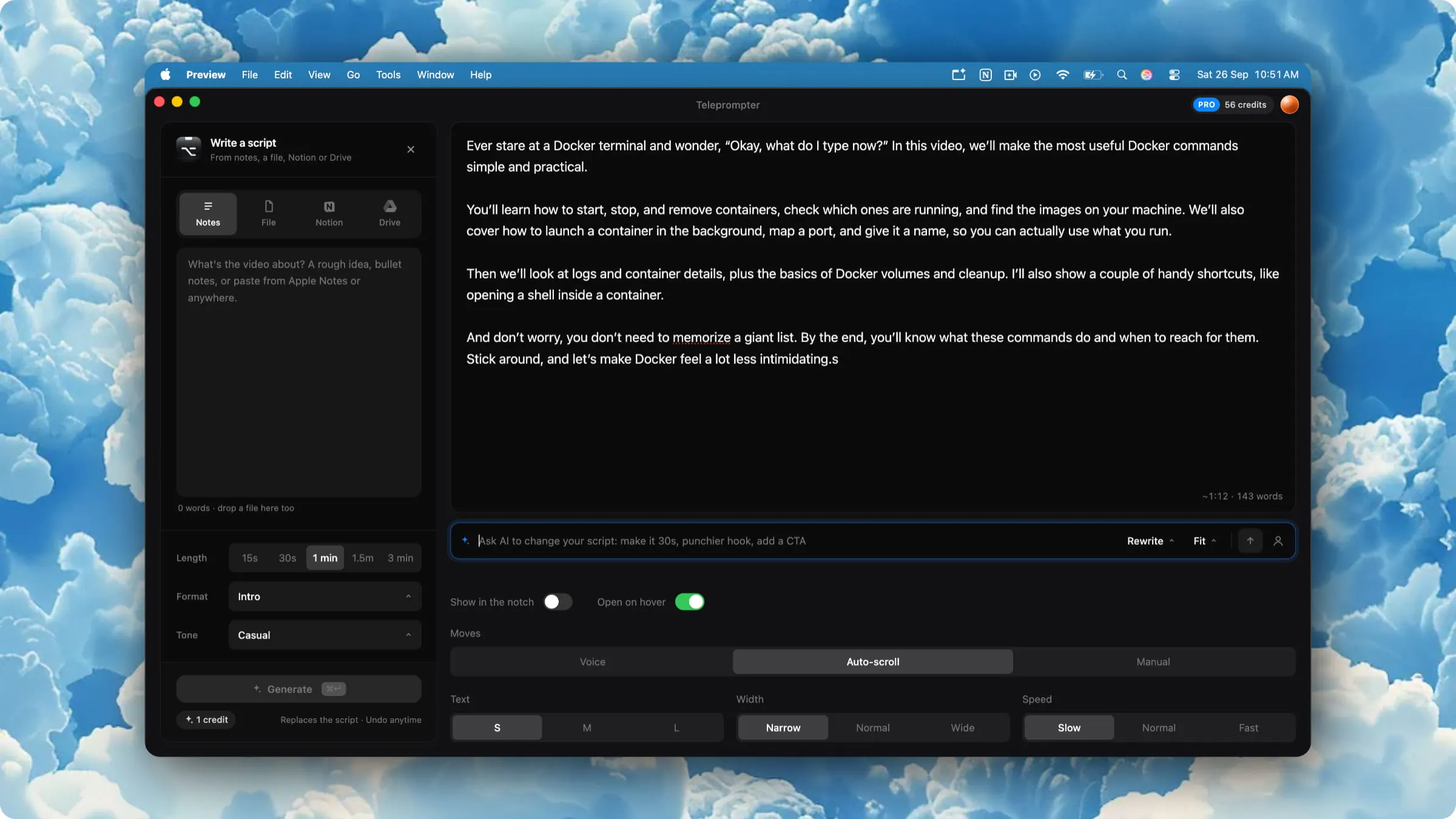
getcta is a macOS teleprompter that sits right under your MacBook notch, next to the camera, so your eyes stay on the lens. It follows your voice as you read, highlighting the word you're on and scrolling with you, and it's hidden from Zoom, Meet, OBS and screen recordings. AI helps you write a script from notes, Notion or Google Drive, rewrite it to be easier to say, and fit it to 15s–3min. Speech is recognized on your Mac. Free prompter; Pro is $9/mo.
AI Analysis
getcta is a macOS AI teleprompter that positions under the MacBook notch next to the camera, enabling direct eye contact during videos/calls. It uses on-device voice recognition to highlight the current word and auto-scroll the script in real-time. The interface is invisible in Zoom, Meet, OBS and recordings. AI generates/rewrites scripts from notes, Notion or Google Drive, optimizing for natural speech and fitting 15s-3min durations. Addresses key pains of unnatural eye movement, script memorization and delivery timing in content creation. Value proposition: effortless, professional on-camera presence. Free basic version; Pro at $9/mo for full AI capabilities.
In 2025-2026, AI productivity tools are maturing with on-device ML widely supported on Apple silicon, remote/hybrid work and creator economy continue expanding, increasing demand for authentic video communication aids. User expectations for seamless, privacy-focused tools align perfectly with on-device speech and script AI. No major negative policy or economic barriers. Excellent Timing.
High technical feasibility leveraging mature Apple Speech framework for on-device recognition and accessible LLM APIs for script AI. Moderate development/operation costs as a focused macOS app. Minimal supply chain or compliance risks (on-device processing aids privacy). Strong scalability via subscription model. High overall for teams experienced in Apple ecosystem. Rating: High
Primary segments: Mac-using content creators, YouTubers, marketers, sales professionals and educators (25-45yo tech-savvy individuals) in US/Europe. Core pains: losing eye contact while reading scripts, unnatural delivery, time spent writing/timing scripts. Estimated TAM for AI video tools large (tens of billions), SAM for teleprompters in creator tools several hundred million, SOM for Mac-specific AI prompter in low tens of millions. High willingness to pay $9/mo among professionals seeking efficiency.
Medium. Direct competitors: 1. BIGVU (bigvu.tv), 2. PromptSmart (promptsmart.com), 3. Speakflow (speakflow.com), 4. Teleprompter apps by Video Teleprompter. Advantages vs competitors: unique notch placement for perfect camera gaze, fully hidden in popular apps/recordings, on-device privacy focus, integrated AI script rewrite/timing. Disadvantages: macOS-only (narrower reach), newer product with potentially fewer advanced video features, subscription vs some one-time purchase rivals.
Upgrade Pro to unlock full AI analysis
Similar Products

Cohere Parse 5
Turn complex docs, tables & images into AI-ready data
▲ 158 votes

Opaline
PostHog for team Claude Code and Codex sessions.
▲ 141 votes

Adapt
The company brain that gets work done
▲ 124 votes

Kosshi
Simple, fast outliner for Mac and iPhone.
▲ 90 votes

Thoughts for Mac
Capture notes from your menubar using text, images or voice
▲ 90 votes

Refoid
Automate App Store refund responses and track every outcome
▲ 68 votes