
Glance
Preview .md files instantly with quick look
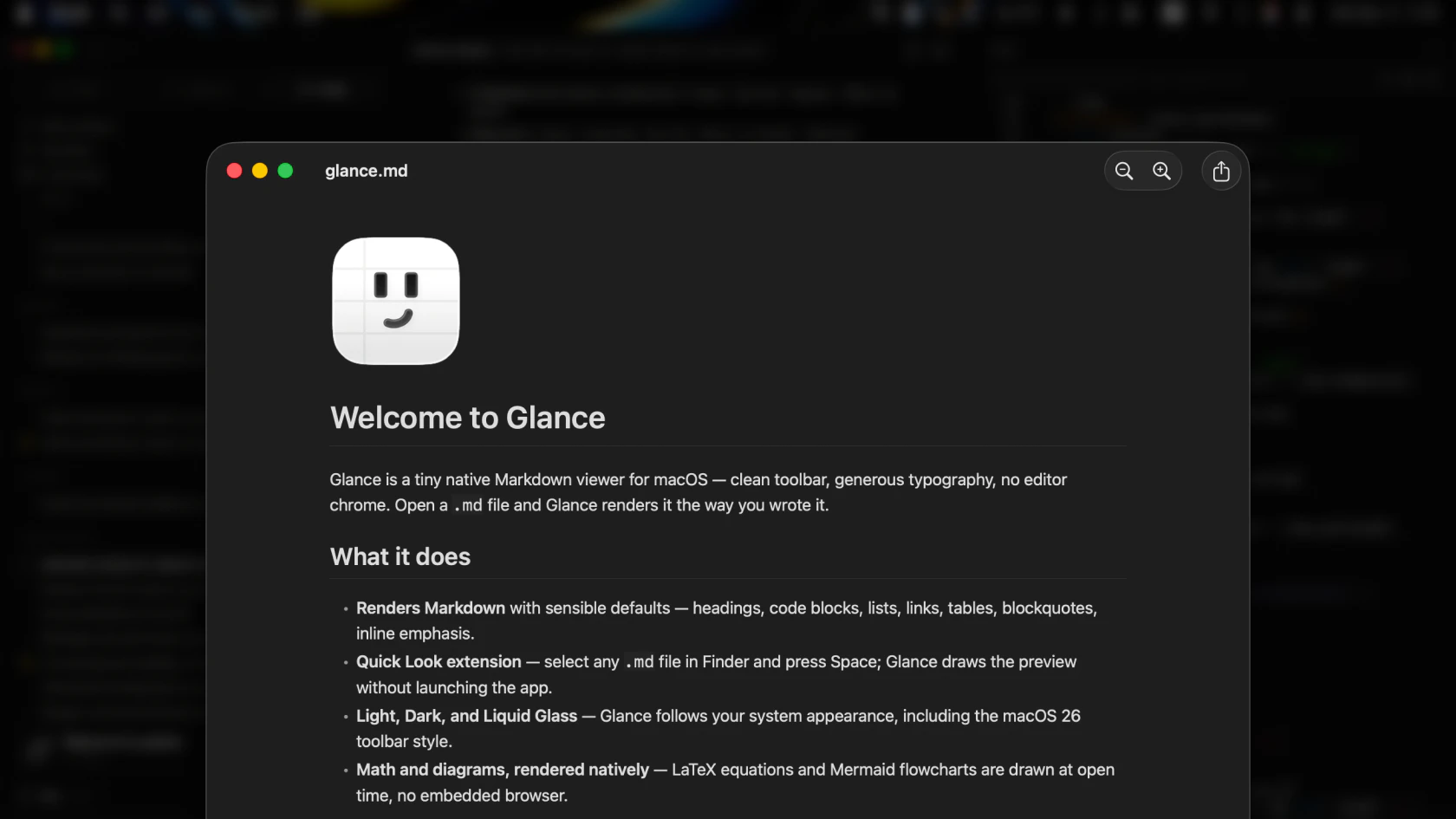
Glance is a fully free native macOS Quick Look extension for Markdown files. Press Space on anymd file in Finder and get an instant, cleanly rendered preview instead of raw syntax. Built for developers working with README files, CLAUDE.md, AGENTS.md, specs, notes, and AI-generated docs. Supports tables, code blocks, links, images, LaTeX math, Mermaid diagrams, and smart zoom. Works fully offline, weighs only 8.3 MB, and has zero telemetry.
AI Analysis
Glance is a fully free, native macOS Quick Look extension that instantly renders clean previews of Markdown files in Finder when pressing Space. It addresses the pain of viewing raw syntax or launching separate apps for READMEs, CLAUDE.md, AGENTS.md, specs, notes, and AI-generated docs. Core features include support for tables, code blocks, links, images, LaTeX math, Mermaid diagrams, and smart zoom. USPs are its tiny 8.3 MB size, complete offline operation, zero telemetry, and developer-focused polish. The value proposition is seamless productivity for macOS users handling Markdown daily without leaving the filesystem.
In 2025-2026, AI-generated Markdown content is exploding (e.g. Claude artifacts, agent specs), increasing demand for quick preview tools among developers. Markdown remains the standard for docs and GitHub; rendering tech is mature and user frustration with raw views is rising. macOS developer ecosystem is strong amid remote/AI workflows. No major policy barriers. This is a favorable window for a lightweight, focused utility. Rating: Excellent Timing.
Technical difficulty is low using established macOS Quick Look APIs and open-source Markdown/Mermaid/LaTeX renderers. Development and operation costs are minimal with no backend or telemetry. No supply chain or major compliance risks. Highly scalable via simple distribution. Fits small solo or indie teams well. Overall feasibility is high. Rating: High.
Primary users: macOS software developers, AI engineers, technical writers, and indie hackers working with GitHub repos, docs, and AI outputs (ages 25-45, tech-savvy). Concentrated in North America, Europe, and East Asia tech hubs. TAM: global developer productivity tools (~$15B); SAM: macOS utilities (~$800M); SOM: Markdown preview niche (~$50M). Core pains: wasted time switching apps for formatted views. Moderate willingness to pay for premium extensions, though currently free.
Competition Level: Low. Direct competitors: 1. qlMarkdown (github.com/toland/qlmarkdown), 2. Markdown Quick Look by various GitHub projects (e.g. patrickt/QLMarkdown), 3. Integrated previews in apps like Typora or Obsidian (not native QL), 4. Paid tools like Marked 2 (marked2app.com). Advantages: broader modern format support (Mermaid, LaTeX), smaller size, zero telemetry, fully free, polished native experience focused on AI-era docs. Disadvantages: limited to macOS, lacks ecosystem integrations some competitors offer.
Upgrade Pro to unlock full AI analysis
Similar Products

Opaline
PostHog for team Claude Code and Codex sessions.
▲ 141 votes

Adapt
The company brain that gets work done
▲ 124 votes

Replay QA Security Scan
Automated Penetration Testing for AI-Built Apps
▲ 102 votes

Kosshi
Simple, fast outliner for Mac and iPhone.
▲ 90 votes

Thoughts for Mac
Capture notes from your menubar using text, images or voice
▲ 90 votes

Refoid
Automate App Store refund responses and track every outcome
▲ 68 votes