
Glisio
Mac Recorder & Snap editor w/auto-zoom, audio, local MP4
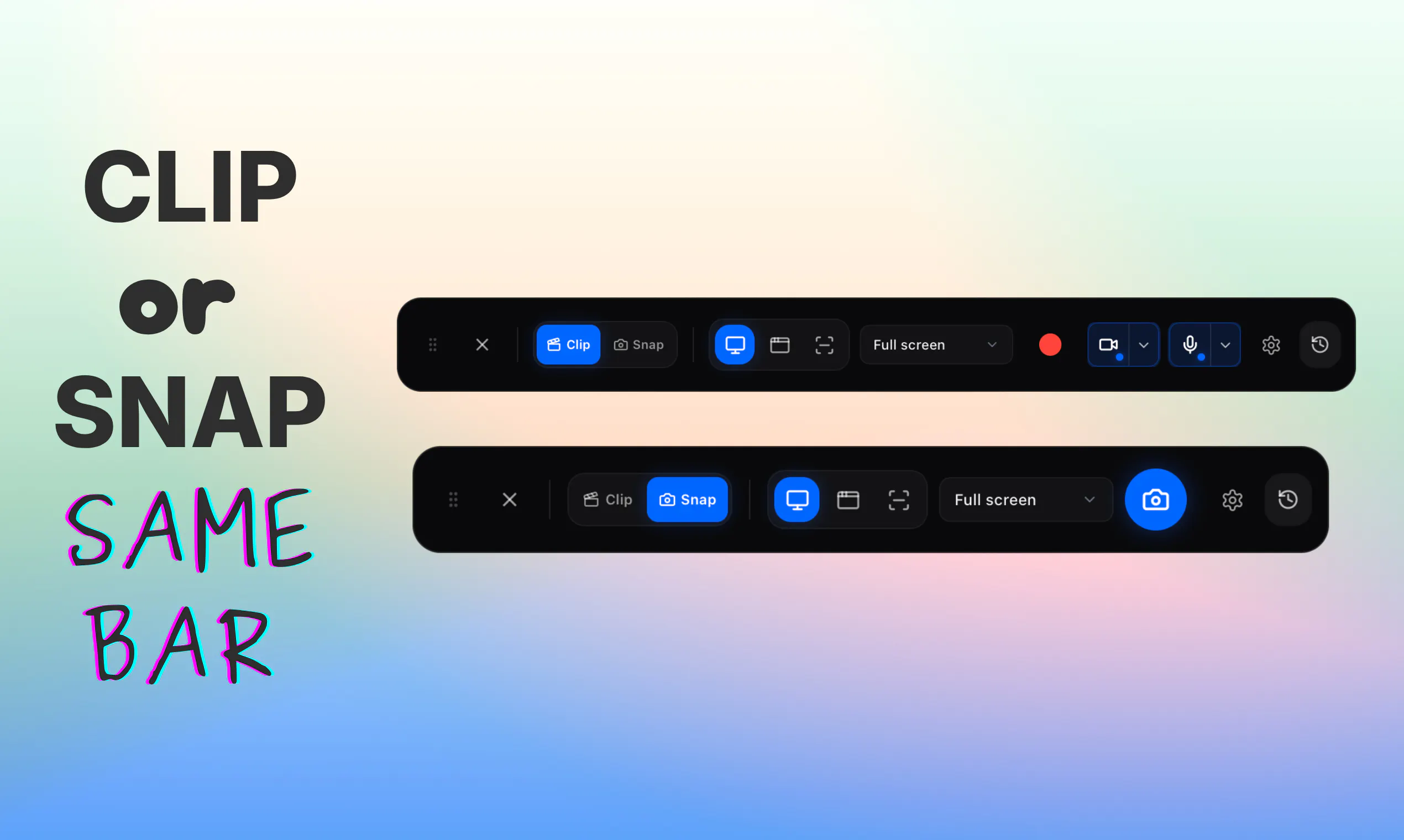
Glisio is a native Mac app for product demos: record cinematic clips or capture styled snapshots. Record display, window, or area with system audio, mic, and optional webcam. Smart auto-zoom follows clicks so you skip a heavy timeline. Snap opens a built-in screenshot editor: background, crop, annotate, then copy or export. Export local MP4 in 16:9, 9:16, or 1:1. Files stay on your Mac. Free with a small watermark. Pro Lifetime $79 once, or $9.99/mo (removes watermark). Windows waitlist open.
AI Analysis
Glisio is a native Mac app for effortless product demos and visuals. It records screen, windows, or areas with system audio, mic, and optional webcam, featuring smart auto-zoom that follows clicks for cinematic results without timeline editing. The Snap tool provides a built-in screenshot editor for backgrounds, cropping, annotations, and quick export. Exports are local MP4 in 16:9, 9:16, or 1:1 ratios, prioritizing privacy. It solves pains of complex editing, cloud dependency, and time loss in creating polished demos. USP: auto-zoom simplicity and local-first approach. Value: professional clips and snaps via free (watermarked) or Pro ($79 lifetime/$9.99/mo) plans.
Favorable for 2025-2026 due to booming short-form video demand for marketing and demos on social platforms, rise of privacy-focused local tools amid data concerns, and productivity app growth with remote/hybrid work. AI content tools increase need for simple enhancers like auto-zoom. Mac ecosystem remains strong for creative apps. Not saturated in the cinematic local recorder niche. Excellent Timing.
High. Technical implementation uses established Mac screen capture APIs; auto-zoom is innovative but achievable with cursor tracking. Low ongoing costs as a local app with no cloud infrastructure. Moderate dev effort for small team, Apple compliance manageable. Scalable via direct sales and App Store. Minor risks in macOS updates and expanding to Windows. Strong potential for iterative updates. Rating: High.
Main segments: Mac-based SaaS founders, product marketers, indie developers, UI/UX designers, and educators (ages 25-45, tech-savvy professionals). Primarily North America and Europe. TAM for global screen recording/editing software ~$5B+, SAM for Mac productivity video tools ~$300-500M, SOM for premium local demo apps ~$20-50M. Core pains: time-intensive editing for professional demos and cloud privacy issues. High willingness to pay for lifetime licenses in utility apps, as evidenced by $79 one-time Pro option.
Medium. Direct competitors: 1. Loom (loom.com) - cloud screen recorder with AI features. 2. ScreenFlow (telestream.net/screenflow) - pro Mac video editor/recorder. 3. CleanShot X (cleanshot.com) - advanced Mac screenshot tool. 4. Kap (getkap.co) - simple open-source recorder. 5. Camtasia (techsmith.com/camtasia). Advantages: local privacy, unique auto-zoom for cinematic clips without editing, lifetime pricing, integrated snap editor. Disadvantages: Mac-only (Windows waitlist), watermark on free tier, limited collaboration vs. Loom's sharing focus.
Upgrade Pro to unlock full AI analysis
Similar Products

Adapt
The company brain that gets work done
▲ 124 votes

Tapfree for Chrome
Voice dictation that adapts to what’s on your screen
▲ 122 votes

Kosshi
Simple, fast outliner for Mac and iPhone.
▲ 90 votes

Thoughts for Mac
Capture notes from your menubar using text, images or voice
▲ 90 votes

WikiFix for Confluence
Find and fix issues in your knowledge base
▲ 86 votes

Refoid
Automate App Store refund responses and track every outcome
▲ 68 votes