
GlowIsland
Turn your Mac notch into an interactive utility ribbon.
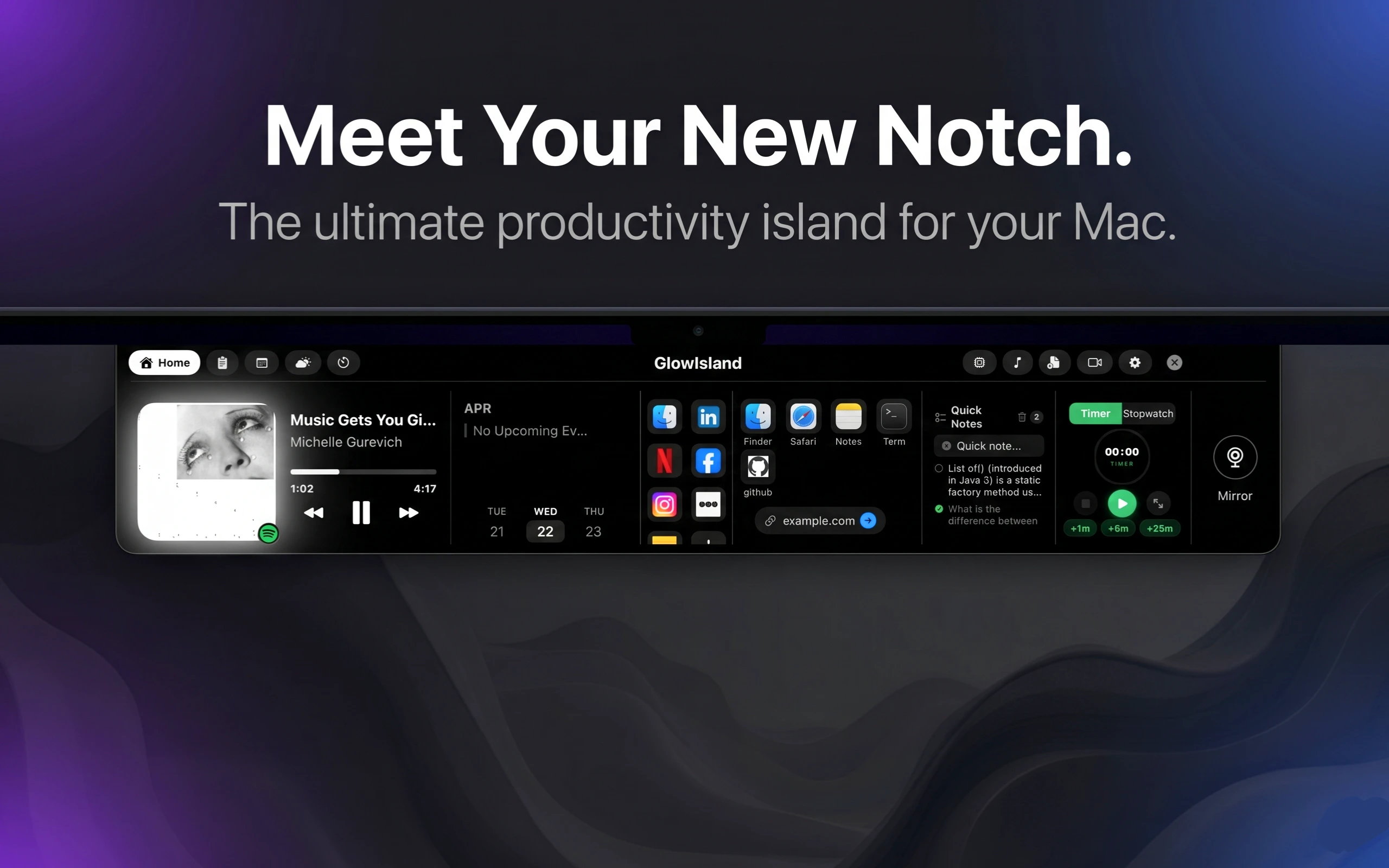
GlowIsland turns your Mac's notch into a powerful, dynamic horizontal ribbon. Built for power users, it features a frictionless Quick Note for instant thought-saving, seamless Dynamic Music controls (Spotify & Apple Music), and a Smart Clipboard history. With quick access to System Tools like a camera mirror, GlowIsland offers a slick, native macOS experience that feels like it belongs right out of the box. Supercharge your workflow today!
AI Analysis
GlowIsland transforms the Mac's notch into a dynamic interactive utility ribbon designed for power users. Core features include frictionless Quick Notes for instant capture, Dynamic Music controls integrating with Spotify and Apple Music, Smart Clipboard history, and quick-access System Tools such as a camera mirror. It addresses key pain points like fragmented workflow tools, underutilized hardware real estate in the notch, slow access to notes/music/clipboard, and non-native menu bar experiences. The unique value proposition is delivering a seamless, native macOS-integrated utility that feels built-in, boosting productivity by consolidating essential functions into one slick, always-visible horizontal ribbon.
The market timing is Moderate Timing. In 2025-2026, productivity tools for macOS remain in demand amid persistent remote/hybrid work and power users seeking workflow optimizations. Technology for menu bar integrations is mature, and user expectations for native-like experiences are high. However, the Mac notch (introduced in 2021) is no longer novel, potentially reducing the 'wow' factor, while broader trends favor AI-enhanced tools (this product lacks explicit AI mentions). Economic factors support paid productivity software, but competition from established utilities makes it less than ideal.
High. As a macOS desktop application, it leverages mature APIs for menu bar, media playback, clipboard management, and notch display with relatively low technical difficulty for experienced developers. Development and operation costs are modest (primarily software engineering and updates), with no supply chain risks. Main considerations are App Store review compliance, compatibility across macOS versions, and user permission handling. Scalability is excellent as a digital download with potential for rapid iteration and global distribution. Team fit is strong for indie Mac developers familiar with Swift/Objective-C.
Main target segments: Tech-savvy power users, software developers, designers, and productivity enthusiasts aged 25-45, primarily using MacBook Pro devices. Geographic focus: North America (especially US), Europe, and East Asia where Mac adoption is high. Estimated market size: TAM for global Mac utility/productivity software ~$500M+ (given ~200M active Mac users), SAM for menu bar and notch-related tools ~$50M, SOM for this specialized ribbon app ~$5-10M in first years. Core pain points: inefficient quick access to notes, media controls, clipboard, and system utilities; underused notch space. Potential willingness to pay: Moderate to high; users in this segment frequently pay $10-50 for premium Mac utilities via one-time purchases or subscriptions.
Medium. Direct competitors: 1. Bartender (www.macbartender.com) - menu bar organizer; 2. iStat Menus (bjango.com/istatmenus) - advanced system monitoring in menu bar; 3. Hidden Bar (github.com/dwarvesf/hidden) - minimalist menu bar hider; 4. TopNotch (topnotch.app) - notch customization/hiding tool; 5. Vanilla (matthewpalmer.net/vanilla) - menu bar declutter. Advantages vs competitors: Unique dynamic ribbon utilizing the notch hardware specifically, all-in-one integration of notes/music/clipboard/tools with a native feel. Disadvantages: Narrower scope (notch-dependent, Mac-only), potentially higher complexity for users compared to simpler menu bar tools, less brand recognition as a newer entrant, and no mentioned pricing edge.
Upgrade Pro to unlock full AI analysis
Similar Products

Adapt
The company brain that gets work done
▲ 124 votes

Tapfree for Chrome
Voice dictation that adapts to what’s on your screen
▲ 122 votes

CodeBurn
See where your AI coding spend actually goes
▲ 101 votes

Kosshi
Simple, fast outliner for Mac and iPhone.
▲ 90 votes

Thoughts for Mac
Capture notes from your menubar using text, images or voice
▲ 90 votes

Refoid
Automate App Store refund responses and track every outcome
▲ 68 votes