
Gutta
A tiny, offline task list for your Mac menu bar
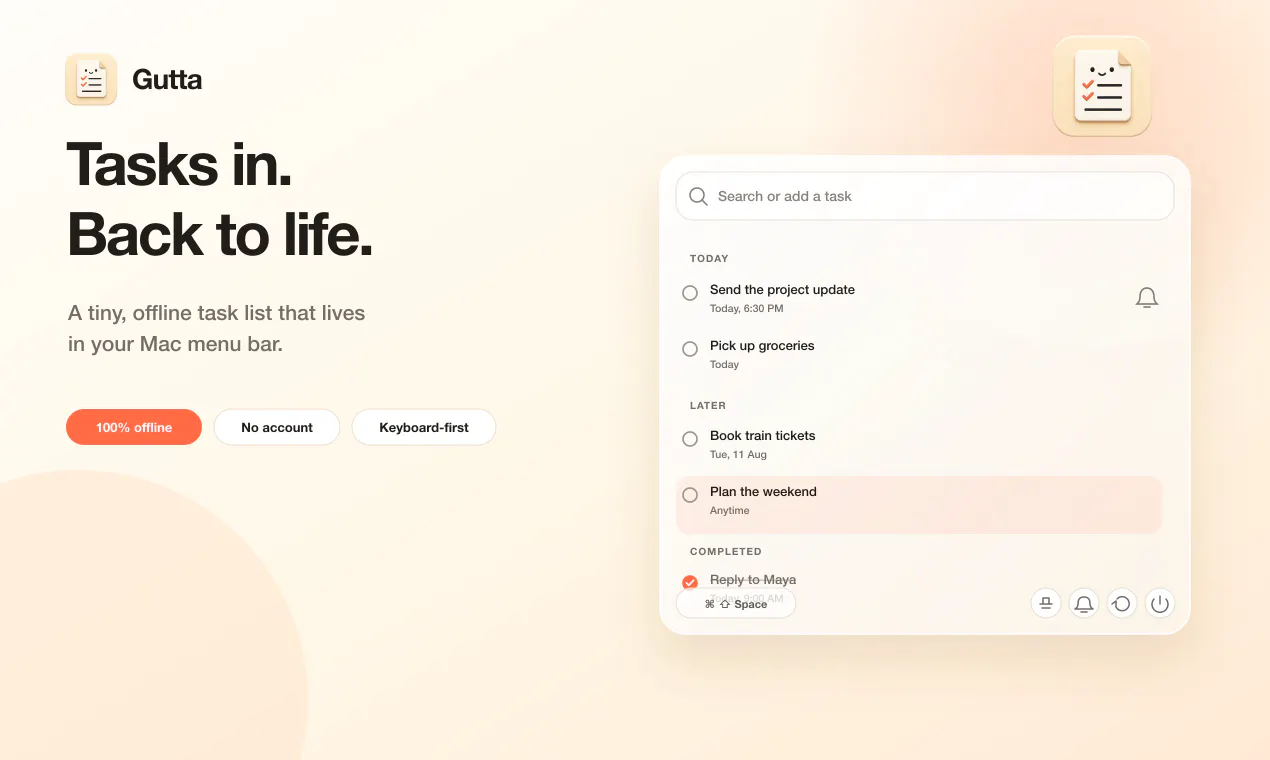
Gutta is a tiny, keyboard-first task list for the Mac menu bar. Press ⌘⇧Space, type tasks the way you say them, and get back to work. It understands natural dates and times, turns semicolon-separated input into multiple tasks, and schedules local reminders. Everything is stored on your Mac, with optional sync through a folder you control in iCloud Drive, Dropbox, or OneDrive—no Gutta account, subscription, tracking, or developer-owned cloud.
AI Analysis
Gutta is a lightweight, offline-first task list app for the Mac menu bar. Key features include a keyboard shortcut (⌘⇧Space) for natural language task entry that parses dates/times, semicolon-separated multi-task creation, local reminders, and storage entirely on the user's Mac. It offers optional sync via user-controlled folders in iCloud Drive, Dropbox or OneDrive. It addresses pain points like bloated productivity apps, subscription fatigue, privacy concerns, and workflow interruptions from switching to full task managers. USP: Simplicity, no accounts/tracking/subscriptions, privacy focus, and seamless menu bar integration. Value proposition: Frictionless task capture to stay focused.
In 2025-2026, market timing is favorable due to rising privacy awareness, subscription burnout from SaaS tools, growing preference for minimalist and offline-first apps, and strong Mac ecosystem growth amid AI-driven productivity tools. Users seek simple, non-intrusive solutions that avoid cloud dependency. This aligns with trends toward local-first software and digital minimalism. Rating: Excellent Timing.
High feasibility. Technical difficulty is moderate as it leverages standard macOS APIs for menu bar and notifications; likely built natively. Low development and operation costs for an indie desktop app with no servers. Minimal compliance or supply chain risks since data stays local. Strong scalability within the Apple ecosystem and good fit for solo developers focused on Mac utilities. Key risks are App Store approval and maintaining sync compatibility.
Primary users: Tech-savvy macOS professionals, developers, designers, and knowledge workers who value speed and privacy. Demographics: 25-45 years old, higher income. Industries: Software, creative, consulting. Geographic: Mainly North America and Europe with high Mac adoption. Estimated market size: Niche within the multi-billion dollar productivity software market; Mac menu bar utilities have dedicated but limited demand. Core pain points: Complex apps causing distraction and data privacy fears. Potential willingness to pay: Moderate to high for a one-time purchase utility.
Medium. Direct competitors: 1. Things (culturedcode.com/things), 2. Todoist (todoist.com), 3. Apple Reminders (built-in), 4. Raycast (raycast.com with task extensions), 5. Fantastical (flexibits.com/fantastical). Advantages: Fully offline/no account/privacy-focused, natural language in tiny menu bar, user-controlled sync, no subscriptions. Disadvantages: Mac-only (limited reach), lacks team collaboration/advanced features of full apps, newer/less known brand compared to established players.
Upgrade Pro to unlock full AI analysis
Similar Products

Adapt
The company brain that gets work done
▲ 124 votes

Tapfree for Chrome
Voice dictation that adapts to what’s on your screen
▲ 122 votes

CodeBurn
See where your AI coding spend actually goes
▲ 101 votes

Kosshi
Simple, fast outliner for Mac and iPhone.
▲ 90 votes

Thoughts for Mac
Capture notes from your menubar using text, images or voice
▲ 90 votes

Refoid
Automate App Store refund responses and track every outcome
▲ 68 votes