
Halo
Dynamic Island for Mac, plus external monitor control
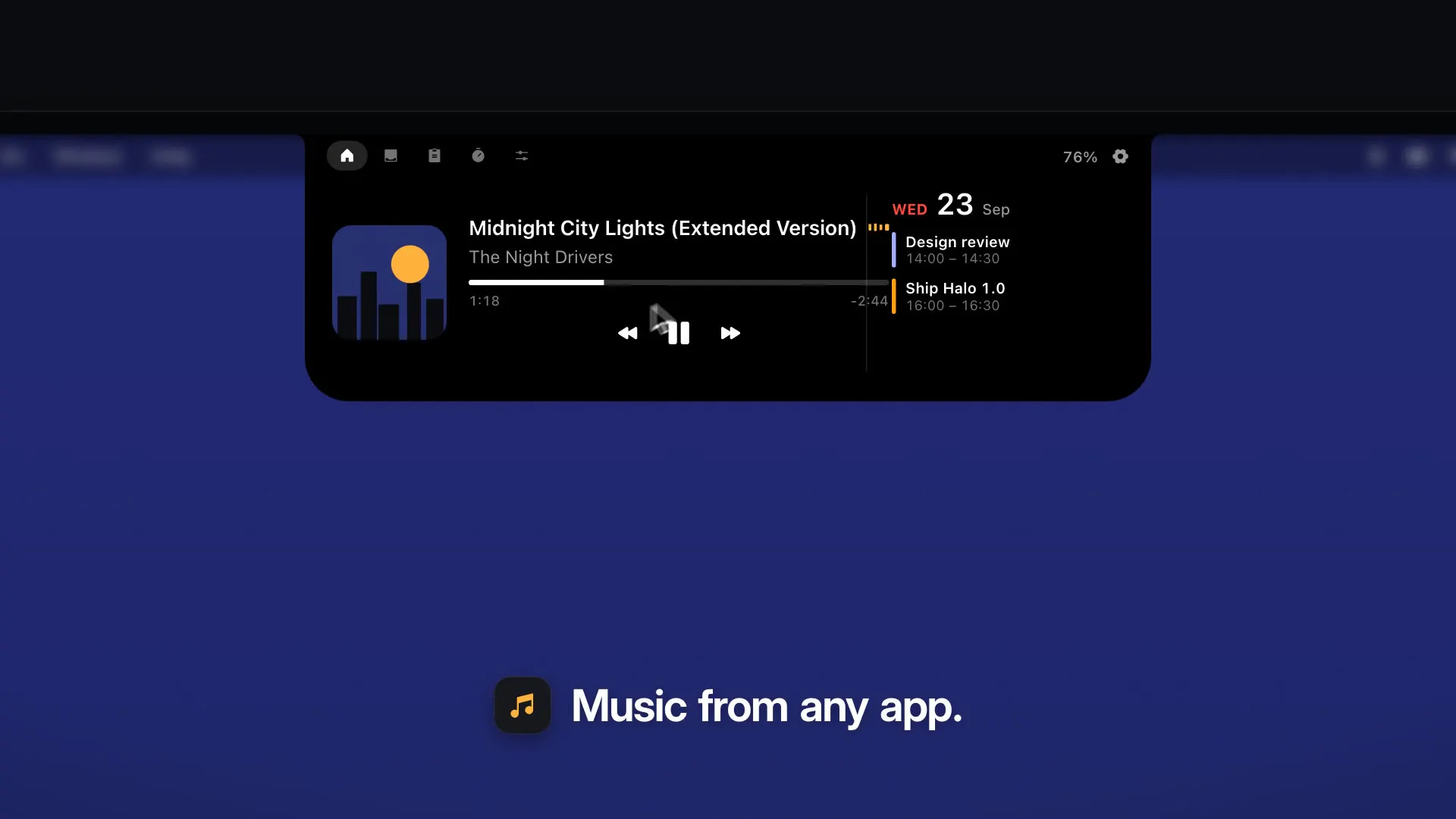
Halo is a Dynamic Island for Mac, with or without a notch, on the top, left or right edge. On Apple silicon your brightness keys set an external monitor's real backlight over DDC/CI, plus contrast and input. Now Playing, timers, shelf, clipboard. No account.
AI Analysis
Halo is a macOS menu bar app bringing Dynamic Island to Mac (with or without notch), positionable on top, left or right edges. Core features include controlling external monitor backlight, contrast and input via Apple Silicon brightness keys using DDC/CI, plus Now Playing, timers, shelf, and clipboard history. No account required. It solves pains of manual external monitor adjustments and lack of glanceable media/timer info on desktop. USP is seamless iOS-like interactive UI combined with hardware-level monitor integration for improved productivity and workflow efficiency. Overall value is a lightweight, privacy-focused utility enhancing multi-monitor Mac setups.
In 2025-2026, market timing is favorable due to widespread Apple Silicon adoption, growing hybrid work with multi-monitor setups, maturing DDC/CI protocols, and rising demand for ecosystem-unifying productivity tools inspired by iOS features like Dynamic Island (launched 2022). Economic environment supports digital tools for efficiency; no major negative policy impacts. Excellent Timing.
High feasibility. Technical difficulty is manageable using established macOS APIs, Swift/SwiftUI and standard DDC/CI for monitors. Low development and operation costs for a small team or indie developer. Minimal supply chain/compliance risks as pure software. Strong scalability via app downloads. Main risks are monitor hardware compatibility variations. Overall highly feasible for Mac utility category. High.
Main target segments: Tech-savvy Mac professionals (developers, designers, editors, analysts) aged 25-45 using external monitors, primarily in North America, Europe, and East Asia. Core pain points: cumbersome monitor settings and fragmented desktop info. Estimated TAM for Mac productivity software ~$2B, SAM for monitor utilities and menu bar apps ~$150M, SOM for this niche ~$15M. High willingness to pay for convenient, one-time purchase utilities ($10-30).
Medium. Direct competitors: 1. Lunar (https://lunar.fyi/) - advanced monitor controls. 2. MonitorControl (https://github.com/MonitorControl/MonitorControl) - free/open-source brightness tool. 3. Bartender (https://www.macbartender.com/) - menu bar organizer. 4. Ice (https://icemenubar.app/) - menu bar management. 5. Bezel (https://getbezel.com/) - notification display. Advantages: unique Dynamic Island UI + integrated hardware control + extras like shelf/clipboard, no account. Disadvantages: potentially narrower focus than dedicated monitor apps, newer with possible compatibility limitations.
Upgrade Pro to unlock full AI analysis
Similar Products

Adapt
The company brain that gets work done
▲ 124 votes

Tapfree for Chrome
Voice dictation that adapts to what’s on your screen
▲ 122 votes

Buddy AI Note
Your daily memo that turns notes into a plan
▲ 94 votes

Kosshi
Simple, fast outliner for Mac and iPhone.
▲ 90 votes

Thoughts for Mac
Capture notes from your menubar using text, images or voice
▲ 90 votes

Refoid
Automate App Store refund responses and track every outcome
▲ 68 votes