
Haptiker
Volume, brightness and keyboard light on your trackpad edges
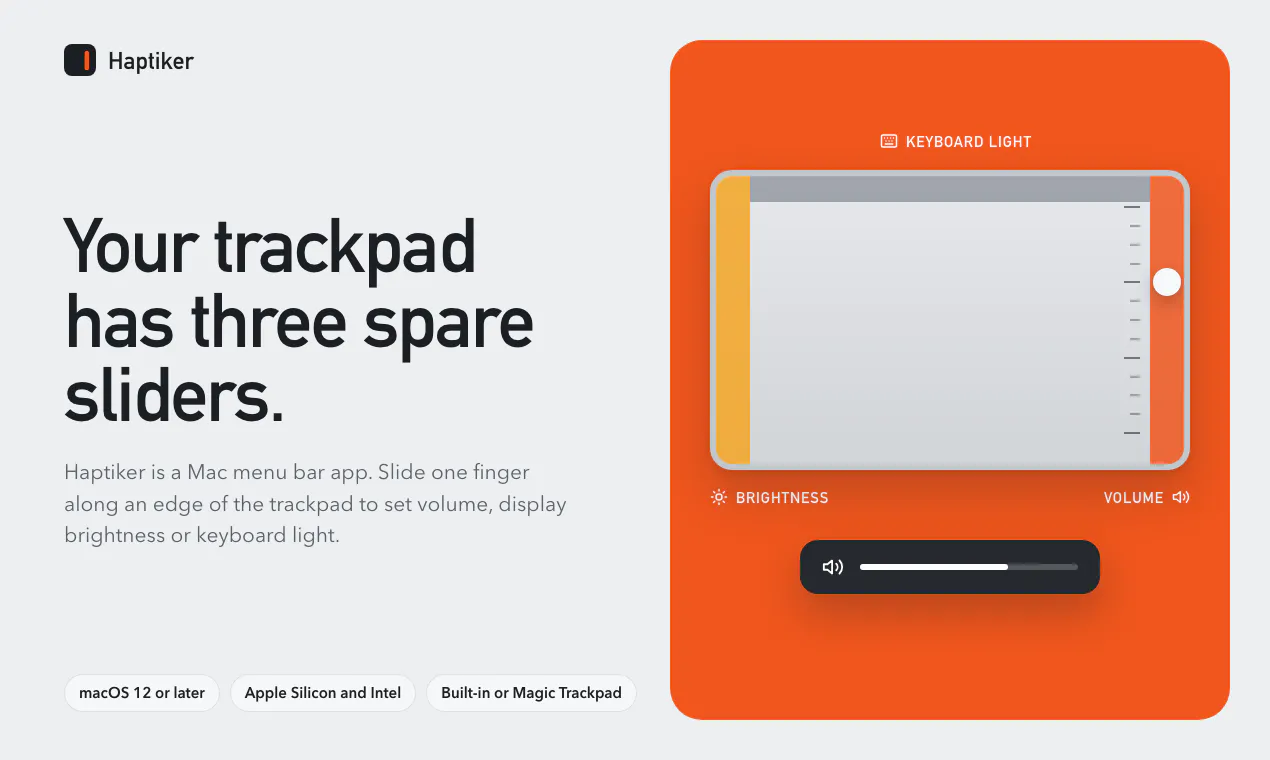
Haptiker turns the edges of your Mac trackpad into sliders. Right edge: volume. Left: display brightness, external monitors too on Apple Silicon. Top: keyboard light. Haptic ticks, and scrolling works as before. 7-day free trial, then one payment.
AI Analysis
Haptiker is a macOS Menu Bar app that repurposes the edges of your Mac trackpad as gesture sliders: right edge for volume, left edge for display brightness (including external monitors on Apple Silicon Macs), and top edge for keyboard backlight. It provides haptic tick feedback during adjustments while preserving standard scrolling and gestures. It addresses user frustrations with interrupting workflows to use keyboard shortcuts, menu bar clicks, or Function keys for common controls. The core value is an intuitive, seamless, and tactile interaction model delivered via a 7-day free trial followed by a one-time payment.
In 2025-2026, market timing is moderately favorable. Apple Silicon adoption is mature with widespread use of external monitors, and productivity tools emphasizing intuitive gestures align with evolving user demands for fluid laptop interactions. However, the broader industry focus has shifted heavily toward AI-integrated tools, making this niche haptic utility less central. Economic conditions support affordable one-time purchase software, but the concept could have launched earlier in the Mac gesture trend cycle. Rating: Moderate Timing.
Overall feasibility is High. Technical difficulty is manageable using macOS AppKit and multitouch APIs for edge detection and haptic feedback; no hardware or complex supply chain involved. Development and operation costs are low for an indie desktop app with one-time licensing. Minimal compliance risks (standard Mac distribution). Strong scalability via digital downloads and updates. Suitable for small teams experienced in macOS development.
Primary segments: MacBook Pro/Air owners focused on productivity, including software developers, designers, writers, and office professionals (ages 25-45), concentrated in North America, Western Europe, and East Asia tech hubs. TAM for macOS utilities ~$500M+, SAM for gesture/productivity enhancers ~$50M, SOM for this specific trackpad tool ~$2-5M. Core pain points include workflow interruptions from system adjustments and lack of tactile quick controls. Potential willingness to pay is solid for a convenient one-time purchase.
Competition level: Medium. Direct competitors: 1. BetterTouchTool (folivora.ai) - advanced gesture customization. 2. Karabiner-Elements (pqrs.org) - powerful input remapping. 3. LinearMouse (linearmouse.org) - pointer and scroll enhancements. 4. Magic Utilities (magicutilities.com) - trackpad and input tools. Advantages: simpler focused edge-slider UX with built-in haptics and zero configuration vs complex setups. Disadvantages: narrower feature set and less extensibility than full customization suites; one-time pricing is competitive but limited scope may reduce appeal.
Upgrade Pro to unlock full AI analysis
Similar Products

Adapt
The company brain that gets work done
▲ 124 votes

Kosshi
Simple, fast outliner for Mac and iPhone.
▲ 90 votes

Thoughts for Mac
Capture notes from your menubar using text, images or voice
▲ 90 votes

WikiFix for Confluence
Find and fix issues in your knowledge base
▲ 86 votes

Refoid
Automate App Store refund responses and track every outcome
▲ 68 votes

Patchcord
Studio sound for your mic in every Mac meeting with EQ
▲ 61 votes