
iLand
Turn your Mac's notch into an everyday workspace
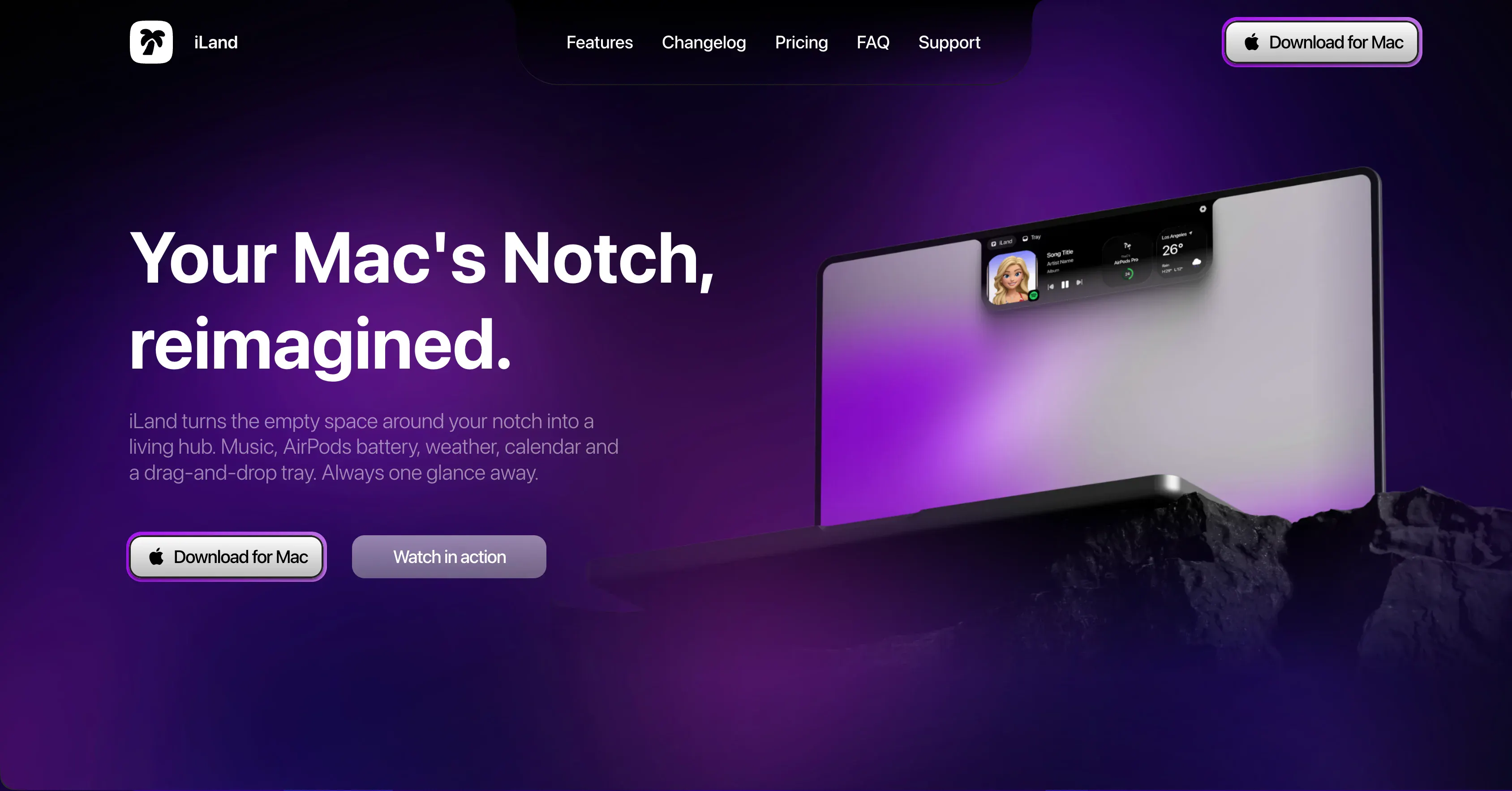
iLand turns your Mac's notch into a home for everyday tools. Control music, keep files in a drag-and-drop tray, convert files, capture screenshots, and record your screen. Switch between widgets for your calendar, weather, timers, and more, with gesture controls and a customizable layout that keeps everything within reach.
AI Analysis
iLand transforms the MacBook notch into an interactive everyday workspace. Core features include music controls, drag-and-drop file tray, file conversion, screenshot capture, screen recording, and switchable widgets for calendar, weather, timers plus others. Gesture controls and customizable layouts keep tools instantly accessible. It solves pain points of cluttered menus, underused screen space, and inefficient workflow switching by turning a hardware element into a seamless productivity hub. The value proposition is convenient, always-available utilities that enhance efficiency for Mac users without disrupting focus.
In 2025-2026, timing is favorable as the Mac ecosystem expands with AI features and users demand more innovative hardware-software integrations for productivity. Technology for macOS menu bar and gesture APIs is mature, and remote/hybrid work trends increase need for efficient desktop tools. However, the notch has existed since 2021 so initial hype has passed. Economic conditions support affordable software tools. Overall a solid window before potential new Apple hardware changes the notch design. Rating: Moderate Timing.
Technical difficulty is moderate, relying on established macOS APIs for notch/menu bar integration, media control and gestures; no exotic hardware needed. Development and operation costs are low for an indie Mac app. No supply chain risks; compliance is standard App Store review. Scalability is high via updates and potential cloud features. Suitable for small teams experienced in Swift/Cocoa. Overall rating: High. Key risks are future macOS compatibility and App Store approval for notch usage.
Main segments: Tech-savvy MacBook Pro users (developers, designers, content creators, professionals), ages 25-45, concentrated in North America, Europe. Estimated market size: Mac productivity software TAM is large (hundreds of millions USD); SAM for menu bar/notch utilities is tens of millions given 10M+ notched Mac users; SOM for this specific tool is several million USD. Core pain points: inefficient quick-access to tools and wasted notch space. Potential willingness to pay is moderate-high for convenient, polished utilities (one-time or subscription).
Competition level: Medium. Direct competitors: 1. Bartender (macbartender.com) - menu bar organizer; 2. iStat Menus (bjango.com) - system monitoring in menu bar; 3. Hidden Bar (hiddenbar.app) - menu bar declutter; 4. Raycast (raycast.com) - productivity launcher with plugins; 5. Vanilla (vanillaapp.com) - menu bar icon hider. Advantages: novel notch-centric widget system with gestures, integrated file tray and media tools not directly replicated. Disadvantages: limited to newer MacBooks with notch, narrower scope than broad launchers like Raycast, less brand recognition. Strong differentiation via hardware integration but faces pressure from established menu bar utilities.
Upgrade Pro to unlock full AI analysis
Similar Products

Adapt
The company brain that gets work done
▲ 124 votes

Tapfree for Chrome
Voice dictation that adapts to what’s on your screen
▲ 122 votes

Kosshi
Simple, fast outliner for Mac and iPhone.
▲ 90 votes

Thoughts for Mac
Capture notes from your menubar using text, images or voice
▲ 90 votes

WikiFix for Confluence
Find and fix issues in your knowledge base
▲ 86 votes

Refoid
Automate App Store refund responses and track every outcome
▲ 68 votes