
Kapshot
Screen recordings that look like you edited them
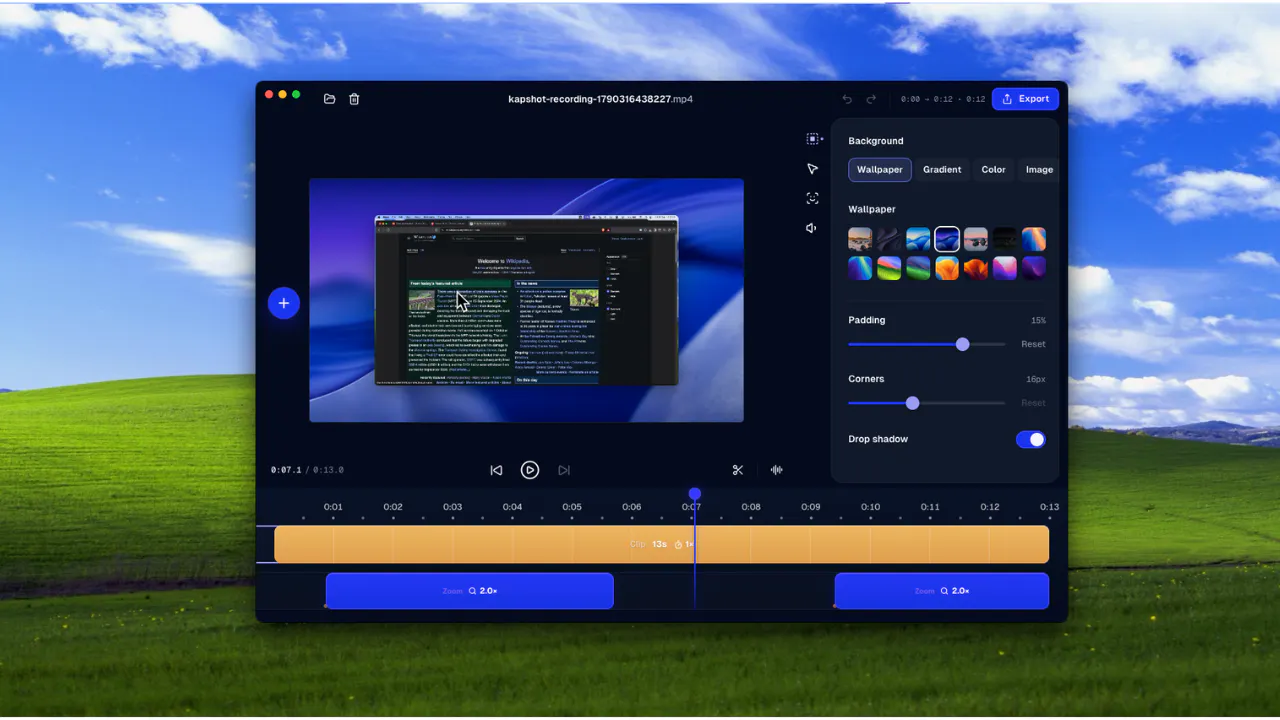
Kapshot is a screen recorder for people who need polished product demos, tutorials, and videos, without spending time editing them. Instead of recording your screen and then opening a video editor to add zooms, fix the cursor, and frame every interaction, Kapshot does the polish automatically while you record.
AI Analysis
Kapshot is a screen recorder that automatically applies professional polish like zooms, cursor fixes, and interaction framing during recording. It eliminates tedious post-production editing for product demos, tutorials, and training videos. Key pain points solved include time wasted in video editors and lack of design skills for polished output. USP is instant professional-quality videos without manual effort. Value proposition: Enables anyone to create edited-looking screen recordings quickly and efficiently.
In 2025-2026, AI automation for content creation is maturing rapidly with high demand for efficient video tools driven by remote work, digital marketing, and online education growth. User expectations for quick, high-quality output are rising while economic pressures favor time-saving solutions. Excellent Timing.
Technical difficulty is moderate using existing screen capture APIs combined with AI for interaction detection; development costs are manageable for SaaS with cloud processing. Low supply chain or compliance risks. Strong scalability potential via subscription model. High
Primary users: SaaS product managers, marketers, educators, and content creators (25-45yo professionals). Industries: software/tech, e-learning, digital marketing. Mainly North America and Europe. TAM for video creation tools ~$10B, SAM for automated screen recorders ~$800M. Pain points: editing time and skill gaps. High willingness to pay $10-30/month for productivity gains.
Competition Level: Medium. Direct competitors: Loom (loom.com), Screen Studio (screen.studio), Camtasia (techsmith.com/camtasia), Descript (descript.com), CleanShot X (cleanshot.com). Advantages: fully automatic real-time polishing vs manual editing in competitors. Disadvantages: potentially fewer advanced editing features and brand recognition as a newer tool.
Upgrade Pro to unlock full AI analysis
Similar Products

Adapt
The company brain that gets work done
▲ 124 votes

Tapfree for Chrome
Voice dictation that adapts to what’s on your screen
▲ 122 votes

Buddy AI Note
Your daily memo that turns notes into a plan
▲ 94 votes

Kosshi
Simple, fast outliner for Mac and iPhone.
▲ 90 votes

Thoughts for Mac
Capture notes from your menubar using text, images or voice
▲ 90 votes

Refoid
Automate App Store refund responses and track every outcome
▲ 68 votes