
LinkFlick
Stop re-pairing your Magic Keyboard between Macs
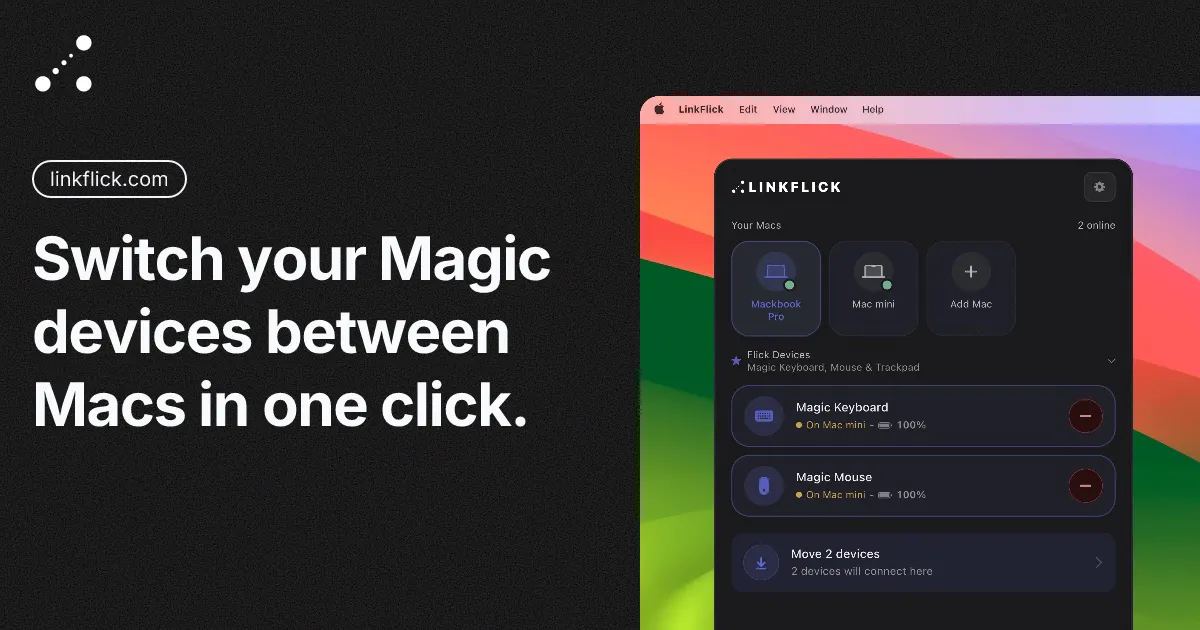
I built this because I got sick of re-pairing my Magic Keyboard and Mouse every time I moved between my MacBook and my work MacBook — different Apple IDs, so Universal Control was never going to work for me. LinkFlick just flicks them over Bluetooth instead. Hotkey, or tell Siri "flick devices," done. Menu bar app, customizable hotkey, and it nags you before your Magic Mouse battery dies. Still rough around the edges in places, but it works, and it's mine.
AI Analysis
LinkFlick is a macOS menu bar app that solves the frustration of repeatedly re-pairing Magic Keyboard and Mouse when switching between Macs with different Apple IDs, where Universal Control fails. It enables instant Bluetooth device switching via customizable hotkey or Siri voice command ('flick devices'). Additional feature includes nagging notifications before Magic Mouse battery dies. Built from personal need, its USP is simplicity, seamless macOS integration, and lightweight productivity focus. Value proposition: saves time, reduces workflow interruptions for multi-Mac users in hybrid setups.
In 2025-2026, hybrid/remote work trends continue to drive multi-device ownership (personal + work Macs), increasing demand for seamless switching tools. Bluetooth is fully mature, Siri is enhanced via Apple Intelligence for better voice commands, and user frustration with ecosystem limitations persists despite potential native improvements. Economic environment supports affordable indie utilities. This is a good time as pain points remain unsolved for users with separate Apple IDs. Rating: Excellent Timing.
Technical difficulty is low as it uses standard macOS Bluetooth APIs for a simple menu bar app (already built and functional). Dev/operation costs are minimal for an indie solo developer with no servers or complex infrastructure needed. Supply chain/compliance risks are low (Mac app distribution). High scalability for feature expansion. Fits well with individual creator profile. Overall rating: High, supported by proven functionality and low overhead.
Main segments: Tech-savvy Mac professionals (software developers, designers, writers, office workers) aged 25-45 using multiple Macs with separate Apple IDs, often in hybrid work setups. Geographic focus: North America, Europe. Estimated market: TAM ~100M+ Mac users worldwide, SAM ~5-10M multi-Mac switchers, SOM ~500K potential paying users. Core pain: time-consuming re-pairing disrupting flow. Willingness to pay: medium-high for convenient one-time purchase utilities (~$5-15).
Competition level: Low. Direct competitors: 1. Apple's Universal Control (apple.com) - native but requires same Apple ID. 2. ToothFairy (c-command.com/toothfairy) - general Bluetooth connector. 3. Bluetooth device managers like those in Mac utilities apps. 4. Manual macOS Bluetooth menu. Advantages: highly specific to Magic devices flicking, Siri/hotkey ease, battery alerts, personal simple design. Disadvantages: rough edges, limited features/polish vs established tools, unknown pricing but appears affordable. Strong differentiation on exact pain point.
Upgrade Pro to unlock full AI analysis
Similar Products

Adapt
The company brain that gets work done
▲ 124 votes

Kosshi
Simple, fast outliner for Mac and iPhone.
▲ 90 votes

Thoughts for Mac
Capture notes from your menubar using text, images or voice
▲ 90 votes

WikiFix for Confluence
Find and fix issues in your knowledge base
▲ 86 votes

Refoid
Automate App Store refund responses and track every outcome
▲ 68 votes

Patchcord
Studio sound for your mic in every Mac meeting with EQ
▲ 64 votes