
LockLines
Design Mac lock screen messages that fit
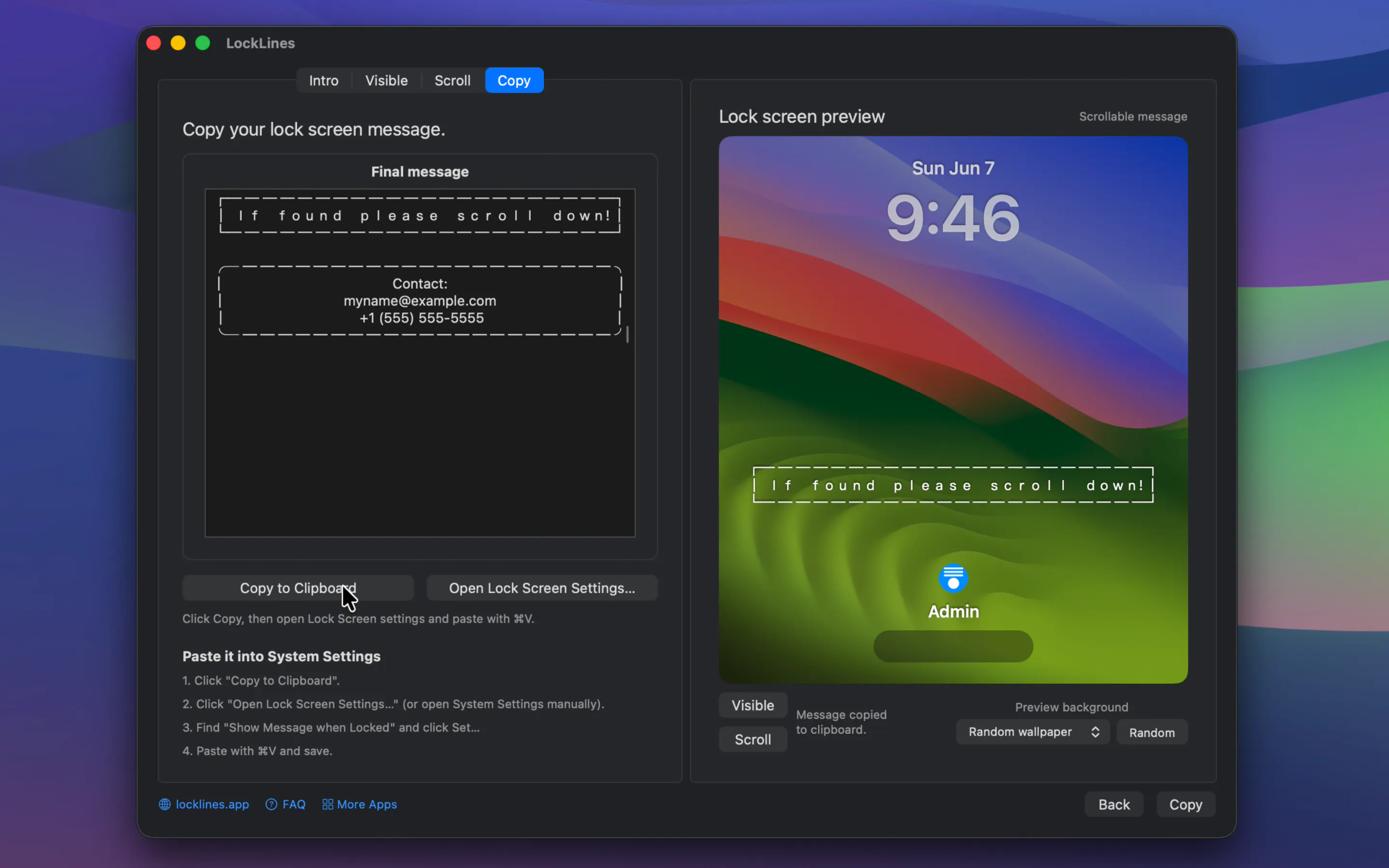
LockLines is a macOS app for designing plain-text lock screen messages that fit the small message area.
AI Analysis
LockLines is a macOS app for designing plain-text lock screen messages that fit the small message area. Core features include real-time preview, text adjustment tools, and seamless integration to apply messages to the system lock screen. It solves the key user pain point of trial-and-error formatting where text gets truncated or misaligned on the actual lock screen. Unique selling points are its hyper-focused specialization on perfect visual fit for Mac lock screens and simplicity for quick customization. The value proposition is saving time while enabling meaningful, well-designed personal messages on users' Macs.
In 2025-2026, macOS customization demand remains steady with Apple's ecosystem expansion and user focus on personal productivity tools. Technology for building such apps is mature, and remote/hybrid work trends support device personalization. However, broader economic pressures on discretionary software purchases and AI dominating attention make it not ideal for niche utilities. Overall a reasonable but not peak opportunity. Rating: Moderate Timing.
High feasibility. Technical difficulty is low using standard macOS APIs and SwiftUI for preview and text tools. Development and operation costs are minimal for a small team or indie developer. No supply chain or major compliance risks. Strong scalability as a digital product with potential for updates and cross-platform expansion. Fits well for solo Mac-focused developers. Rating: High
Main target segments: Tech-savvy Mac users, designers, developers and productivity enthusiasts (ages 25-45, higher income), concentrated in North America, Europe, and East Asia. Estimated market size is niche - TAM for Mac utilities is substantial but SAM/SOM for lock screen customization is limited to several hundred thousand potential users globally. Core pain points: Difficulty crafting text that fits and looks good without repeated testing. Potential willingness to pay: Moderate to high for a convenient, one-time purchase tool.
Low. Direct competitors: 1. macOS System Settings (apple.com), 2. Bear - Markdown note app (bear.app), 3. Drafts (drafts.com), 4. Textual - text editor (textualapp.com), 5. Generic Mac App Store customization tools. Advantages: Highly specialized preview and fit tools vs general apps; better UX for this exact use case. Disadvantages: Narrow scope may limit broad appeal; lacks advanced features or community that competitors have.
Upgrade Pro to unlock full AI analysis
Similar Products

Loot
Collect your favorite things in real life
▲ 115 votes

Kosshi
Simple, fast outliner for Mac and iPhone.
▲ 90 votes

LayerProof Kraft
Co-write insightful long form content
▲ 84 votes

Polygram
AI-native design and coding app to build mobile & web apps
▲ 81 votes

Mantel
Stop confusing your Claude Code sessions & terminal windows
▲ 72 votes

Refoid
Automate App Store refund responses and track every outcome
▲ 68 votes