
MemoryPet 2.0
Turn your browsers toolbar into an animated usage monitor
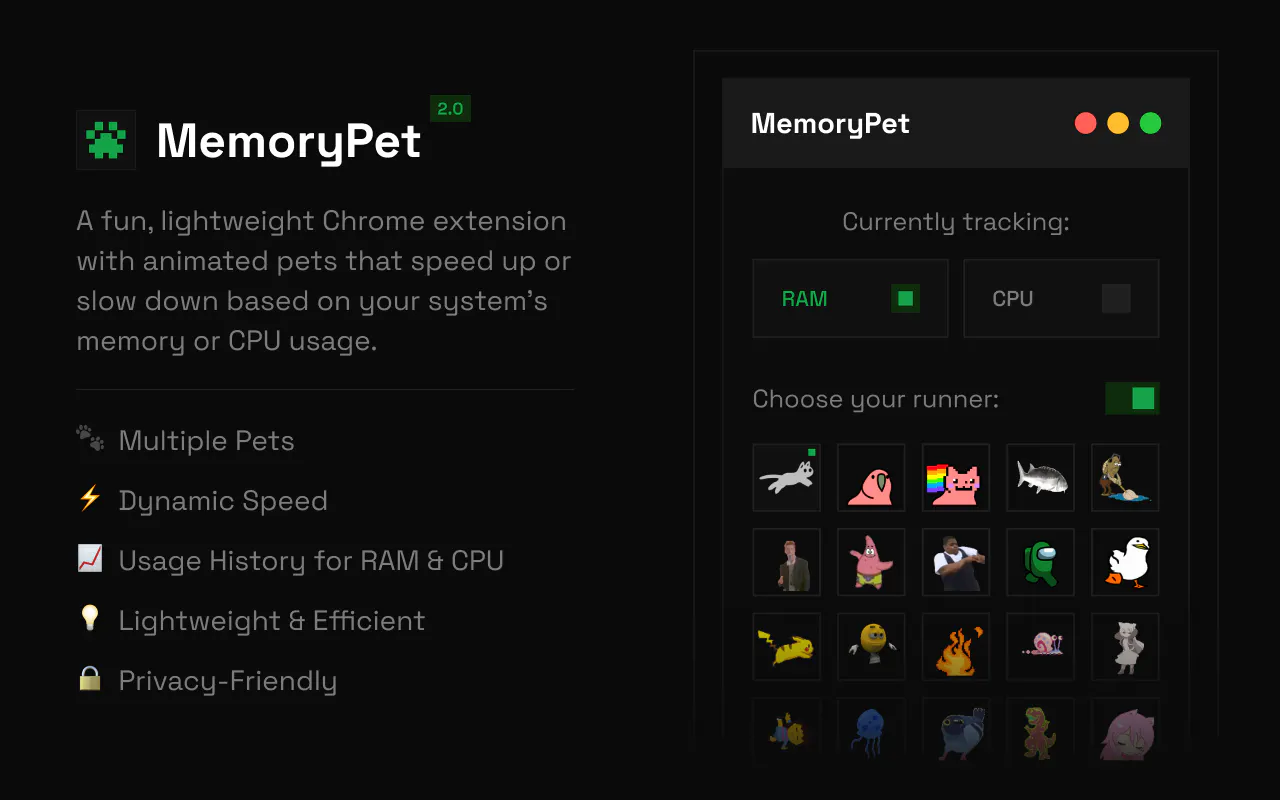
MemoryPet puts a tiny animated pet in your Chrome toolbar that speeds up or slows down based on your system's memory or CPU usage, a glanceable, oddly satisfying read on how hard your machine is working. 2.0 adds CPU tracking alongside memory, 8 new pets, a hover-able usage graph, and a way to turn the animation off entirely and just watch a live percentage badge instead.
AI Analysis
MemoryPet 2.0 is a Chrome extension that places a tiny animated pet in the browser toolbar. The pet speeds up or slows based on real-time system memory and CPU usage, offering a glanceable and entertaining monitor. Version 2.0 introduces CPU tracking, 8 new pets, a hover-activated usage graph, and an option to disable animations for a static live percentage badge. It solves the pain of frequently opening task managers or monitors by providing constant, non-intrusive visibility. The USP is transforming dry system metrics into an oddly satisfying, delightful experience that improves user awareness and enjoyment of their machine's performance.
In 2025-2026, with AI applications, heavy web apps, and multi-tab usage driving higher resource consumption, there is growing demand for seamless, glanceable system monitors. Browser extensions remain a mature distribution channel, and trends toward delightful, gamified UX in productivity tools align well. Economic focus on efficiency in remote work supports this. However, built-in browser optimizations may reduce urgency. Overall: Excellent Timing.
Technical implementation uses Chrome extension APIs for resource monitoring, which is achievable but requires careful permission handling. Development and operation costs are low for a digital product with no physical supply chain. Compliance risks are limited to Chrome Web Store policies and privacy standards. Scalability is high via easy global distribution. Strong fit for indie developers. Rating: High.
Primary segments: tech-savvy Chrome users including software developers, designers, gamers, and heavy multitaskers (ages 18-40, tech industry skew, global but concentrated in US/Europe/Asia). Estimated TAM for productivity browser extensions is ~200M users; SAM for system monitors ~20M; SOM ~500K-1M. Core pain points include unexpected slowdowns and inconvenient resource tracking. Willingness to pay is moderate, likely for premium pet customizations or advanced features in a freemium model.
Low. Direct competitors: 1. OneTab (https://www.one-tab.com) - memory management via tab suspension. 2. Chrome built-in Memory Saver. 3. Auto Tab Discard (Chrome Web Store extension). 4. Rainmeter (https://rainmeter.net) - desktop resource widgets. 5. Various basic CPU/RAM meter extensions. Advantages: highly differentiated by fun animated pets, satisfying UX, and toolbar integration; disadvantages: narrower metrics depth vs dedicated tools, dependency on browser APIs.
Upgrade Pro to unlock full AI analysis
Similar Products

Adapt
The company brain that gets work done
▲ 124 votes

Tapfree for Chrome
Voice dictation that adapts to what’s on your screen
▲ 122 votes

Kosshi
Simple, fast outliner for Mac and iPhone.
▲ 90 votes

Thoughts for Mac
Capture notes from your menubar using text, images or voice
▲ 90 votes

WikiFix for Confluence
Find and fix issues in your knowledge base
▲ 86 votes

Refoid
Automate App Store refund responses and track every outcome
▲ 68 votes