Online 3D Editor
Blender-style 3D editing in your browser
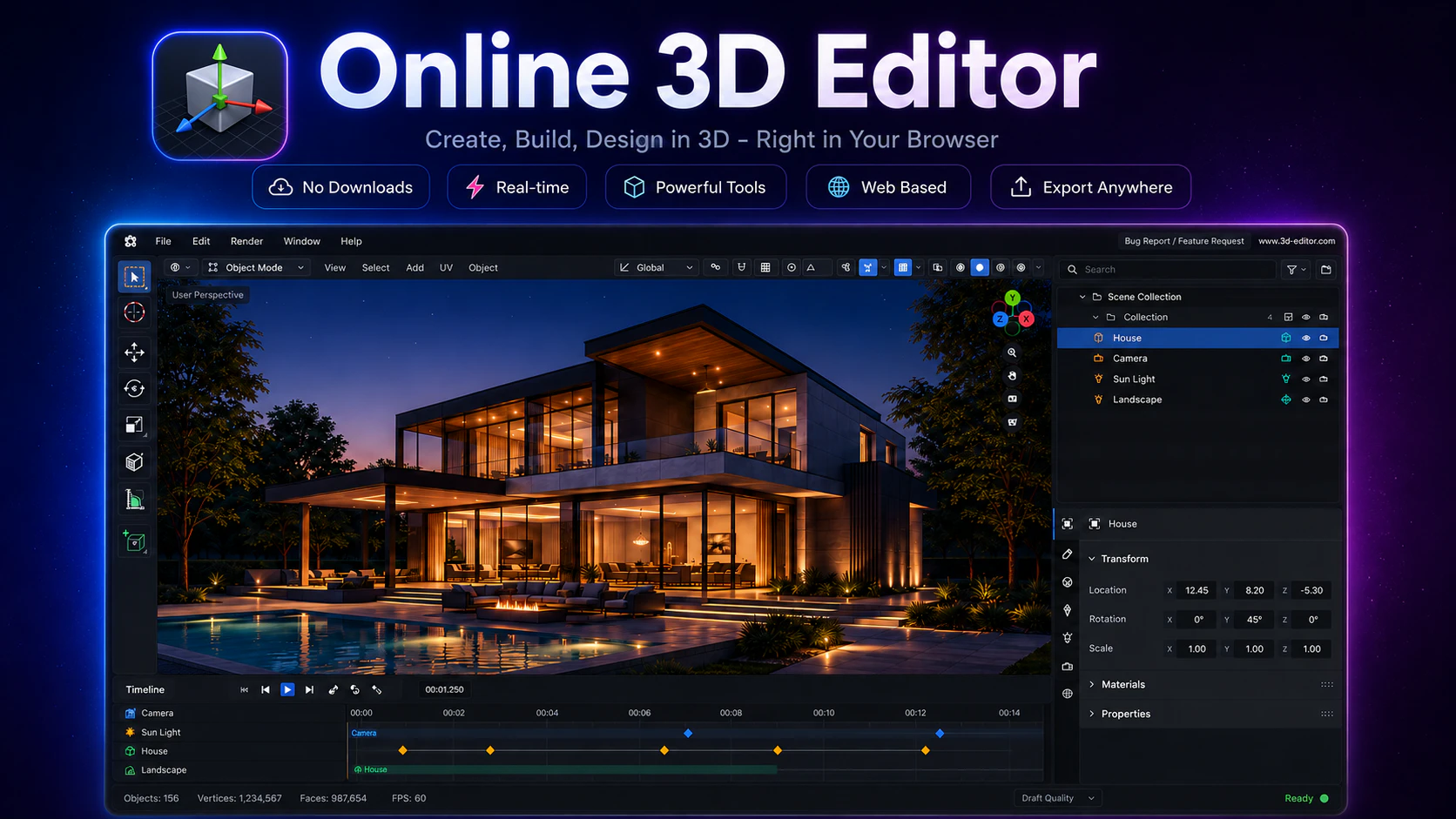
Online 3D Editor is a browser-based 3D modeling tool with a Blender-style UI. Create and edit models, import GLB/GLTF/OBJ/STL/FBX files, manage materials, UVs, modifiers, sculpting, rigging, animation, lighting, cameras, and scene hierarchy directly in your browser. No install required.
AI Analysis
Online 3D Editor is a browser-based 3D modeling tool featuring a Blender-style UI and comprehensive functionality. Core features include model creation/editing, import/export support for GLB/GLTF/OBJ/STL/FBX, material and UV management, modifiers, sculpting, rigging, animation, lighting, cameras, and scene hierarchy control. It eliminates the need for software installation or high-end hardware, solving key pain points like accessibility barriers, complex setup for desktop tools, and limited cross-device usability. The value proposition is delivering professional-grade 3D editing power directly in any browser, making advanced 3D content creation faster, more accessible, and collaborative for users familiar with Blender.
The market timing is favorable for 2025-2026. WebGPU is reaching maturity, enabling high-performance 3D in browsers. User demand is shifting toward no-install, cross-platform tools amid remote work and collaboration trends. Growth in AR/VR, web3D experiences, gaming assets, and digital content creation aligns perfectly. Economic factors favor accessible SaaS over expensive desktop licenses. Excellent Timing.
Overall feasibility is High. The product already exists and functions in-browser, demonstrating that technical challenges with WebGL/WebGPU for complex 3D operations have been overcome. Development costs are high due to the specialized skills needed for 3D engines, performance optimization, and feature parity. No major supply chain or compliance risks as it's SaaS. Strong scalability potential via cloud rendering. Best suited for teams experienced in graphics programming. Key risk is maintaining performance on varied devices.
Primary segments: indie game developers, 3D designers, architects, product engineers, educators, and Blender hobbyists. Demographics: tech-savvy professionals and students aged 18-40, often male-dominated in STEM fields. Geographic distribution: global with concentration in North America, Europe, and East Asia. TAM for 3D modeling software exceeds $10B by 2026; browser-based subset (SAM) estimated at $500M-$1B. Core pain points include software installation, hardware demands, and collaboration friction. High willingness to pay for premium features via subscription ($10-30/month).
Competition level: Medium. Direct competitors: 1. Spline (spline.design), 2. Vectary (vectary.com), 3. Tinkercad (tinkercad.com), 4. Clara.io (clara.io). This product advantages include close Blender UI familiarity, broader feature coverage (sculpting, rigging, animation) than simpler tools like Tinkercad, and no-install accessibility. Disadvantages: may lack the refined ecosystem or community of established players, potential performance limits on complex models compared to native apps, and unclear pricing differentiation. Strong differentiation through Blender-style workflow gives it an edge for existing users.
Upgrade Pro to unlock full AI analysis
Similar Products

Opaline
PostHog for team Claude Code and Codex sessions.
▲ 141 votes

React UI Kit V7
All the chat components you need. None of the complexity
▲ 115 votes

Replay QA Security Scan
Automated Penetration Testing for AI-Built Apps
▲ 102 votes

CodeBurn
See where your AI coding spend actually goes
▲ 101 votes

Refoid
Automate App Store refund responses and track every outcome
▲ 68 votes

Audryo
Customer email your agent can operate.
▲ 0 votes