Open Inspector
Hover any website, get its design system. No permissions.
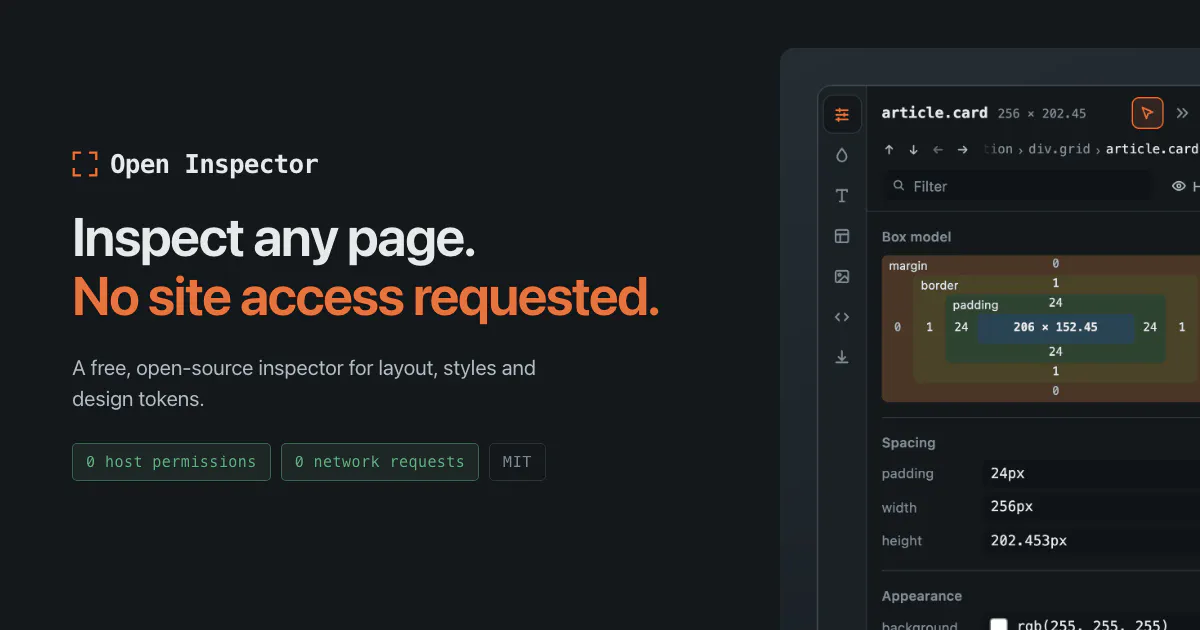
A free, open-source browser extension for inspecting layout, styles, colour, type and assets on any page, and exporting its design tokens. Unlike the popular alternatives, it requests no site access and makes zero network requests. MIT, no account.
AI Analysis
Open Inspector is a free, open-source Chrome browser extension that enables hovering over any website to inspect layout, styles, colors, typography, assets, and export design tokens. Its core USP is requiring zero site permissions or network requests, unlike alternatives, ensuring full privacy with an MIT license and no accounts needed. It solves key pain points for developers and designers: accessing design systems on live sites without security risks, complex setups, or data sharing. The value proposition is a lightweight, private, and simple tool for extracting web design insights instantly.
In 2025-2026, heightened global privacy regulations, maturing AI-assisted design tools, and growing demand for secure, permissionless web utilities align perfectly with this product's zero-network, no-permission model. Browser extension usage continues to rise among developers amid increasing data security concerns. This is an opportune time as user preferences shift toward privacy-first open-source tools. Excellent Timing.
Technical difficulty is low-medium using standard browser APIs; the tool is already built and open-sourced on GitHub. Development and operation costs are minimal with no servers required due to zero network requests. Low compliance and supply chain risks under MIT license. Strong scalability via community contributions. Overall rating: High.
Main target segments: Frontend/web developers, UI/UX designers (ages 25-40) in tech, agencies, and freelance industries; global distribution with concentration in North America, Europe, and Asia tech hubs. Estimated market size: TAM for developer tools market ~$15B+, SAM for web inspection/design token tools ~$500M, SOM for privacy-focused extensions ~$50M. Core pain points: Privacy risks and friction when inspecting third-party site designs. Potential willingness to pay: Moderate (free core product, possible via donations/sponsorships).
Medium. Direct competitors: 1. VisBug (visbug.com / github.com/argyleink/VisBug), 2. CSS Scan (getcssscan.com), 3. ColorZilla (colorzilla.com), 4. WhatFont (Chrome extension). Advantages: Superior privacy (no permissions, zero network requests), fully open-source with design token export, no accounts. Disadvantages: May have fewer polished features or integrations than some established paid tools; newer so smaller user base.
Upgrade Pro to unlock full AI analysis
Similar Products

Opaline
PostHog for team Claude Code and Codex sessions.
▲ 141 votes

Tapfree for Chrome
Voice dictation that adapts to what’s on your screen
▲ 122 votes

React UI Kit V7
All the chat components you need. None of the complexity
▲ 115 votes

Replay QA Security Scan
Automated Penetration Testing for AI-Built Apps
▲ 102 votes

Refoid
Automate App Store refund responses and track every outcome
▲ 68 votes

Audryo
Customer email your agent can operate.
▲ 0 votes