
PeakHour 6
Real-time network monitor for Mac w/ detailed WiFi insights
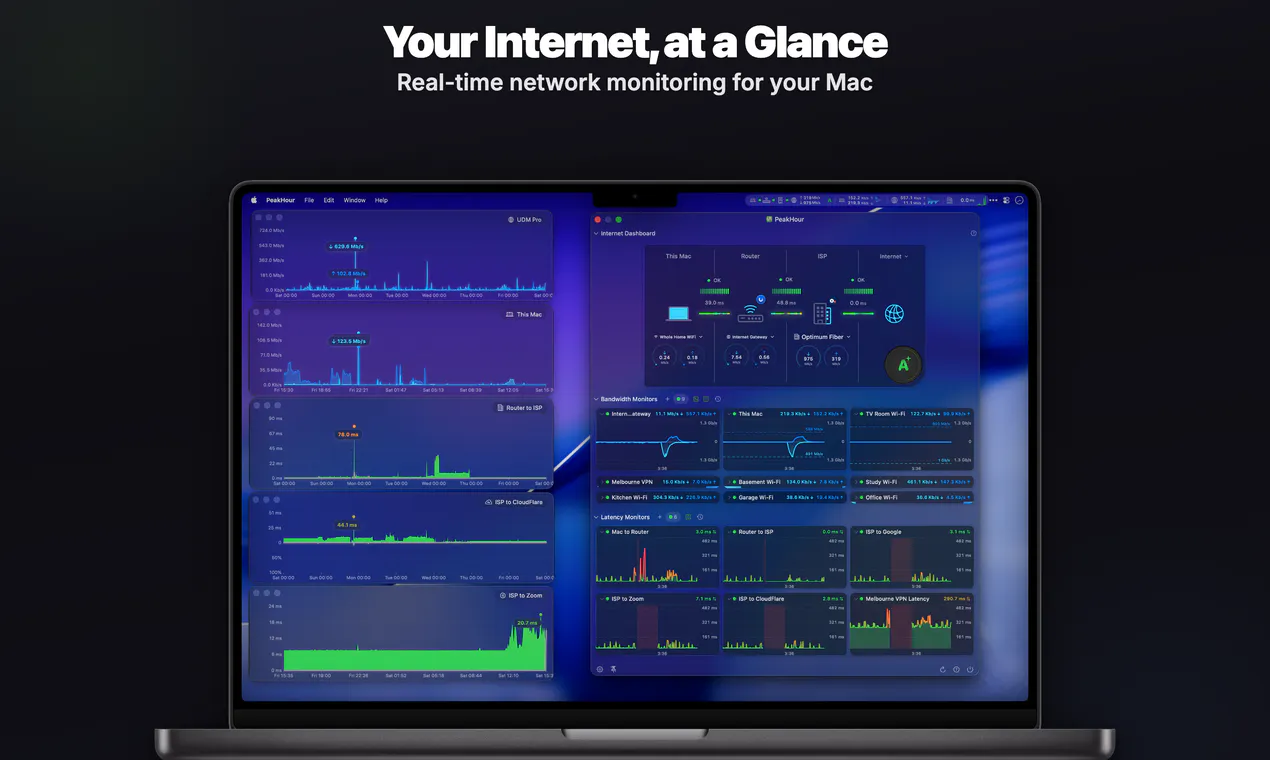
PeakHour 6 is a real-time network monitor for your Mac. Its on-device AI Advisor grades your connection from A+ to F and explains it in plain English. Plus Wi-Fi Intelligence, ISP and router details, speed tests and outage alerts. No account needed.
AI Analysis
PeakHour 6 is a real-time network monitor for Mac, integrated into the menu bar. Core features include an on-device AI Advisor that grades connections A+ to F with plain English explanations, WiFi Intelligence, ISP/router details, speed tests, and outage alerts. No account is needed, emphasizing privacy. It solves key pain points like unexplained slow internet, complex network troubleshooting for non-experts, and lack of actionable insights on WiFi performance. The value proposition is delivering simple, intelligent, and comprehensive network visibility to help users quickly diagnose and optimize their connections without technical expertise.
The market timing is favorable for 2025-2026 due to rising remote/hybrid work, proliferation of IoT and smart devices straining home networks, and maturing on-device AI for privacy-focused tools. User demand is shifting towards simple, explanatory diagnostics amid complex connectivity issues. Economic pressures to minimize downtime boost productivity utilities. No major negative policy impacts. Excellent Timing.
High feasibility. Technical difficulty is manageable using macOS network APIs and on-device ML frameworks. Development and operation costs are moderate for a focused utility app with low ongoing server needs due to on-device processing. Minimal supply chain or compliance risks (privacy-focused, no account required). Strong scalability via App Store distribution. Key reasons: leverages mature technologies, aligns with solo/small-team development, high user adoption potential.
Main target segments: Mac-using professionals, remote workers, tech enthusiasts and small business owners (ages 25-50), primarily in North America, Europe, and Australia. TAM for Mac productivity utilities approx. $1B+, SAM for network monitoring ~$100M, SOM for AI-enhanced tools ~$10-20M. Core pain points: unreliable WiFi, difficulty identifying ISP/router issues, lack of real-time insights. High willingness to pay for premium, privacy-oriented tools that save time.
Medium. Direct competitors: 1. iStat Menus (bjango.com/mac/istatmenus), 2. WiFi Explorer (adriangranados.com/apps/wifi-explorer), 3. NetSpot (netspotapp.com), 4. Little Snitch (obdev.at/products/littlesnitch). Advantages: unique on-device AI grading/explanations, integrated outage alerts and ISP insights, strong privacy (no account). Disadvantages: Mac-only (narrower reach), less established brand than iStat Menus, potentially overlapping features with broader system monitors at similar pricing.
Upgrade Pro to unlock full AI analysis
Similar Products

Adapt
The company brain that gets work done
▲ 124 votes

Kosshi
Simple, fast outliner for Mac and iPhone.
▲ 90 votes

Thoughts for Mac
Capture notes from your menubar using text, images or voice
▲ 90 votes

WikiFix for Confluence
Find and fix issues in your knowledge base
▲ 86 votes

Refoid
Automate App Store refund responses and track every outcome
▲ 68 votes

Patchcord
Studio sound for your mic in every Mac meeting with EQ
▲ 64 votes