
PiP Cue
PIP video controls and captions for any site
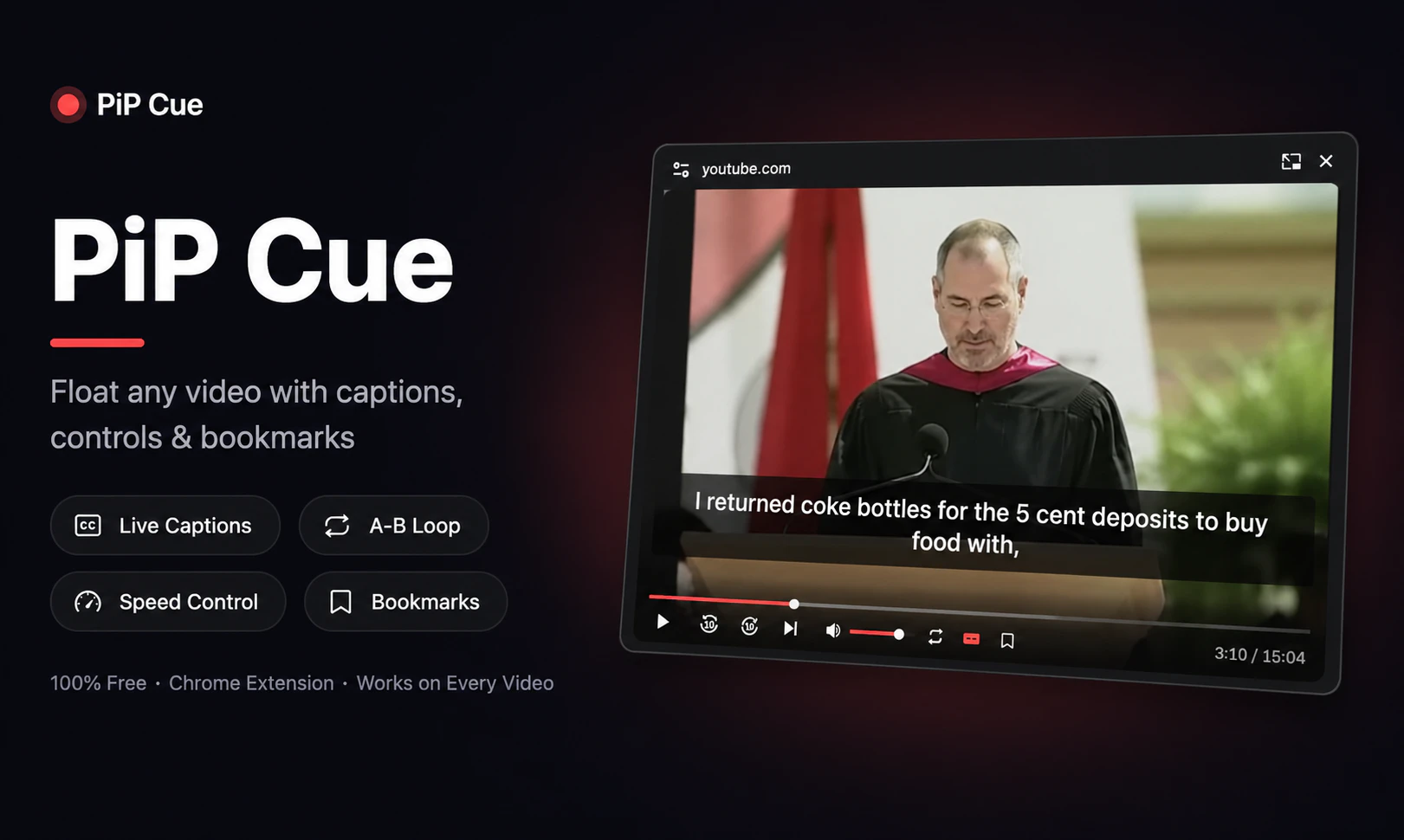
Chrome's built-in PiP gives you a bare video with zero controls. PiP Cue gives you three modes: Standard PiP that works on any video on any website, Cinematic PiP with full playback controls, live subtitles, A-B loop, and speed control inside the floating window, and Captions Only mode that floats just the subtitles over your work. Save any video with its exact timestamp and pick up later from any device. Completely free. No account needed to start.
AI Analysis
PiP Cue is a free Chrome extension that upgrades the native Picture-in-Picture experience. It offers three modes: Standard PiP for any site video, Cinematic PiP featuring full playback controls, live subtitles, A-B loop, speed control within the floating window, and Captions Only mode for floating subtitles. It addresses the core pain point of bare PiP videos lacking controls and context, enabling seamless multitasking and productivity. Unique features include saving videos with exact timestamps for cross-device resumption without needing an account. The value proposition is enhanced video consumption and productivity at zero cost.
In 2025-2026, video consumption continues to surge with remote/hybrid work, online learning, and content proliferation. Browser APIs for PiP and captions are mature, while demand for multitasking productivity tools is rising. AI-driven live subtitles are becoming more accessible. Economic focus on efficiency tools supports this. No major policy barriers. Excellent Timing.
Technical difficulty is moderate: leverages Chrome PiP APIs, web captioning tech, and simple cloud sync for timestamps. Low development/operation costs as it's free with no account required for core use. Minimal supply chain or compliance risks for a browser extension. Strong scalability via Chrome Web Store. Overall High feasibility with limited ongoing costs.
Main segments: Tech-savvy professionals, students, and online learners aged 18-40 who multitask while watching educational or work-related videos on desktop. Industries: Education, content creation, remote work. Geographic: Global with concentration in US, Europe, Asia. Estimated market size: Niche within 100M+ Chrome users; TAM for video productivity tools in hundreds of millions USD, SAM for PiP extensions in tens of millions. Core pain: Lack of PiP controls and note-taking integration. High willingness to pay for premium upgrades despite current free model.
Low. Direct competitors: 1. PiPper (pipper.co) - basic PiP enhancer. 2. Floating Video Player extensions on Chrome Web Store. 3. 'Cinematic Mode' tools for specific sites like YouTube. 4. Standalone caption tools like 'Live Captions' (OS-level). Advantages: All-in-one modes (cinematic, captions-only), timestamp saving across devices, completely free with broad site support and strong differentiation. Disadvantages: New entrant, may lack brand recognition and could face platform policy changes.
Upgrade Pro to unlock full AI analysis
Similar Products

Adapt
The company brain that gets work done
▲ 124 votes

Tapfree for Chrome
Voice dictation that adapts to what’s on your screen
▲ 122 votes

Buddy AI Note
Your daily memo that turns notes into a plan
▲ 94 votes

Kosshi
Simple, fast outliner for Mac and iPhone.
▲ 90 votes

Thoughts for Mac
Capture notes from your menubar using text, images or voice
▲ 90 votes

Refoid
Automate App Store refund responses and track every outcome
▲ 68 votes