
PocketWebTools for Mac
Local AI chat, transcription and video tools in one Mac app
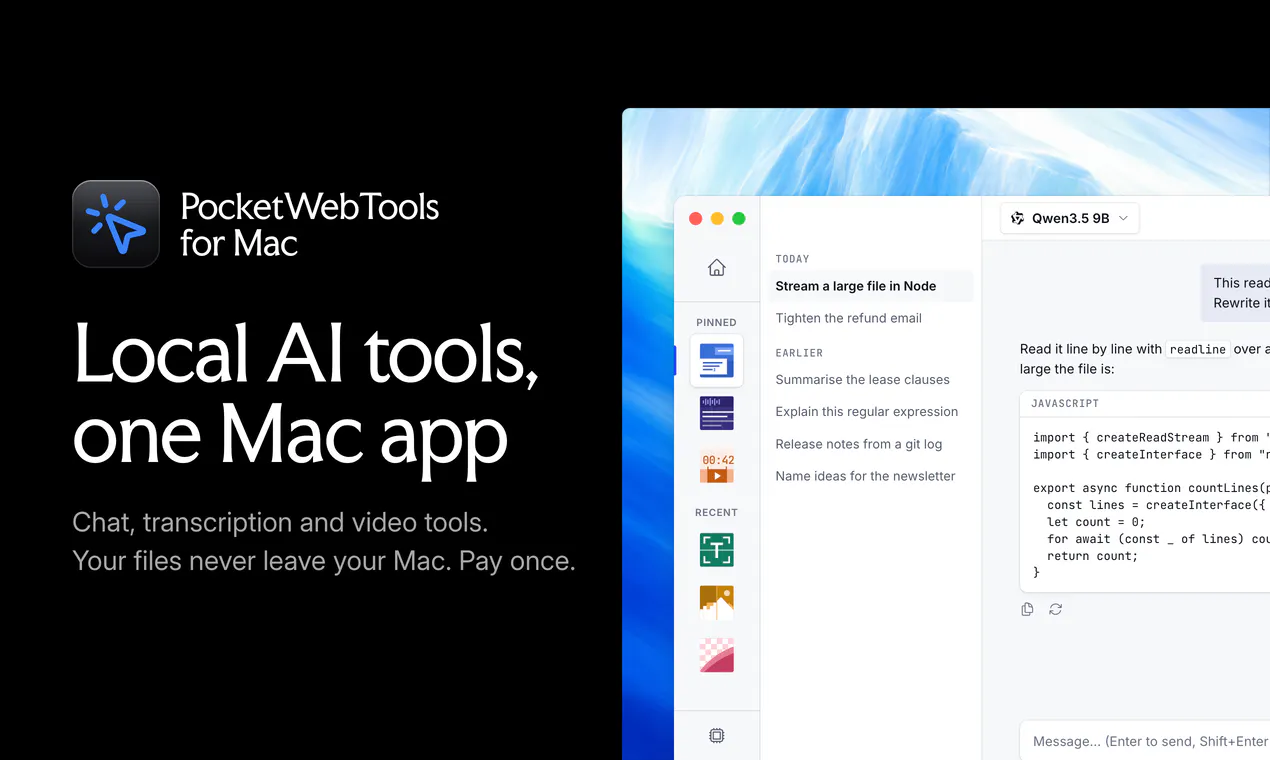
PocketWebTools for Mac is one app that runs open models up to 35B parameters on your Apple Silicon Mac, with the tools built around them. Chat and summarize. Transcribe files, calls and system audio with speaker labels. Cut long videos into captioned vertical clips, or edit a video by deleting words from its transcript. Upscale photos at full resolution, turn PDFs and scans into text and read any text aloud. Your files and chats never leave your Mac. No account. $99 once, free lifetime updates.
AI Analysis
PocketWebTools for Mac is an all-in-one local AI app for Apple Silicon that runs open models up to 35B parameters entirely on-device. Core features: AI chat/summarization, transcription of files/calls/system audio with speaker labels, video editing by deleting transcript words to auto-cut captioned clips, photo upscaling, PDF/scan to text, and text-to-speech. USPs include complete privacy (nothing leaves the Mac), no account/subscription, and $99 one-time purchase with lifetime updates. It solves pain points of cloud AI privacy risks, recurring fees, and fragmented media tools. Value proposition: powerful, private, unified AI toolkit for efficient content workflows.
The market timing is favorable for 2025-2026 as on-device AI matures rapidly with optimized frameworks for Apple Silicon (e.g., MLX) and growing ecosystem support from Apple Intelligence. User demand is shifting toward privacy-first, subscription-free tools amid data breach concerns and economic pressures favoring one-time purchases. Local AI capabilities have reached practical viability for consumer apps. This aligns perfectly with trends. Rating: Excellent Timing.
Feasibility is High. Technical challenges of running 35B models are mitigated by Apple Silicon optimizations and open-source tools (Whisper, LLMs). Development/operation costs are manageable for a desktop app with no cloud infrastructure. No significant supply chain or compliance risks due to fully local processing. Strong scalability via model updates. Main risks are integration complexity for seamless UX, but overall highly feasible for experienced Mac developers.
Main target segments: Tech-savvy Mac users (Apple Silicon M1+), professionals in content creation, podcasting, journalism, video editing, researchers; ages 25-55, primarily in North America and Europe. TAM for on-device AI productivity tools is ~$20B+, SAM for Mac AI apps ~$500M+, SOM for privacy-focused all-in-one tools ~$50M. Core pain points: cloud dependency/privacy issues, high subscription costs, inefficient multi-tool workflows. High willingness to pay $99 one-time for lifetime value replacing multiple SaaS.
Competition level: Medium. Direct competitors: 1. MacWhisper (macwhisper.com) - local transcription. 2. Ollama (ollama.com) - local LLM chat. 3. LM Studio (lmstudio.ai) - local model runner. 4. Descript (descript.com) - AI video editing (cloud-heavy). 5. Whisper-based apps like Buzz (github.com/chidiwilliams/buzz). Advantages: true all-in-one suite, deeper video transcript editing, strict local privacy, one-time $99 pricing. Disadvantages: Mac-only (no Windows/Linux), potentially less polished individual features than specialists, relies on user-provided models.
Upgrade Pro to unlock full AI analysis
Similar Products

Cohere Parse 5
Turn complex docs, tables & images into AI-ready data
▲ 158 votes

Opaline
PostHog for team Claude Code and Codex sessions.
▲ 141 votes

Adapt
The company brain that gets work done
▲ 124 votes

Tapfree for Chrome
Voice dictation that adapts to what’s on your screen
▲ 122 votes

Kosshi
Simple, fast outliner for Mac and iPhone.
▲ 90 votes

WikiFix for Confluence
Find and fix issues in your knowledge base
▲ 86 votes