
Polyglot
Create and translate subtitles entirely on your Mac
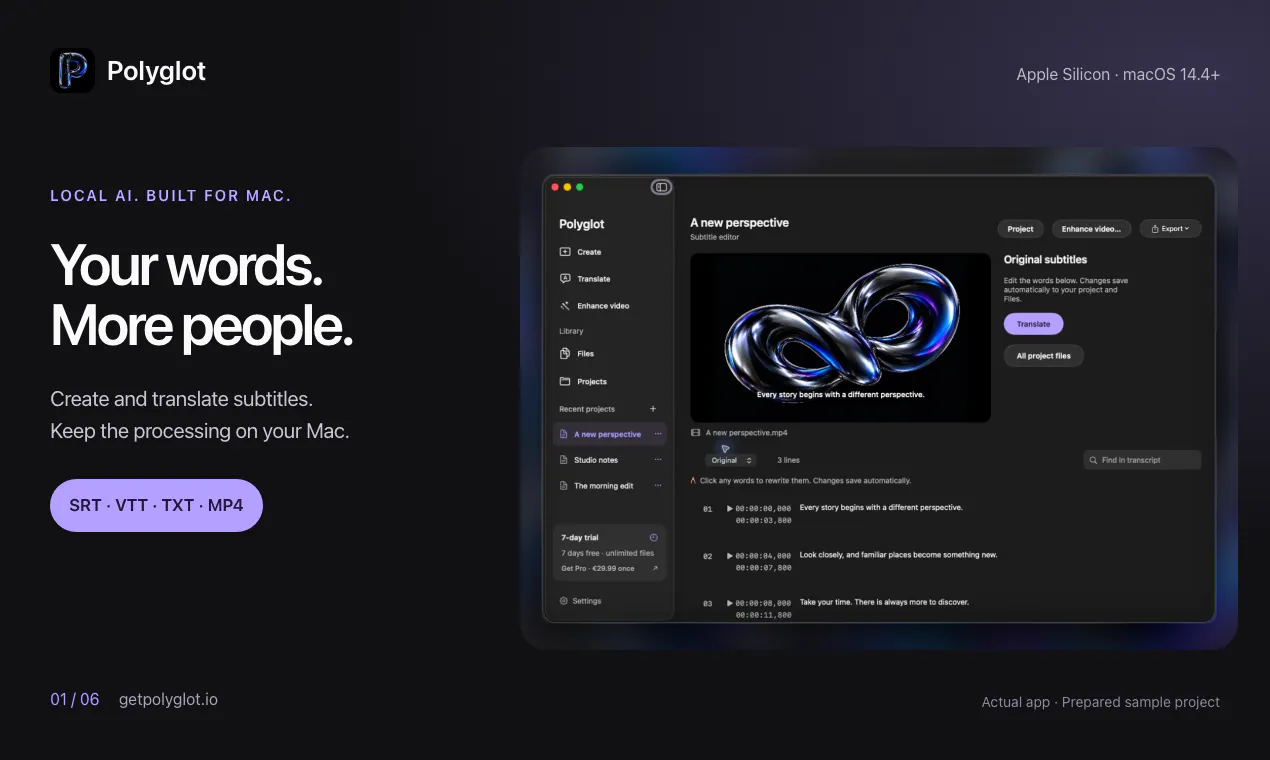
Turn recordings into subtitles, translate SRT/VTT files, and export readable transcripts on your Mac. Polyglot keeps media and AI processing local, with editing, bilingual exports, batch translation, video enhancement and compression in one native app. Try unlimited transcription and translation for 7 days without an account. Pro is €29.99 once; editing, conversion, exports and video tools stay free. For Apple Silicon, macOS 14.4+.
AI Analysis
Polyglot is a native Mac app for creating subtitles from recordings, translating SRT/VTT files, and exporting transcripts, with all AI processing kept fully local on Apple Silicon devices. Core features include subtitle editing, bilingual exports, batch translation, video enhancement, and compression. It solves key pain points such as privacy risks from cloud AI services, expensive recurring subscriptions, and disjointed workflows for video creators. The value proposition centers on a seamless, private, all-in-one tool with a 7-day unlimited free trial, one-time €29.99 Pro purchase, while keeping editing and export tools free.
Favorable for 2025-2026 due to surging demand for on-device AI driven by privacy regulations and user concerns over cloud data. Video content creation continues to explode across platforms, increasing subtitle needs for accessibility and localization. Apple's advancements in on-device machine learning (Apple Intelligence) align perfectly with Polyglot's local processing approach on macOS. This matches maturing local AI tech with evolving user preference for offline, secure tools. Excellent Timing.
High. Technical difficulty is manageable leveraging existing local AI models (e.g. adapted Whisper) optimized for Apple Silicon and macOS 14.4+. Development costs are moderate for a native app; no supply chain issues. Low compliance risks as it's offline-focused. Strong scalability for software updates and potential feature expansion. One-time pricing model supports sustainable operations with minimal ongoing server costs.
Primary users: Mac-based content creators, video editors, podcasters, YouTubers, educators, and localization professionals (ages 25-45), concentrated in US, Europe, and Asia. Industries: digital content, media production, e-learning. Estimated TAM for AI-powered video tools ~$10B+, SAM for subtitle/translation software ~$500M, SOM for local Mac apps ~$50M. Core pain points: time-intensive manual subtitling, cloud privacy issues, inaccurate translations. High willingness to pay for efficient, one-time purchase tools (€29.99).
Medium. Direct competitors: 1. MacWhisper (macwhisper.com) - local transcription focus; 2. Descript (descript.com) - AI video editing with subtitles; 3. VEED.io (veed.io) - online subtitle tool; 4. Subtitle Edit (nikse.dk/subtitleedit) - free desktop editor; 5. CapCut (capcut.com) - free AI video app. Advantages: fully local/offline processing for privacy, one-time €29.99 pricing (vs subscriptions), integrated video tools and batch features in native Mac app. Disadvantages: Mac-only (no Windows/cross-platform), potentially fewer advanced collaborative features than cloud competitors.
Upgrade Pro to unlock full AI analysis
Similar Products

Cohere Parse 5
Turn complex docs, tables & images into AI-ready data
▲ 158 votes

Opaline
PostHog for team Claude Code and Codex sessions.
▲ 141 votes

Adapt
The company brain that gets work done
▲ 124 votes

Tapfree for Chrome
Voice dictation that adapts to what’s on your screen
▲ 122 votes

CodeBurn
See where your AI coding spend actually goes
▲ 101 votes

Kosshi
Simple, fast outliner for Mac and iPhone.
▲ 90 votes