Port Radar for macOS
The AI port manager for Mac. Never run lsof again.
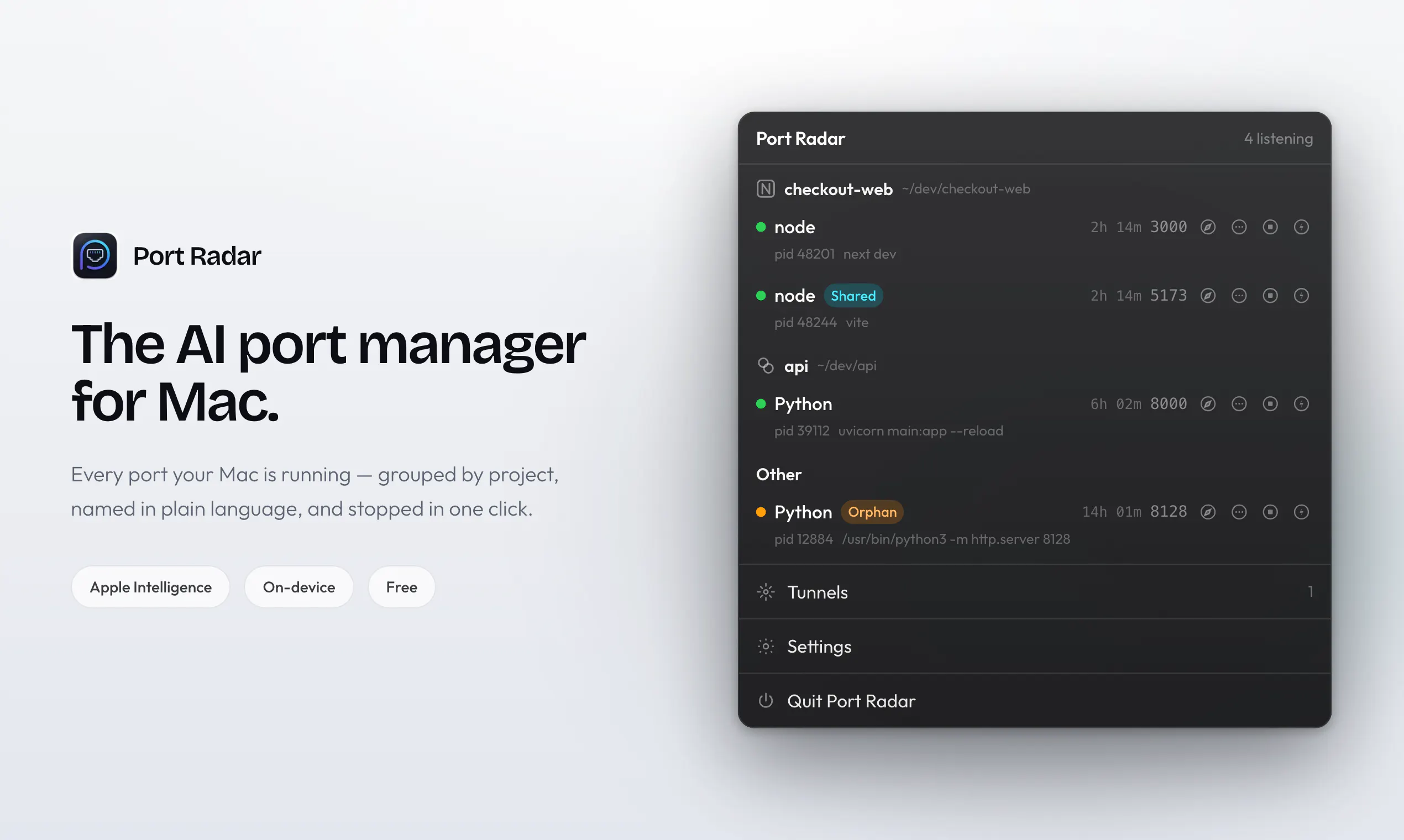
Port Radar is a native macOS menu bar app that shows you exactly what’s running on your ports—in plain English. Spot Vite, Next.js, Docker, forgotten apps, and anything else quietly using resources, then stop it with a single click. Apple Intelligence answers "what is this, is it safe to stop?" right on your device, so nothing leaves your Mac. Plus one click Cloudflare tunnels to share a local site as a live link.
AI Analysis
Port Radar is a native macOS menu bar app that uses on-device AI to display what's running on local ports in plain English, identifying tools like Vite, Next.js, and Docker. It eliminates the need to run terminal commands like lsof by enabling one-click process stopping and safety queries via Apple Intelligence. Additional feature includes one-click Cloudflare tunnels for instantly sharing local sites. It solves developer pain points around port conflicts, resource hogs, and complex diagnostics while ensuring privacy since all AI processing stays on the Mac. The value proposition is effortless, intelligent port management integrated into the daily workflow.
In 2025-2026, with Apple Intelligence maturing and on-device AI adoption growing rapidly among developers, combined with increasing demand for privacy-focused productivity tools and local development efficiency, the timing is highly favorable. The trend toward AI-enhanced dev tools aligns perfectly with Mac ecosystem updates and remote/hybrid work demands. Economic focus on developer productivity further supports it. Excellent Timing.
High technical feasibility leveraging Apple's native APIs, menu bar frameworks, and on-device Apple Intelligence (available on recent M-series Macs). Development and operation costs are moderate for a focused indie app with no hardware supply chain needs. Compliance risks are low due to on-device processing ensuring privacy. Strong scalability as a software product with potential for subscription updates. Key risks are dependency on specific Apple hardware/OS for full AI features. Overall: High.
Primary users: Mac software/web developers, indie hackers, and DevOps engineers aged 25-45, concentrated in North America, Europe, and Asia tech hubs. Industries: Software development, web/app building, freelance tech. TAM for global developer tools ~$10B+, SAM for Mac-specific dev utilities ~$500M, SOM for AI port managers ~$50M. Core pains: Time wasted on terminal port diagnostics, unexpected port conflicts, and insecure local sharing. High willingness to pay for productivity gains via one-time purchase or subscription.
Medium. Direct competitors: 1. ngrok (ngrok.com), 2. Cloudflare Tunnel (developers.cloudflare.com), 3. Docker Desktop (docker.com), 4. Local by Flywheel/LocalWP (localwp.com), 5. Traditional CLI tools (lsof/netstat). Advantages: On-device Apple Intelligence for plain-English explanations and safety checks (unique privacy focus), native menu bar UX with one-click actions, integrated tunneling and process killing. Disadvantages: Mac-only, requires compatible Apple Silicon hardware for full AI, potentially higher price than free CLI alternatives. Strong differentiation through AI simplicity.
Upgrade Pro to unlock full AI analysis
Similar Products

Cohere Parse 5
Turn complex docs, tables & images into AI-ready data
▲ 158 votes

Adapt
The company brain that gets work done
▲ 124 votes

Kosshi
Simple, fast outliner for Mac and iPhone.
▲ 90 votes

WikiFix for Confluence
Find and fix issues in your knowledge base
▲ 86 votes

Audryo
Customer email your agent can operate.
▲ 68 votes

Refoid
Automate App Store refund responses and track every outcome
▲ 68 votes