
Porte
Control your local Grok sessions from your phone
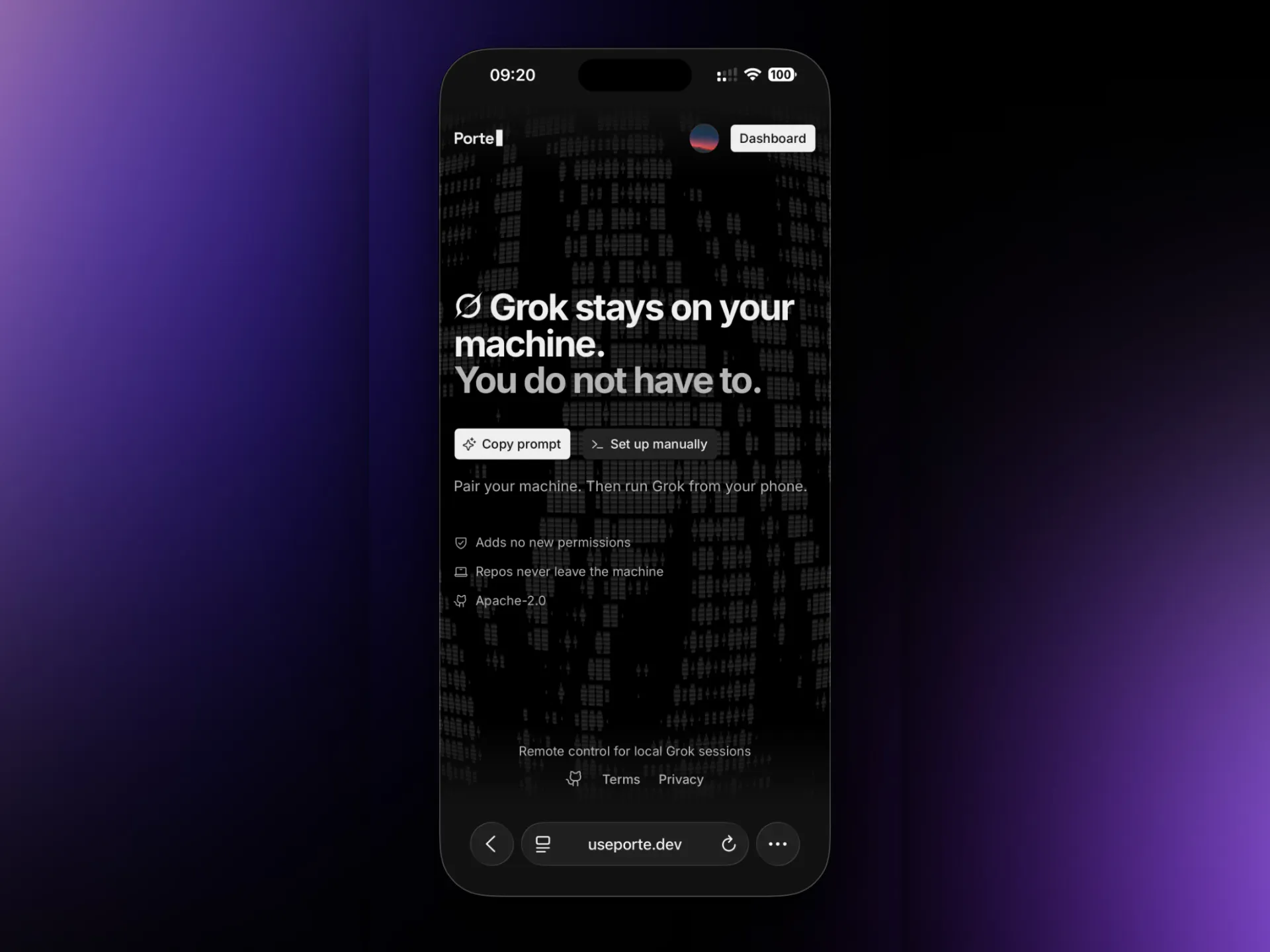
Porte is an open-source phone remote control built specifically for Grok Build. Pair your phone with your machine, then read live transcripts, send prompts and files, run slash commands, stop turns, and answer permission requests.
AI Analysis
Porte is an open-source phone remote control designed specifically for local Grok Build sessions. Users pair their phone with their machine to access live transcripts, send prompts and files, execute slash commands, stop generations, and respond to permission requests. It solves the key pain point of being tied to a desktop during AI interactions, enabling seamless mobile management for developers. The unique value proposition is tailored integration with Grok workflows, boosting productivity through convenient, real-time remote control in an open-source format.
In 2025-2026, with surging adoption of local AI models emphasizing privacy, maturing mobile-device integration technologies, and growing demand for flexible developer tools amid remote/hybrid work trends, the timing aligns well. xAI's Grok ecosystem expansion further supports this. Excellent Timing.
High. Technical implementation for device pairing, real-time sync, and command handling is achievable with existing open-source tech stacks (already built). Low operational costs as an open-source project; minimal compliance risks for developer tools; strong scalability via community contributions. Main risk is maintaining compatibility with Grok updates.
Primary users: Software engineers, AI developers, and open-source enthusiasts (ages 25-45) focused on AI tooling and GitHub projects. Industries: Technology and software development. Geographic focus: Global with concentration in US, Europe. Core pain points: Inefficient multi-device AI session management. Estimated market: Developer tools TAM large (~$10B+), but niche SOM for AI remote controls is smaller. Moderate willingness to pay via donations/sponsorships since open-source.
Low. Direct competitors: 1. OpenWebUI (openwebui.com) - general local LLM interface; 2. Ollama with mobile apps (ollama.com); 3. LM Studio (lmstudio.ai); 4. Chainlit (chainlit.io) for interactive AI apps. Advantages: Highly specialized for Grok Build with unique phone-specific controls (live transcripts, permission handling); open-source focus. Disadvantages: Narrower scope than general LLM tools, potentially smaller initial user base and dependency on Grok ecosystem.
Upgrade Pro to unlock full AI analysis
Similar Products

Opaline
PostHog for team Claude Code and Codex sessions.
▲ 141 votes

React UI Kit V7
All the chat components you need. None of the complexity
▲ 115 votes

Replay QA Security Scan
Automated Penetration Testing for AI-Built Apps
▲ 102 votes
CodeBurn
See where your AI coding spend actually goes
▲ 101 votes

Audryo
Customer email your agent can operate.
▲ 68 votes

Refoid
Automate App Store refund responses and track every outcome
▲ 68 votes