Quick Sub 2: Video Subtitling
Quick, creative video subtitling with direct canvas control.
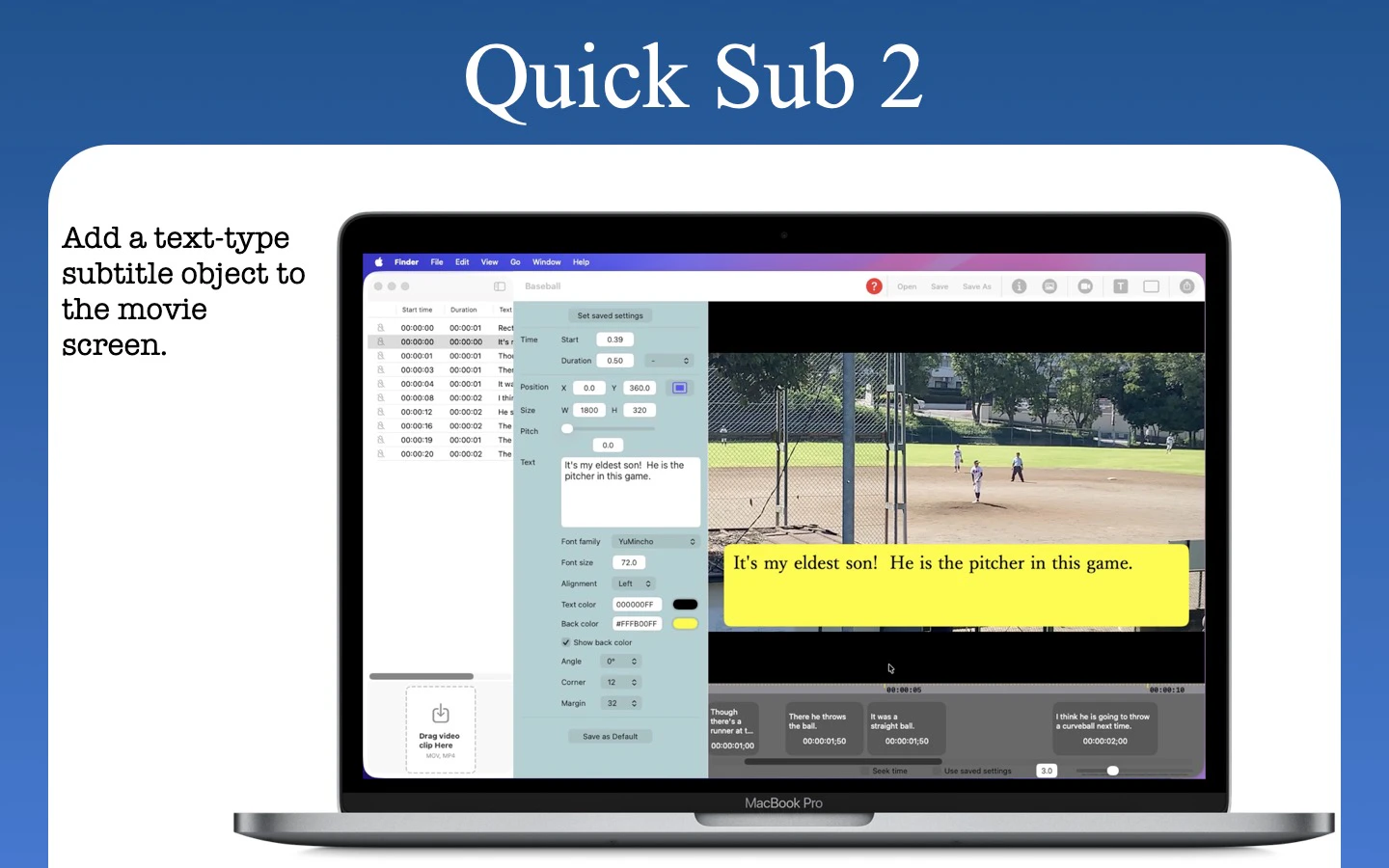
Quick Sub 2 is a streamlined macOS application built from the ground up in SwiftUI for creative video subtitling. Get independent control over text styling, container geometry, and rotation angles. Drag subtitle objects directly on the video canvas for perfect positioning, apply batch styles across multiple objects with a single command, and use a dynamic timeline that scales from 0.1x to 10x for precision timing. The application has full native Undo/Redo stacks andqsub2 file persistence.
AI Analysis
Quick Sub 2 is a native macOS SwiftUI app for creative video subtitling. Core features include direct drag-and-drop control of subtitle objects on the video canvas, independent adjustment of text styling, container geometry and rotation angles, one-command batch styling, and a dynamic timeline scalable from 0.1x to 10x for precision timing. It offers full native undo/redo and .qsub2 file persistence. It solves key pain points of inflexible, non-intuitive subtitle tools in traditional editors by providing designer-like direct manipulation and workflow efficiency. The value proposition is creative precision and speed for video producers who need polished, perfectly positioned subtitles.
Favorable in 2025-2026. Short-form video, social media content, and accessibility requirements continue to drive explosive demand for high-quality subtitling. Technology for native creative apps is mature (SwiftUI), user expectations for precise design control are rising, and economic conditions favor efficient indie creative tools over expensive enterprise suites. Excellent Timing.
High feasibility. Technical difficulty is low as the app is already built natively in SwiftUI for macOS. Development and operation costs are modest for a desktop tool with no server infrastructure required. No significant supply chain or compliance risks. Strong scalability via App Store distribution and potential for iterative feature updates. Key reasons: proven Mac-native implementation and focused scope.
Primary segments: professional and independent video editors, motion designers, YouTubers, and social media content creators using macOS (ages 25-45), concentrated in North America and Europe. Industries include digital media, advertising, and filmmaking. TAM for video editing/subtitling software exceeds $8B; SAM for specialized Mac subtitling tools approx $400-600M; SOM for this niche creative tool ~$30-50M. Core pain points: imprecise positioning and time-consuming styling in existing editors. Moderate-to-high willingness to pay for time-saving professional tools ($30-100 one-time or subscription).
Medium. Direct competitors: 1. Aegisub (aegisub.org) - powerful but dated open-source tool; 2. Adobe Premiere Pro / After Effects subtitling features (adobe.com); 3. CapCut (capcut.com) - popular all-in-one with auto subtitles; 4. Descript (descript.com) - AI-focused editing with captions; 5. Final Cut Pro plugins (apple.com/final-cut-pro). Advantages: superior direct canvas manipulation, batch styling, and native Mac performance/UX. Disadvantages: Mac-only (smaller addressable market), lacks AI auto-generation features many competitors now offer, and lower brand awareness as a newer indie app.
Upgrade Pro to unlock full AI analysis
Similar Products

Loot
Collect your favorite things in real life
▲ 115 votes

Kosshi
Simple, fast outliner for Mac and iPhone.
▲ 90 votes

LayerProof Kraft
Co-write insightful long form content
▲ 84 votes

Polygram
AI-native design and coding app to build mobile & web apps
▲ 81 votes

Bevell
CAD automation where it counts.
▲ 78 votes

Mantel
Stop confusing your Claude Code sessions & terminal windows
▲ 72 votes