
QuickSheet v1.2
Instantly create and edit spreadsheets from your menu bar
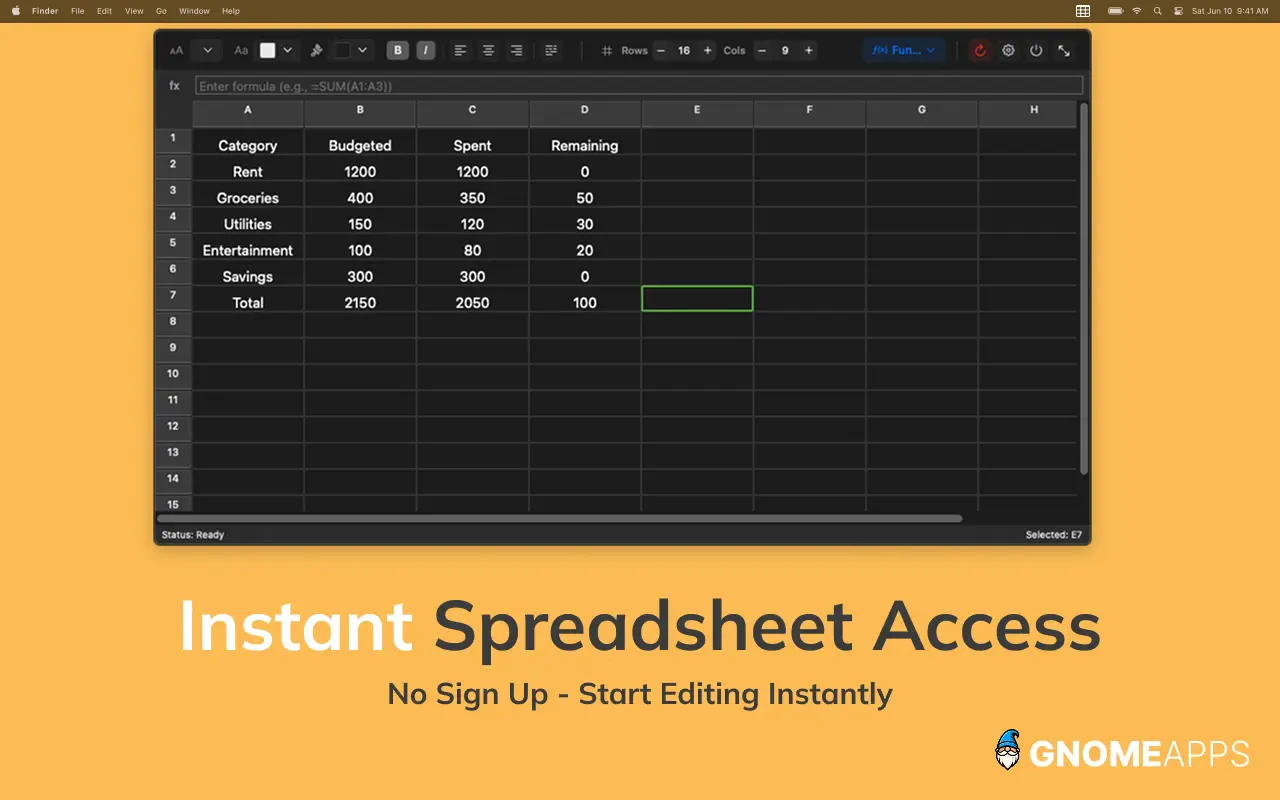
QuickSheet is a tiny, instant spreadsheet that lives in your Mac's menu bar. One shortcut and you're crunching numbers, no need to open Numbers. Real formulas (SUM, IF, COUNT), conditional formatting, freeze rows/columns, formula-preserving paste from Sheets & Excel, CSV import/export, and Paste & Clean Table for messy web copy. No signup, no subscription, no ads, no data collected - ever. Everything stays local on your Mac. Free for life.
AI Analysis
QuickSheet is a tiny, instant spreadsheet that lives in your Mac's menu bar, launched via shortcut for immediate number crunching without opening Numbers or Excel. Core features include real formulas (SUM, IF, COUNT), conditional formatting, freeze rows/columns, formula-preserving paste from Sheets/Excel, CSV import/export, and Paste & Clean for messy web tables. It solves key pain points like workflow friction from launching heavy apps for quick tasks and data privacy risks. USPs: fully local processing, no signup/subscription/ads/data collection ever, and free for life. Overall value proposition is seamless, private, and efficient productivity for simple spreadsheet needs directly from the menu bar.
In 2025-2026, market timing is favorable due to maturing local-first and privacy-centric software trends, rising user fatigue with cloud subscriptions and data tracking, and sustained demand for efficient Mac utilities amid remote/hybrid work. macOS menu bar apps have gained popularity for quick access. While AI tools may overlap basic calculations, structured spreadsheet tasks with formulas and formatting remain distinct. Economic focus on cost-free tools also helps. Rating: Moderate Timing.
High. Technical implementation is feasible for a Mac-native app with established frameworks for menus, formulas, and formatting; v1.2 indicates proven development. Dev/operation costs are low with no servers, accounts or cloud infrastructure. Minimal compliance/supply chain risks due to fully local operation and no data collection. Strong scalability for app updates and distribution. Ideal for indie teams focused on Mac utilities. Key reasons: simple architecture, zero backend dependency.
Main segments: Tech-savvy Mac users including developers, analysts, freelancers, students and small business owners needing quick data tasks (demographics: ages 18-45, professionals). Industries: tech, finance, education, general productivity. Geographic: primarily North America, Europe with high macOS penetration. Estimated market size forms part of the multi-billion productivity software sector; niche SOM focuses on Mac utility adopters. Core pain points: time loss opening full apps for minor spreadsheets and privacy concerns. Potential willingness to pay: moderate to high for convenient tools, supported by the free forever model reducing barriers.
Competition level: Medium. Direct competitors: 1. Apple Numbers (www.apple.com/numbers), 2. Microsoft Excel (www.microsoft.com/microsoft-365/excel), 3. Google Sheets (sheets.google.com), 4. Soulver (soulver.app), 5. Numi (numi.app). Advantages vs competitors: instant menu bar access for speed, fully free with zero subscriptions or tracking, superior local privacy, unique paste/clean and formula preservation features. Disadvantages: likely smaller feature set and UI space than full desktop apps like Excel/Numbers; less known than established brands. Strong differentiation through convenience, locality and no-cost model.
Upgrade Pro to unlock full AI analysis
Similar Products

Adapt
The company brain that gets work done
▲ 124 votes

Kosshi
Simple, fast outliner for Mac and iPhone.
▲ 90 votes

Thoughts for Mac
Capture notes from your menubar using text, images or voice
▲ 90 votes

WikiFix for Confluence
Find and fix issues in your knowledge base
▲ 86 votes

Refoid
Automate App Store refund responses and track every outcome
▲ 68 votes

Patchcord
Studio sound for your mic in every Mac meeting with EQ
▲ 64 votes