
Raybeam
A better way to screen share on macOS
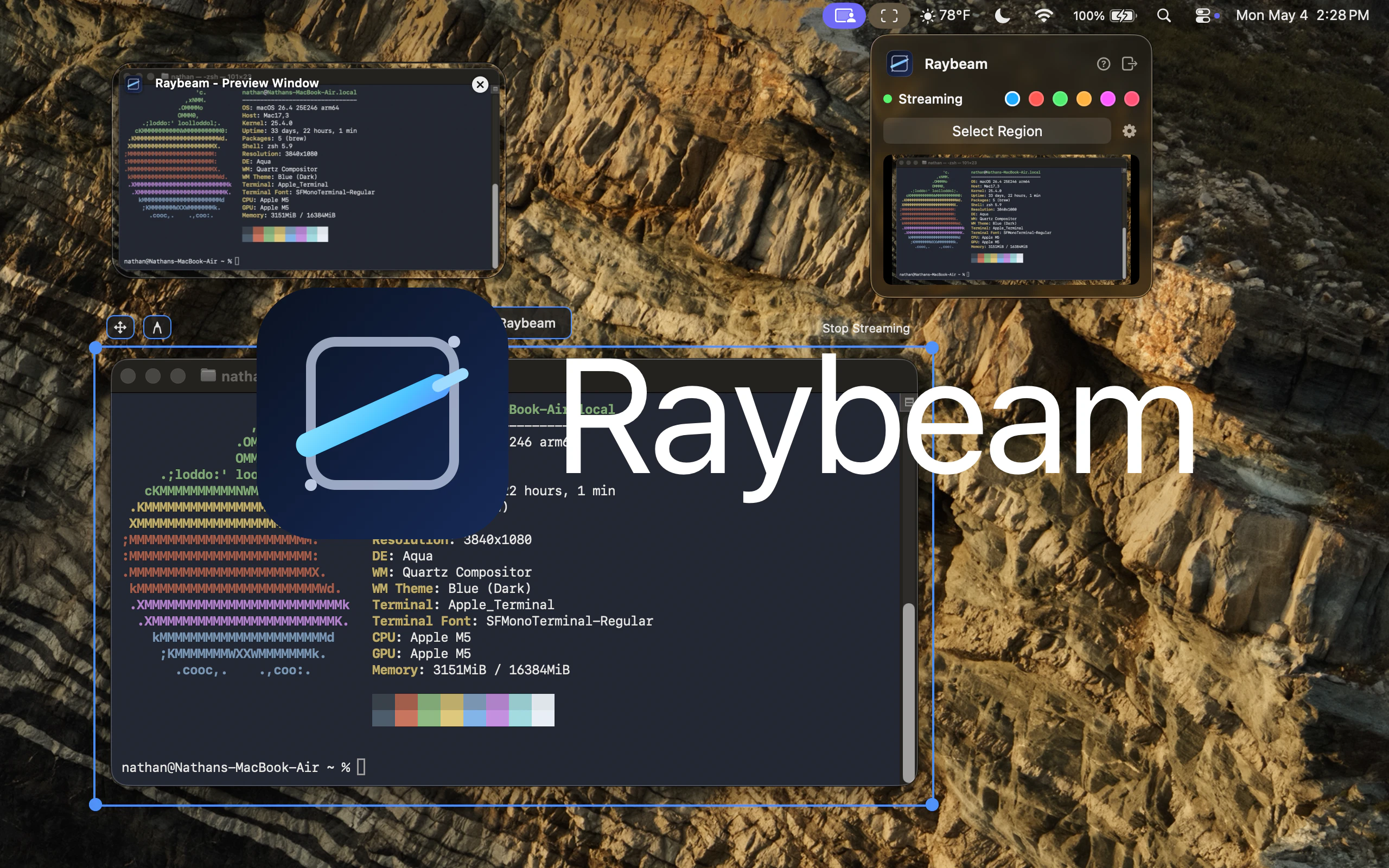
Raybeam is a macOS app for sharing a draggable, resizable region of your screen—perfect for ultra-wide and multi-monitor setups. Works with Zoom, Slack, Teams, and more.
AI Analysis
Raybeam is a macOS menu bar app that lets users share a draggable, resizable custom region of their screen instead of the full display or fixed window. It integrates seamlessly with Zoom, Slack, Teams, and similar tools. It solves key pain points for users with ultra-wide or multi-monitor setups, such as exposing irrelevant or private information, visual clutter, and lack of focus during screen sharing. The USP is real-time adjustable sharing tailored for modern Mac workflows, delivering a cleaner, more private, and efficient collaboration experience.
The timing is favorable for 2025-2026 as remote/hybrid work remains prevalent, multi-monitor and ultra-wide setups are increasingly common, and users demand better privacy and focused tools in video collaboration. Screen capture technology on macOS is mature with evolving Apple APIs supporting such features. Economic push for productivity gains supports this. Excellent Timing.
Technical difficulty is medium, relying on standard macOS screen capture and window management APIs with no complex hardware needs. Development and operation costs are low to moderate for an indie Mac app. Minimal supply chain or compliance risks (standard privacy compliance required). Strong scalability via digital distribution. Overall rating: High. Supported by simple ongoing maintenance and easy updates.
Primary users: macOS professionals (software developers, designers, product managers, educators) aged 25-45 who use ultra-wide/multi-monitor setups, concentrated in North America, Europe, and tech hubs. Industries focus on tech, design, and remote collaboration. Estimated market size: Niche within the multi-billion dollar remote collaboration software TAM; SAM for macOS productivity tools likely several million users. Core pain points: inefficient full-screen sharing and privacy risks. Moderate to high willingness to pay for specialized productivity enhancements.
Competition level: Medium. Direct competitors: 1. Zoom built-in sharing (zoom.us) - basic region options but inflexible. 2. OBS Studio (obsproject.com) - powerful but overly complex for quick sharing. 3. CleanShot X (cleanshot.com) - strong on capture but less focused on live draggable sharing. 4. ScreenFlow (telestream.net). Advantages: Simpler UX, real-time draggable/resizable region, menu bar convenience. Disadvantages: macOS-exclusive, newer entrant with potentially fewer features/integrations than established tools.
Upgrade Pro to unlock full AI analysis
Similar Products

Adapt
The company brain that gets work done
▲ 124 votes

Tapfree for Chrome
Voice dictation that adapts to what’s on your screen
▲ 122 votes

React UI Kit V7
All the chat components you need. None of the complexity
▲ 115 votes

Kosshi
Simple, fast outliner for Mac and iPhone.
▲ 90 votes

Thoughts for Mac
Capture notes from your menubar using text, images or voice
▲ 90 votes

Refoid
Automate App Store refund responses and track every outcome
▲ 68 votes