
RegionMirror
Share a portion of your ultrawide or high-res screen on Mac
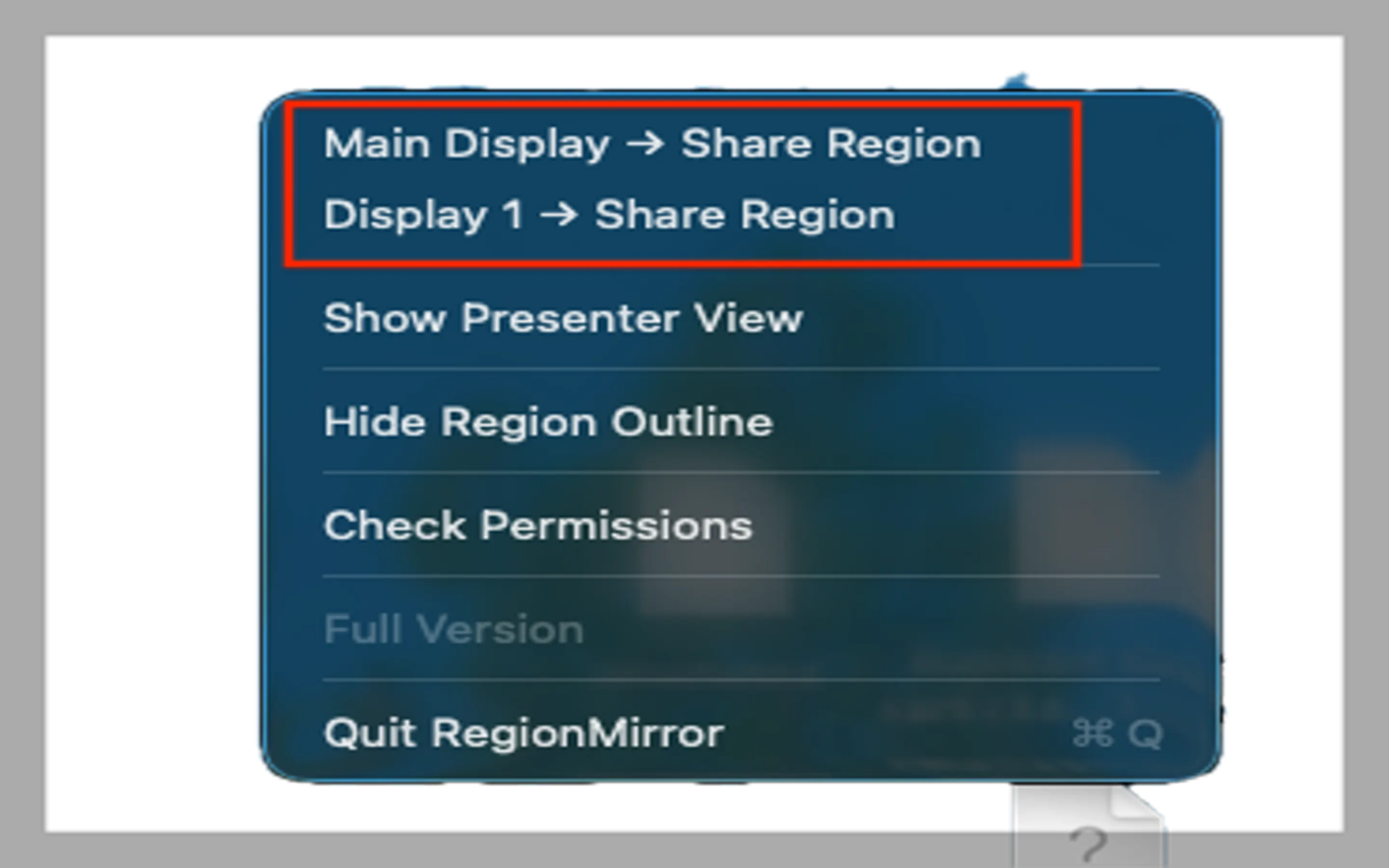
Define a region of your screen to be shared from your ultrawide or high resolution monitor, preventing the inevitable "can you zoom in?" that comes with sharing the entire screen. Define any size region to share, move apps in and out of the region seamlessly, resize the region on the fly, set a default region and invoke with a keyboard shortcut for quick and easy sharing. Blur for privacy. Scaled presenter view displays the content your viewers are seeing. Integrated annotations and whiteboard.
AI Analysis
RegionMirror is a Mac menu bar app that lets users define and share a custom region of their ultrawide or high-resolution screen instead of the entire display. Core features include flexible region definition, seamless app movement in/out of the region, on-the-fly resizing, keyboard shortcuts for quick activation, privacy blur, a scaled presenter view, and built-in annotations with whiteboard. It directly solves the pain of unclear screen sharing on large monitors that causes 'can you zoom in?' interruptions, privacy leaks, and poor viewer experience. The value proposition is focused, efficient, and private screen sharing that boosts productivity for remote meetings and presentations.
In 2025-2026, hybrid and remote work remain dominant, high-resolution and ultrawide monitors are increasingly common among professionals, and video collaboration tools continue to evolve with demand for better UX. Screen sharing frustrations are well-known, and mature macOS APIs support this solution easily. Economic focus on productivity tools further supports adoption. Excellent Timing.
High - Pure software product for macOS that can leverage existing screen capture, sharing, and input APIs, resulting in moderate technical difficulty. Development and operation costs are low for a small team with no supply chain needs. Privacy compliance is key but manageable. Strong scalability via digital downloads and updates. Main risk is initial development polish for a smooth UX.
Primary users: Mac-based knowledge workers, designers, developers, educators, and consultants who regularly conduct remote presentations or meetings (ages 25-50). Industries: tech, creative, education, professional services. Mainly North America and Europe. Core pain points: ineffective full-screen sharing on large monitors and privacy concerns. Estimated market: Niche within the large remote collaboration software sector; users show strong willingness to pay for specialized productivity tools that save meeting time.
Medium. Direct competitors: 1. Loom (loom.com), 2. Zoom screen sharing (zoom.us), 3. OBS Studio (obsproject.com), 4. CleanShot X (cleanshot.com), 5. Snagit (techsmith.com/snagit). Advantages: Highly specialized for dynamic live region sharing on ultrawide Mac screens, unique presenter view, easy region adjustments, and integrated whiteboard not emphasized in competitors. Disadvantages: Mac-only, newer product with potentially smaller ecosystem and brand awareness compared to established platforms.
Upgrade Pro to unlock full AI analysis
Similar Products

Adapt
The company brain that gets work done
▲ 124 votes

Kosshi
Simple, fast outliner for Mac and iPhone.
▲ 90 votes

Thoughts for Mac
Capture notes from your menubar using text, images or voice
▲ 90 votes

WikiFix for Confluence
Find and fix issues in your knowledge base
▲ 86 votes

Refoid
Automate App Store refund responses and track every outcome
▲ 68 votes

Patchcord
Studio sound for your mic in every Mac meeting with EQ
▲ 64 votes