
Screen Ruler
The go-to ruler for designers and developers
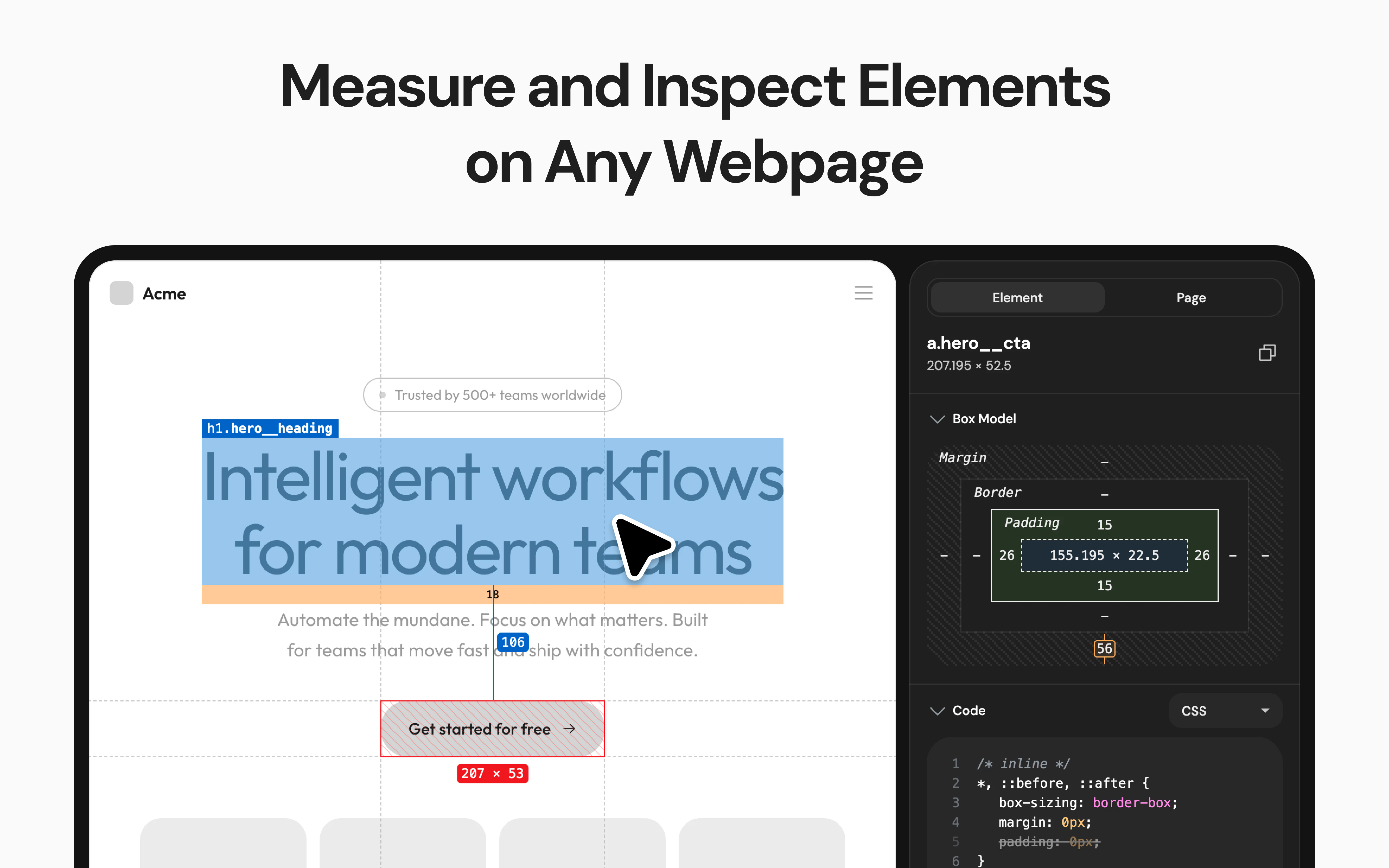
Unlike browser DevTools, Screen Ruler is built for design workflows: visual flexbox/grid breakdown, gradient inspection with color stops, multi-element pseudo-state simulation, CSS-to-Tailwind conversion, and a Page tab with Performance, SEO, and Social previews.
AI Analysis
Screen Ruler is a Chrome extension for designers and developers, functioning as an advanced visual ruler beyond standard DevTools. Key features include visual flexbox/grid breakdown, gradient inspection with color stops, multi-element pseudo-state simulation, CSS-to-Tailwind conversion, and a Page tab for Performance, SEO, and Social previews. It addresses pain points like inefficient browser-based design measurement, inspection, and code conversion. USP is its design-workflow focus, streamlining visual analysis to code processes for higher productivity. Overall value proposition: intuitive, all-in-one tool that bridges design and development seamlessly.
Favorable in 2025-2026 due to maturing Tailwind CSS adoption, rising demand for integrated design-to-code tools, AI-assisted dev workflows, and emphasis on web performance/SEO. Browser extensions remain popular for quick productivity gains amid remote work and fast web iteration cycles. No major negative policy or economic barriers. Excellent Timing.
High feasibility. Technical difficulty is moderate as it leverages existing Chrome extension APIs, CSS parsing, and web tech (no complex AI/ML needed based on description). Low dev/operation costs, minimal supply chain or compliance risks (standard extension distribution). Strong scalability as a digital SaaS-like tool with potential for updates and user growth. High.
Main segments: UI/UX designers, frontend/web developers (ages 25-40), in tech, agencies, and startups. Global distribution with concentration in US, Europe, Asia. Estimated TAM for developer/design tools ~$5-10B, SAM for browser design extensions ~$200M, SOM ~$10-20M. Core pain points: cumbersome DevTools for visual design tasks and slow CSS-to-framework conversion. Moderate to high willingness to pay for premium productivity features.
Medium. Direct competitors: 1. VisBug (visbug.com), 2. CSS Peeper (csspeeper.com), 3. PerfectPixel (well-done-code.com/perfectpixel), 4. WhatFont (whatfont.io), 5. Built-in Chrome DevTools. Advantages: unique combination of ruler + pseudo-state sim + CSS-Tailwind converter tailored for design workflows; more visual and integrated than competitors. Disadvantages: newer entrant may have less brand recognition; overlaps with DevTools features could limit differentiation. Strong in niche but faces established tools.
Upgrade Pro to unlock full AI analysis
Similar Products

Opaline
PostHog for team Claude Code and Codex sessions.
▲ 141 votes

Tapfree for Chrome
Voice dictation that adapts to what’s on your screen
▲ 122 votes

React UI Kit V7
All the chat components you need. None of the complexity
▲ 115 votes

Replay QA Security Scan
Automated Penetration Testing for AI-Built Apps
▲ 102 votes

Audryo
Customer email your agent can operate.
▲ 68 votes

Refoid
Automate App Store refund responses and track every outcome
▲ 68 votes