
Screen Ruler
Edit anything on the web with change tracking
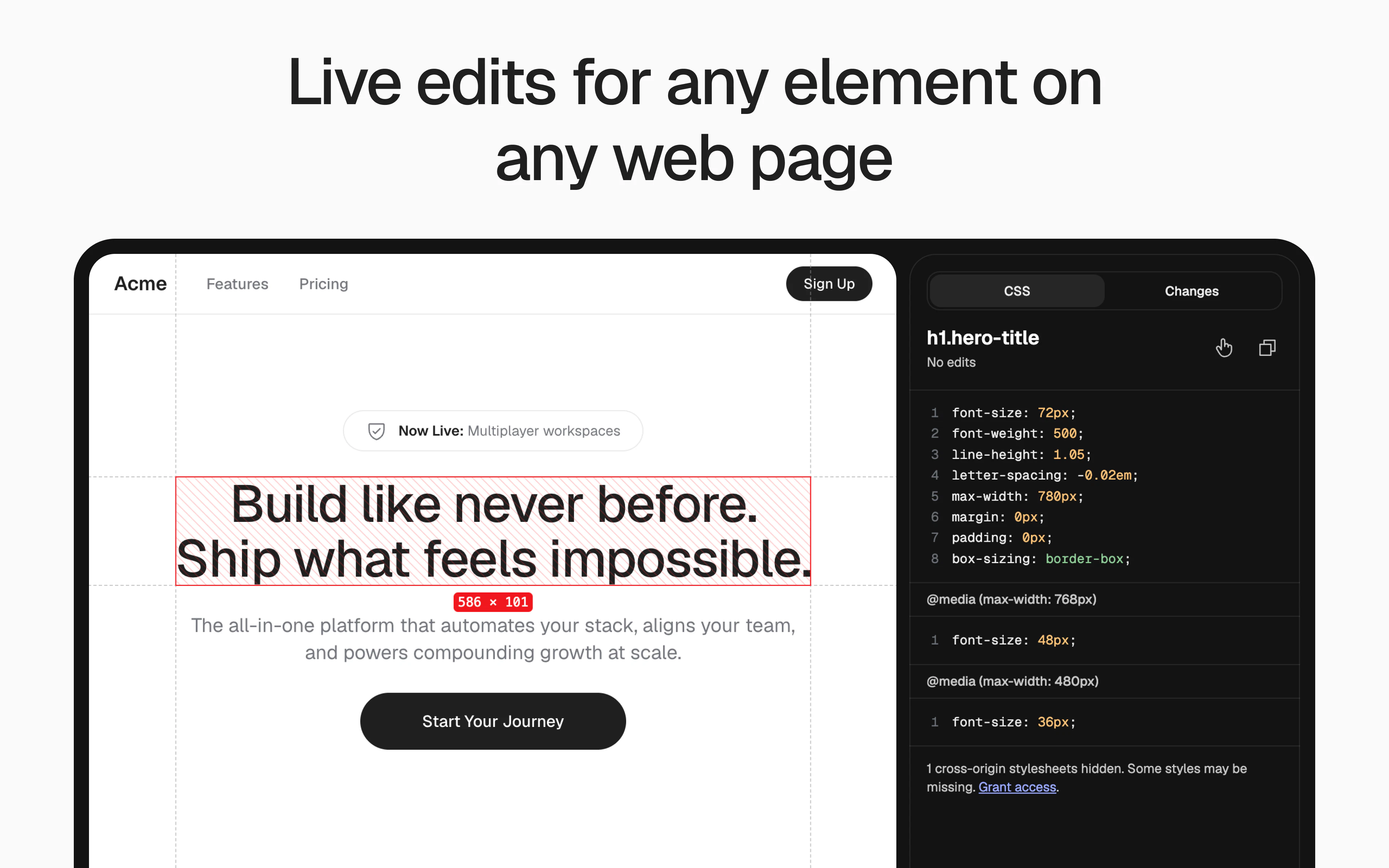
Screen Ruler is a Chrome extension for measuring and inspecting live web pages. By popular demand, it now supports editing. Click an element, see its matched CSS, tweak values inline. Works on :hover/:focus and inside @media rules with every single change tracked and viewable in one place.
AI Analysis
Screen Ruler is a Chrome extension for measuring, inspecting, and editing live web pages. Core features include clicking elements to view matched CSS, inline tweaking of values, support for :hover/:focus states and @media rules, plus full change tracking viewable in one place. It solves pain points like inefficient real-time CSS editing, loss of modification history, and difficulty inspecting dynamic web elements. Unique selling points are the seamless integration of ruler tools with editable CSS and comprehensive tracking. Overall value proposition: empowers web designers and developers to iterate faster directly on live sites without switching contexts.
In 2025-2026, market timing is favorable with rising demand for efficient web design tools amid no-code/AI design trends, maturing browser APIs, and increased focus on rapid prototyping/collaboration in remote work environments. Economic pressures favor productivity tools that reduce context-switching for developers. However, competition from integrated AI web builders exists. Excellent Timing.
Technical difficulty is moderate, requiring solid knowledge of Chrome extension APIs, DOM/CSS manipulation, and state tracking. Development/operation costs are low (software-only, no hardware/supply chain). Minimal compliance risks beyond Chrome Web Store guidelines. High scalability via potential freemium upgrades or cloud sync. Strong team fit for web tech experts. Overall rating: High.
Primary segments: frontend web developers, UI/UX designers, and digital product teams (ages 25-40, tech professionals). Global distribution with concentration in US, Europe, and Asia tech hubs. Developer tools market is large; this fits within browser extension and web design tool segments with dedicated demand. Core pain points: cumbersome live element editing and change management. High willingness to pay for premium tracking/export features among professionals.
Medium. Direct competitors: 1. Stylebot (stylebot.me) - CSS editor extension. 2. VisBug (visbug.app) - visual web debugging tool. 3. PerfectPixel (well-done-code.com) - pixel-perfect measuring. 4. Chrome DevTools (built-in). 5. CSS Scan (getcssscan.com). Advantages: unique all-in-one ruler+inline edit+change tracking that works on dynamic states. Disadvantages: narrower scope than full DevTools, newer product with potentially smaller user base and no mentioned advanced collaboration features.
Upgrade Pro to unlock full AI analysis
Similar Products

Auriko
Trading desk for LLM calls
▲ 332 votes

Xirp
The agentic development environment built by Spotify
▲ 224 votes

Tapfree for Chrome
Voice dictation that adapts to what’s on your screen
▲ 122 votes

React UI Kit V7
All the chat components you need. None of the complexity
▲ 115 votes

Replay QA Security Scan
Automated Penetration Testing for AI-Built Apps
▲ 102 votes

CodeBurn
See where your AI coding spend actually goes
▲ 101 votes