
Shadow
The interface AI needs. One that sees, hears, and runs.
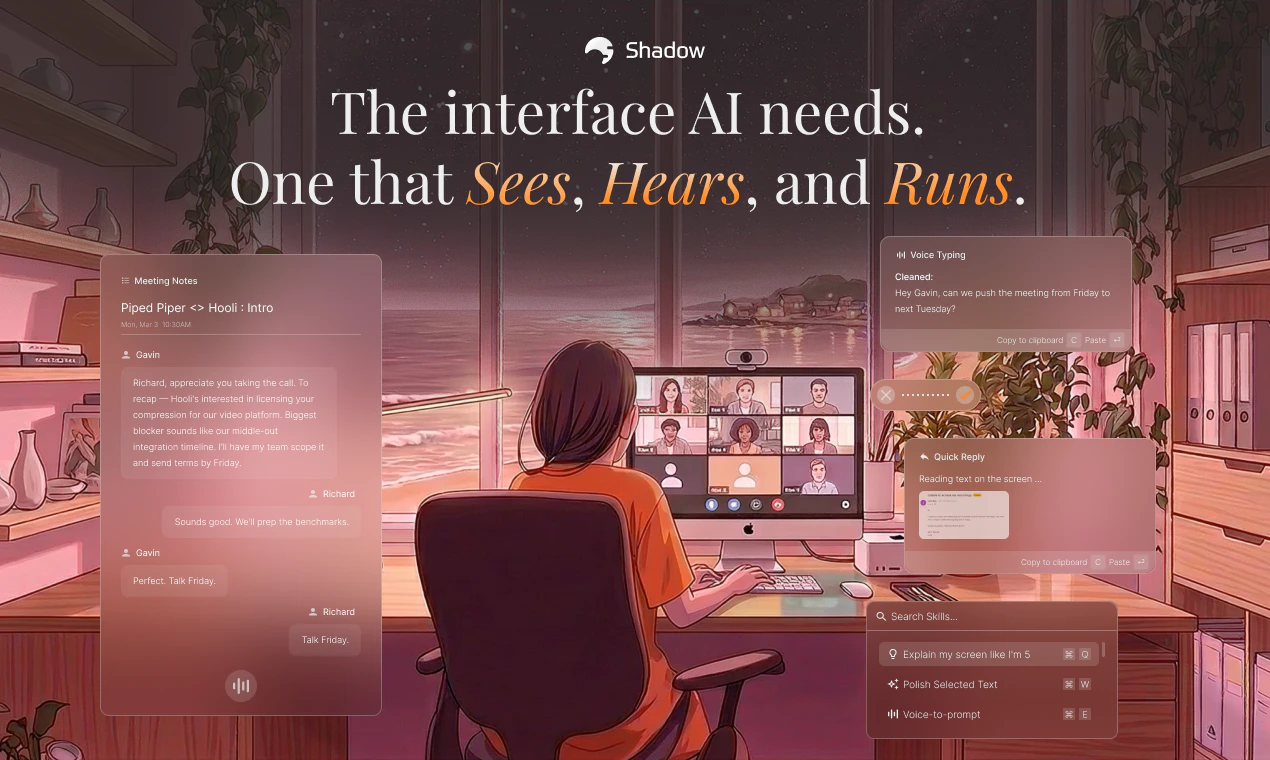
Shadow is the AI interface for your Mac. It sees your screen, hears your voice, and runs the prompts you build — on a keyboard shortcut, or in your meetings. 🪄 Skills do the work. Quick Reply drafts emails from what you say and what’s on screen. Voice Typing turns talking into clean text, anywhere. Meeting Skills capture every word and screen, then deliver notes and follow-ups the moment you hang up. Build your own — every Skill is a prompt, a context, and an output.
AI Analysis
Shadow is an AI interface for Mac that sees your screen, hears your voice, and executes user-built prompts via keyboard shortcuts or in meetings. Core features include Skills such as Quick Reply (drafts emails from spoken words and screen content), Voice Typing (converts speech to clean text anywhere), and Meeting Skills (captures words, screen, then auto-generates notes and follow-ups post-call). Users can create custom Skills, each defined by a prompt, context, and output. It solves key pain points like inefficient meeting follow-ups, manual note-taking, repetitive writing tasks, and lack of contextual AI in workflows. USP is its proactive, multimodal integration acting as an intelligent OS layer. Value proposition: boosts productivity by making AI seamless and actionable without app-switching.
Excellent Timing. In 2025-2026, multimodal AI technologies have matured (vision+audio models), user demand is shifting toward contextual, agentic interfaces beyond chatbots, and hybrid work sustains need for advanced meeting/productivity tools. Policy and economic environments favor AI-driven efficiency gains. Mac ecosystem is primed with on-device AI trends, making deep OS-integrated solutions like Shadow highly relevant and timely.
Medium. Technical difficulty is notable for real-time screen vision, voice processing, and secure Mac integration using accessibility APIs. Development and inference costs are moderate-to-high depending on cloud vs on-device AI. Privacy/compliance risks are elevated due to constant screen/audio access. However, prompt-based skills enable good scalability. Feasible with current LLM APIs but requires specialized AI/Mac engineering expertise.
Main segments: Mac-using knowledge workers (tech, consulting, marketing, management), ages 25-45, primarily in North America/Europe. Focus on professionals with frequent meetings and writing tasks. AI productivity market is rapidly growing (large TAM among millions of Mac users); specific SAM/SOM centers on premium AI assistant adopters. Core pain points: lost meeting context, slow task follow-up, repetitive admin work. High willingness to pay for time-saving, integrated tools (likely subscription model).
Medium. Direct competitors: Rewind (rewind.ai), Otter.ai (otter.ai), Fireflies.ai (fireflies.ai), tl;dv (tldv.io), Raycast (raycast.com). Shadow advantages: unique screen-aware multimodal integration, custom buildable Skills, seamless meeting-to-action workflow. Disadvantages: newer player with potential trust barriers around full screen access; less brand recognition than established audio-focused tools. Strong differentiation in proactive 'AI interface' but pressure from big-tech AI features (e.g. Apple Intelligence).
Upgrade Pro to unlock full AI analysis
Similar Products

Adapt
The company brain that gets work done
▲ 124 votes

Tapfree for Chrome
Voice dictation that adapts to what’s on your screen
▲ 122 votes

Buddy AI Note
Your daily memo that turns notes into a plan
▲ 94 votes

Kosshi
Simple, fast outliner for Mac and iPhone.
▲ 90 votes

Thoughts for Mac
Capture notes from your menubar using text, images or voice
▲ 90 votes

Refoid
Automate App Store refund responses and track every outcome
▲ 68 votes