
Snap Deck HQ
Everything you need in one native macOS command bar
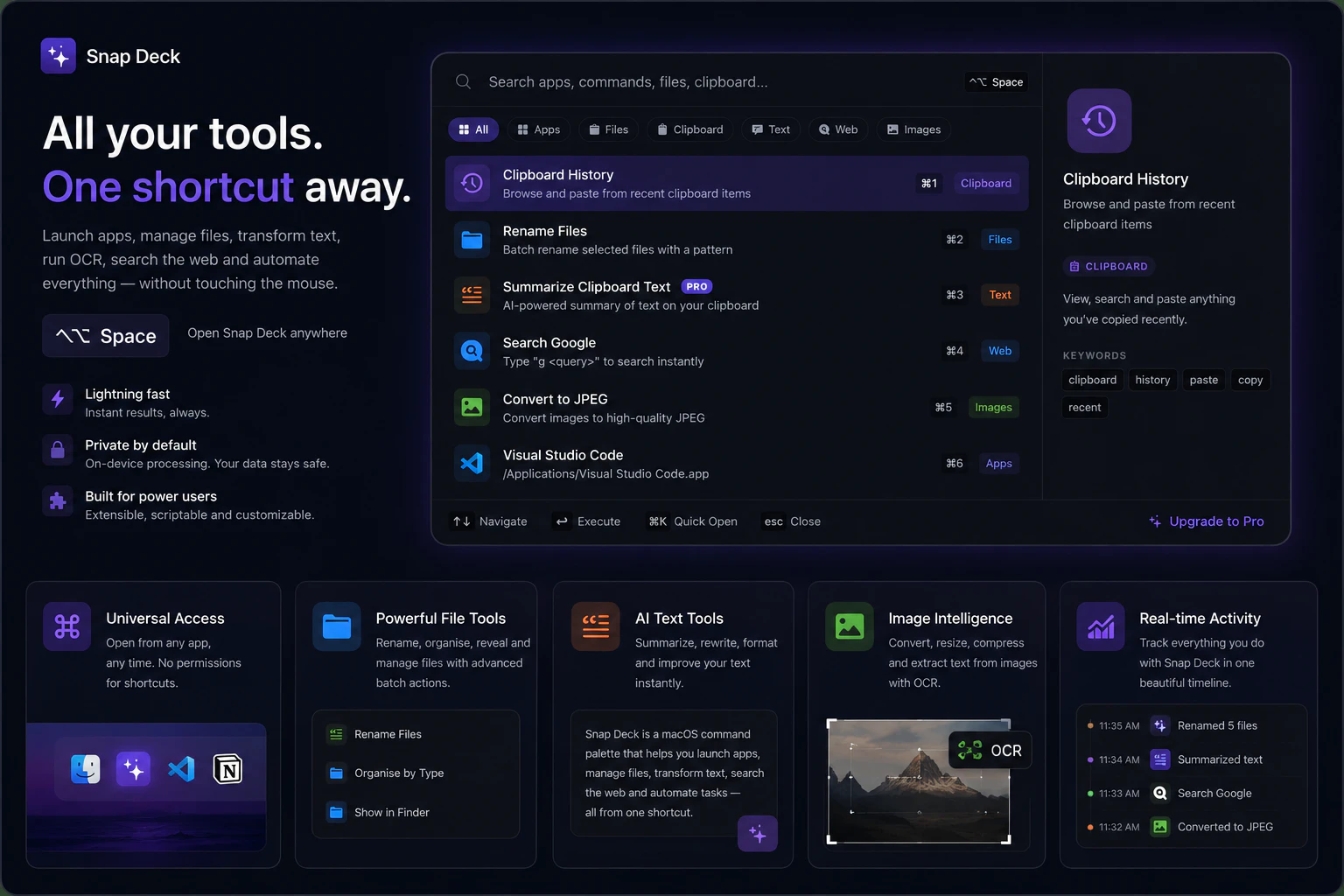
Snap Deck is an intelligent all-in-one command palette built natively for macOS. Press ⌃⌥Space to launch apps, manage files, and automate workflows instantly without a mouse. ⚡ Features: • Smart Clipboard: Search & paste history • AI Text Tools: Summarize & format code/text • File & Image Power Tools: Batch rename, image resize, image compression & built-in OCR • Automations: Set custom app triggers • Privacy-First: 100% local, on-device processing Supercharge your Mac productivity in seconds.
AI Analysis
Snap Deck HQ is a native macOS intelligent command palette launched via ⌃⌥Space, enabling mouse-free app launching, file management, and workflow automation. Core features include Smart Clipboard with history search/paste, AI text tools for summarization and code formatting, file/image power tools (batch rename, resize, compression, built-in OCR), and custom automations. It is 100% local and privacy-first. It solves key pain points like mouse dependency, fragmented productivity apps, repetitive manual tasks, and cloud AI privacy risks. The value proposition is an all-in-one, instant productivity supercharger for Mac users with seamless on-device intelligence.
In 2025-2026, timing is highly favorable due to maturing on-device AI frameworks (e.g., Apple Intelligence in macOS), rising user demand for privacy-centric tools amid data concerns, and continued growth in keyboard-driven productivity apps as remote/hybrid work persists. Economic environment supports efficiency tools, and native Mac app trends align perfectly with Snap Deck's local processing focus. Excellent Timing.
Overall feasibility is High. Technical difficulty is moderate leveraging mature macOS APIs, Swift, and on-device ML tools like Core ML for AI/OCR features. Development and operation costs are manageable for a focused native app with no heavy cloud infrastructure. Low supply chain or compliance risks given its privacy-first design. Strong scalability potential via app updates and freemium model. Key support: aligns with existing Mac dev ecosystems; main challenge is polishing all integrated tools but highly achievable. High.
Main target segments: macOS power users (developers, designers, writers, freelancers) aged 25-45 in tech, creative, and productivity-focused industries, primarily in North America, Europe, and high-Mac-adoption regions. TAM for global Mac productivity software exceeds $1B; SAM for command bar/launcher tools approx. $100-200M; SOM for premium local AI tools likely $10-20M initially. Core pain points: inefficient workflows, mouse reliance, repetitive tasks, and AI privacy fears. High willingness to pay ($5-20/mo subscriptions common in category) for time-saving tools.
Competition level: Medium. Direct competitors: 1. Raycast (raycast.com) - extensible AI command bar. 2. Alfred (alfredapp.com) - established Mac launcher with workflows. 3. LaunchBar (obdev.at/launchbar) - powerful keyboard launcher. 4. Built-in Spotlight with third-party enhancements. Advantages vs competitors: 100% on-device local processing for superior privacy, deeply integrated file/image tools (OCR, batch ops) without relying on extensions. Disadvantages: Newer with likely smaller ecosystem/community than Raycast's vast plugins; may have fewer mature automations initially. Strong differentiation in native all-in-one privacy focus but must compete on polish and integrations.
Upgrade Pro to unlock full AI analysis
Similar Products

Load Nova
Dispatchers AI Co-Pilot and Dashboard that care about speed
▲ 131 votes

Adapt
The company brain that gets work done
▲ 124 votes

Tapfree for Chrome
Voice dictation that adapts to what’s on your screen
▲ 122 votes

Buddy AI Note
Your daily memo that turns notes into a plan
▲ 94 votes

Kosshi
Simple, fast outliner for Mac and iPhone.
▲ 90 votes

Thoughts for Mac
Capture notes from your menubar using text, images or voice
▲ 90 votes