
Split Ninja
Cut, extract, mute, and split videos locally
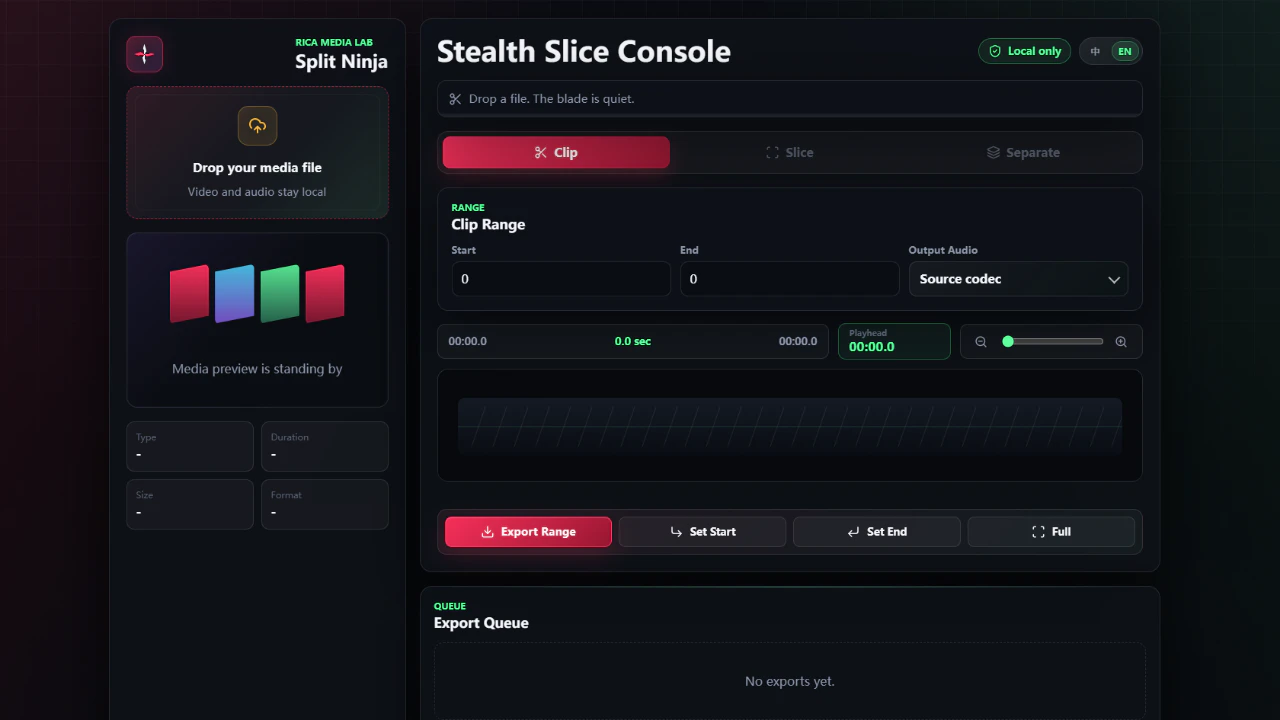
Split Ninja is a free local-first media toolkit for cutting videos, extracting audio, muting clips, and splitting scenes directly in your browser. Your files stay on your device, with fast export and precise re-encode modes.
AI Analysis
Split Ninja is a free, local-first media toolkit that lets users cut videos, extract audio, mute clips, and split scenes directly in the browser. All processing happens on the user's device for maximum privacy and speed, with fast export and precise re-encode options. It solves key pain points like cloud upload risks, heavy software installations, slow processing for simple edits, and privacy concerns in traditional video tools. The value proposition is a lightweight, no-install, secure solution for quick video tasks, targeted at marketers, creators, and productivity users seeking efficient local media manipulation.
In 2025-2026, timing is favorable due to exploding demand for short-form video content on social platforms, maturing browser media APIs (WebCodecs, WASM) enabling efficient local processing, rising privacy regulations and user concerns over cloud uploads, and the shift toward lightweight, no-install tools amid remote work trends. Economic pressures also favor free, accessible solutions. Excellent Timing.
High feasibility. Technical difficulty is manageable using established browser libraries for video processing. Development and operation costs are low as it's client-side with no heavy backend. Minimal supply chain or compliance risks due to local-first design avoiding data transfers. Strong scalability potential as a web app. Key risks are browser performance variability, but overall highly feasible for a small team.
Primary users: content creators, digital marketers, social media managers, and productivity-focused professionals (ages 20-45) in marketing, media, and education industries. Geographically global with strong presence in US, Europe, and Asia-Pacific. Video editing tool market is large and growing; core pain points include time wasted on complex software, privacy fears from cloud services, and need for fast simple edits. Potential willingness to pay is moderate for advanced/premium features despite current free model.
Medium. Direct competitors: 1. LosslessCut (https://github.com/mifi/lossless-cut), 2. Kapwing (https://www.kapwing.com), 3. VEED (https://www.veed.io), 4. Clideo (https://clideo.com), 5. Adobe Express (https://www.adobe.com/express/). Advantages: fully local/privacy-focused, no uploads or accounts needed, browser-based simplicity, free core features. Disadvantages: potentially fewer advanced editing/AI tools, performance tied to user hardware. Strong differentiation in local-first approach versus mostly cloud-based rivals.
Upgrade Pro to unlock full AI analysis
Similar Products

Deliveryman.ai
Cold email infrastructure on autopilot without Gsuite
▲ 155 votes

Adapt
The company brain that gets work done
▲ 124 votes

Kosshi
Simple, fast outliner for Mac and iPhone.
▲ 90 votes

Thoughts for Mac
Capture notes from your menubar using text, images or voice
▲ 90 votes

WikiFix for Confluence
Find and fix issues in your knowledge base
▲ 86 votes

Refoid
Automate App Store refund responses and track every outcome
▲ 68 votes