
StepGrab
Turn any Mac task into a step-by-step guide
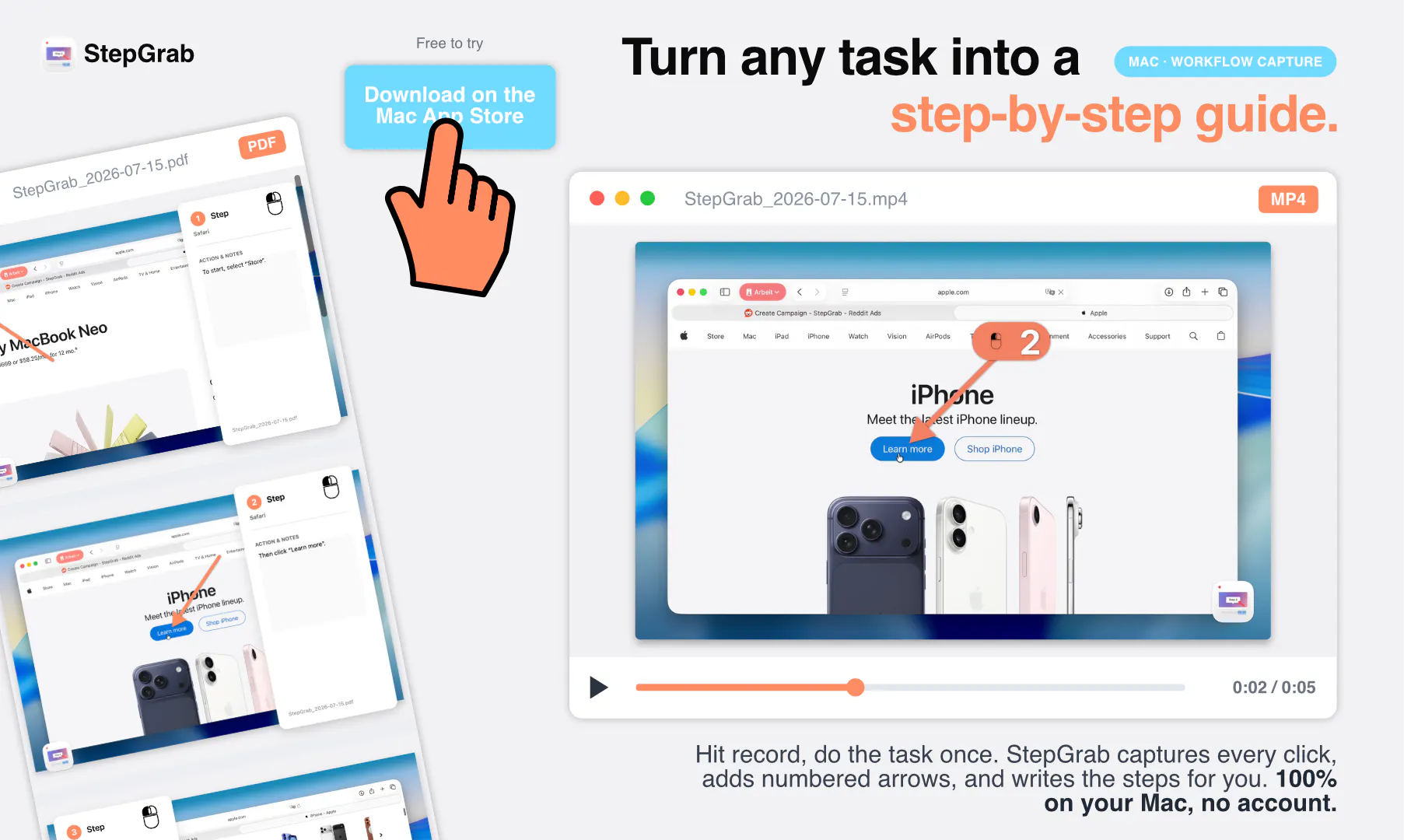
Documenting a workflow means screenshots, cropping, arrows, and typing out every step. StepGrab does it for you: hit record, do the task once, and every click comes back as an annotated screenshot with the step already written. Native Mac menu bar app, on-device, no account, nothing uploaded. Export as GIF, PDF, MP4, clickable HTML, Markdown, or vertical video — one recording, your brand color. Free tier is real. Pro $2.99/mo, $12.99/yr, or $44.99 once.
AI Analysis
StepGrab is a native Mac menu bar app that automatically turns any workflow into a step-by-step guide. Users record a task once; the tool captures every click as an annotated screenshot with generated text descriptions. It runs fully on-device with no account or data uploads for maximum privacy. Features include brand color customization and one-click exports to GIF, PDF, MP4, clickable HTML, Markdown, or vertical video formats. It solves the major pain of manually taking, cropping, annotating screenshots and writing instructions for documentation. The value proposition is fast, professional-grade guides for tutorials, internal processes, or support, with a real free tier and affordable Pro pricing ($2.99/mo or one-time option).
In 2025-2026, market timing is favorable with rising demand for productivity automation tools, hybrid work requiring easy knowledge sharing, and mature on-device tech in the Apple ecosystem (Apple Silicon and intelligence features). User preferences are shifting toward privacy-first, no-cloud solutions amid data security concerns. Economic conditions support affordable micro-SaaS tools. This aligns perfectly with trends in AI-assisted creation and streamlined workflows. Rating: Excellent Timing.
High feasibility. Technical difficulty is manageable using established macOS accessibility and screenshot APIs for click tracking and annotation, with no need for complex cloud backend. Development and operation costs are low for a menu bar app. Minimal supply chain or compliance risks given the on-device, privacy-focused design. Good team fit for Mac developers and high scalability via direct downloads or app stores. Key reason: no server costs or data liability.
Main segments: Tech-savvy Mac users including developers, designers, educators, IT support, and customer success teams (ages 25-45), concentrated in North America and Europe. Industries: software, creative, education, and consulting. TAM for global productivity software is large (tens of billions); SAM for Mac-specific tools is substantial; SOM for automated guide creators is niche but growing (potentially several million dollars). Core pains: time lost on manual docs. High willingness to pay for time-saving at low price points like $3/mo.
Medium. Direct competitors: 1. Scribe (scribehow.com), 2. Tango (tango.us), 3. Snagit (techsmith.com/snagit), 4. Loom (loom.com). Advantages vs competitors: complete on-device privacy (no uploads), native Mac menu bar integration, one-time lifetime purchase option, versatile exports including clickable HTML with brand colors. Disadvantages: Mac-only (no Windows/cross-platform), potentially fewer enterprise features or templates than Scribe/Tango, as a newer tool it has lower brand awareness. Strong differentiation through full automation and zero-data collection.
Upgrade Pro to unlock full AI analysis
Similar Products

Adapt
The company brain that gets work done
▲ 124 votes

Kosshi
Simple, fast outliner for Mac and iPhone.
▲ 90 votes

Thoughts for Mac
Capture notes from your menubar using text, images or voice
▲ 90 votes

WikiFix for Confluence
Find and fix issues in your knowledge base
▲ 86 votes

Refoid
Automate App Store refund responses and track every outcome
▲ 68 votes

Patchcord
Studio sound for your mic in every Mac meeting with EQ
▲ 64 votes