Studio Practice
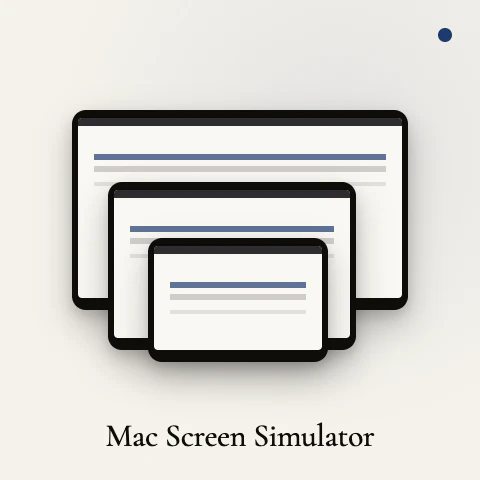
Preview any URL on every Mac screen at once
Paste any URL. See it rendered across all six common Mac display sizes — MacBook Air 13 and 15, MacBook Pro 14 and 16, iMac 24, and Studio Display 5K — stacked, scaled, and labeled. The notch and menu bar are where Apple puts them, so what you see matches a real fullscreen browser. Single HTML file. No signup, no tracking, no build step. Works with localhost. Download once and it runs offline forever.
AI Analysis
Studio Practice lets users paste any URL to preview it rendered simultaneously across six standard Mac screen sizes (MacBook Air 13/15, MacBook Pro 14/16, iMac 24, Studio Display 5K). Screens are stacked, accurately scaled with precise notch and menu bar placement to mimic real fullscreen browsers. It is a single offline HTML file that supports localhost, requires no signup, tracking, build steps or internet after download. It solves the key pain point for Mac-based designers and developers who need to validate responsive layouts across Apple devices without owning every model, delivering a fast, private, and maintenance-free value proposition.
In 2025-2026, Apple continues releasing new Mac hardware with evolving display specs while the design tools market grows with emphasis on privacy, lightweight offline utilities, and no-subscription products. Demand for accurate, device-specific previews remains strong among remote indie developers and designers using modern web tech. This simple, focused tool aligns well with maturing no-code trends and Mac ecosystem expansion. Rating: Excellent Timing.
Technical difficulty is very low as the product is already a single self-contained HTML file. Development, operation, and maintenance costs are minimal with no servers or updates required. No supply chain, regulatory, or compliance risks. Easily scalable via simple downloads. High feasibility supported by its offline-first, zero-infrastructure design that any solo developer can maintain. Rating: High.
Primary segments: Mac-based UI/UX designers, frontend web developers, and indie hackers in tech startups and digital agencies, concentrated in US, Europe, and East Asia. Estimated TAM for web design tools is multi-billion; SAM for Mac device preview utilities approx $30-50M; SOM for this niche offline tool $2-5M. Core pain points include inability to test on varied physical Apple hardware and slow iteration cycles. Willingness to pay is moderate (likely one-time purchases of $10-30) as users favor free or cheap utilities.
Competition Level: Low. Direct competitors: 1. Responsively.app (https://responsively.app), 2. Mockuuups Studio (https://mockuuups.studio), 3. Figma device preview features, 4. BrowserStack Responsive (browserstack.com), 5. Built-in Safari/Chrome DevTools responsive modes. Advantages: Truly offline single-file simplicity, exact Mac-specific dimensions/notch accuracy, localhost support, zero tracking or accounts. Disadvantages: Limited to only six Apple sizes (no Android/Windows), lacks collaborative or advanced screenshot features of full desktop apps.
Upgrade Pro to unlock full AI analysis
Similar Products

Opaline
PostHog for team Claude Code and Codex sessions.
▲ 141 votes

React UI Kit V7
All the chat components you need. None of the complexity
▲ 115 votes

Replay QA Security Scan
Automated Penetration Testing for AI-Built Apps
▲ 102 votes

CodeBurn
See where your AI coding spend actually goes
▲ 101 votes

Audryo
Customer email your agent can operate.
▲ 68 votes

Refoid
Automate App Store refund responses and track every outcome
▲ 68 votes